First the link to the EQInterface skin being kept up by mh272.
https://www.eqinterface.com/forums/showthread.php?t=22151
If you like this skin, which is rich in detail and very well done, I have been editing some pieces to my own liking, that better suit MQ2targetinfo settings. Plus some various other xml's. I would also like to thank @ChatWithThisName for the help and editing he has been doing to this UI as well.
MQ2Targetinfo settings:
Group and extended target:
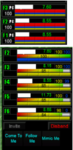
Modified pieces to make more useful with MQ2's target info.
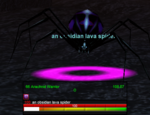
EQUI_TargetWindow: adjust size of window and edit background.
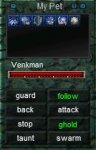
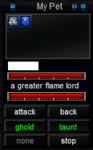
EQUI_PetInfoWindow: Modified the Pet window for 6 buff buttons, pet gauge and pet target gauge:
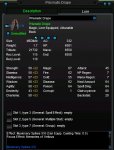
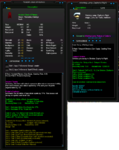
EQUI_ItemDisplay: Fixed MQ2ItemDisplay (Thanks @ChatWithThisName ):
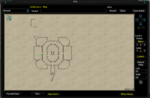
EQUI_MapViewWnd: Made so it stretches correctly.
Update 4/19/19:
EQUI_GroupWindow.xml: Fix group window from resizing.
https://www.eqinterface.com/forums/showthread.php?t=22151
If you like this skin, which is rich in detail and very well done, I have been editing some pieces to my own liking, that better suit MQ2targetinfo settings. Plus some various other xml's. I would also like to thank @ChatWithThisName for the help and editing he has been doing to this UI as well.
MQ2Targetinfo settings:
Code:
[UI_Graphite]
//Type <Groupinfo reload> to refresh adjustments made in game.

DynamicUI=1

GroupDistanceOffset=0
GroupDistanceFontSize=1
GroupDistanceLoc=0,0,0,-55
#the gauge we write our distance text to: GW_Gauge<x> etc... plugin adds the <1>,2,3,4,5
GroupDistanceElementPrefix=GW_Gauge

ExtDistanceLoc=0,0,0,-35

ComeToMeLoc=61,27,6,46
FollowMeLoc=61,27,48,88
MimicMeLoc=61,27,90,130

HotButton0Loc=97,64,6,46
HotButton1Loc=97,64,49,89
HotButton2Loc=97,64,92,132

TargetInfoAnchoredToRight=1
TargetInfoLoc=47,58,295,300
TargetDistanceLoc=47,80,150,295

UseExtLayoutBox=1
UseGroupLayoutBox=1
Label1=Player_ManaLabel
Label2=Player_FatigueLabel
Group and extended target:
Modified pieces to make more useful with MQ2's target info.
EQUI_TargetWindow: adjust size of window and edit background.
EQUI_PetInfoWindow: Modified the Pet window for 6 buff buttons, pet gauge and pet target gauge:
EQUI_ItemDisplay: Fixed MQ2ItemDisplay (Thanks @ChatWithThisName ):
EQUI_MapViewWnd: Made so it stretches correctly.
Update 4/19/19:
EQUI_GroupWindow.xml: Fix group window from resizing.
Attachments
Last edited: