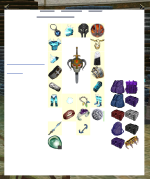
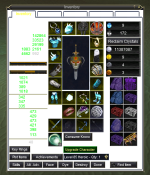
I had this issue and what you need to do is to go back to the old ui file that they left in when they converted all this
I followed these steps on the forum by Emilari and it worked great - make sure you get all 4 files. And I just named mine Monkeyui
Step 1: Log out of EQ
Step 2: Load the patcher, but instead of logging in, click the little "Advanced Tools" gear close to the bottom left corner.
Step 3: Click "Open Game Directory."
Step 4: Open the "uifiles" folder in your EQ directory.
Step 5: Create a new subfolder. Mine will be called "EmilariUI" for the purposes of this example.
Step 6: Open the "default" subfolder and copy the following 4 files to the new subfolder created in step 5: EQUI_Inventory.xml , EQUI_QuantityWnd.xml , EQUI_SelectorWnd.xml , and EQUI_StoryWnd.xml.
Step 7: Log into EQ.
Step 8: type and enter "/loadskin UIFolderName 1" in a chat window. (IE: /loadskin EmilariUI 1)" Now what I did here was just opened options then general then click load ui skin.
The space and 1 at the end is important to retain the position all your windows load in; if you don't add it, you'll have to reposition your windows.
Its not all Radeons cause I have 3 computers with them and it only happened on 1 computer but I had to log into each character and click load ui and chose the one I just made which is really just the one we had before they messed with it

 Hail, we're RedGuides. We want you to play six (yes, 6!) EverQuest characters at once. We have scripts and a friendly community to help, please join our playstyle and say hello! 👋
 We've added LLM sections to our Terms & Rules and Resource Rules, for everyone's sanity & in-game safety.