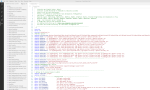
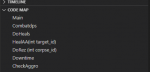
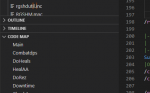
Here is a short guide for building a function list is VSCode that scans macro and include files for lines that start with 'Sub'. It then creates a context map which shows a list of all subs in the file and allows you to click on individual subs to jump to their location in the file.
1) Download the CodeMap extension.
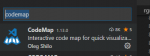
2) Keypress Ctrl+Shift+P
3) Search for 'Preferences: Open Settings (JSON)'
4) add the following snippet to that settings.json file inside the curly brackets { }
5) Enjoy the function jumping.
1) Download the CodeMap extension.
2) Keypress Ctrl+Shift+P
3) Search for 'Preferences: Open Settings (JSON)'
4) add the following snippet to that settings.json file inside the curly brackets { }
INI:
"codemap.location": "explorer",
    "codemap.mac": [
        {
          "pattern": "^\\s*(Sub|sub) \\w*\\s*\(([^\)]*)\)",
          "clear": "Sub ",
          "icon": "function"
        }
    ],
    "codemap.inc": [
        {
          "pattern": "^\\s*(Sub|sub) \\w*\\s*\(([^\)]*)\)",
          "clear": "Sub ",
          "icon": "function"
        }
]Attachments
Last edited: