• You've discovered RedGuides, an EverQuest multi-boxing and scripting community 🧙‍♀️⚙️. We want you to play several EQ characters at once, come join us and say hello! 👋

  • A TLP without truebox has thawed (Very Vanilla ready)
    Frostreaver

VSCode Function Mapping for .mac and .inc files

Joined
Dec 2, 2014
RedCents
1,815¢
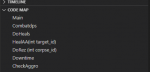
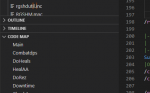
Here is a short guide for building a function list is VSCode that scans macro and include files for lines that start with 'Sub'. It then creates a context map which shows a list of all subs in the file and allows you to click on individual subs to jump to their location in the file.

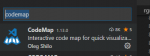
1) Download the CodeMap extension.
1593719640359.png
2) Keypress Ctrl+Shift+P
3) Search for 'Preferences: Open Settings (JSON)'
4) add the following snippet to that settings.json file inside the curly brackets { }
INI:
"codemap.location": "explorer",
    "codemap.mac": [
        {
          "pattern": "^\\s*(Sub|sub) \\w*\\s*\(([^\)]*)\)",
          "clear": "Sub ",
          "icon": "function"
        }
    ],
    "codemap.inc": [
        {
          "pattern": "^\\s*(Sub|sub) \\w*\\s*\(([^\)]*)\)",
          "clear": "Sub ",
          "icon": "function"
        }
    ]
5) Enjoy the function jumping.
1593722788968.png
 

Attachments

  • 1593719821314.png
    1593719821314.png
    7.6 KB · Views: 16
Last edited:
Nice find!

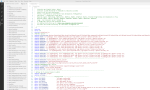
I also suggest checking out the Macroquest2 VSCode (vscodemq2) extension for syntax highlighting.
 
Last edited:
Yeap. That syntax highlighting is great, but if anyone is up for it it could use some updating and possible extension for full language support.
 
Yeap. That syntax highlighting is great, but if anyone is up for it it could use some updating and possible extension for full language support.

I'm no regex master but I made several updates to the .tmlLanguage file. At least enough to make my scripts look like less of a crime scene. I dunno if he's accepting PRs for updates but I've attached it if anyone wants to take a stab.

(Extract into \.vscode\extensions\dewaynejohnsonbaugh.vscodemq2-0.7.0\syntaxes\)
 

Attachments

Nicely done!

Syntax highlighting working pretty well (way better than NP++)

Now curious why some commands are red - ie those are not recognized as valid MQ2:

/alt activate <- activate is red
/dzquit
/doortarget
/click left door <- door is red
/end <- well this being red would make sense

also MQ2Nav and MQ2AdvPath commands are red but that is to be expected
 
If you add "codemap.sortingEnabled": true, it will sort the names alphabetically.
If you use "codemap.location": "codemap", instead of explorer it put its in another window with a dedicated icon to click

JavaScript:
    "codemap.location": "codemap",
    "codemap.sortingEnabled": true,
    "codemap.mac": [
        {
          "pattern": "^\\s*(Sub|sub) \\w*\\s*\(([^\)]*)\)",
          "clear": "Sub ",
          "icon": "function"
        }
    ],
    "codemap.inc": [
        {
          "pattern": "^\\s*(Sub|sub) \\w*\\s*\(([^\)]*)\)",
          "clear": "Sub ",
          "icon": "function"
        }
    ]

vscode.png
 
Last edited by a moderator:
VSCode Function Mapping for .mac and .inc files

Users who are viewing this thread

Back
Top
Cart