• Hail, we're RedGuides. We want you to play six (yes, 6!) EverQuest characters at once. We have scripts and a friendly community to help, please join our playstyle and say hello! 👋
  • We've added LLM sections to our Terms & Rules and Resource Rules, for everyone's sanity & in-game safety.
    Read more
    a. Do not replace your voice with an LLM. This goes for your posts and your scripts. Drafting and editing with a tool is fine, but don't take you out of what you share.
    b. Do not replace your EQ character's voice with an LLM. We don't want scripts that speak over /ooc, /shout or other public channels. This has been an unwritten rule that's kept casino scripts off the site for decades, but we're now compelled to make it clear: keep automated communication private.

    Why Does RG Review Scripts?
    Nearly every LLM-written Lua script we see is making your character do impossible things, and rarely in a way that's beneficial to you. We've seen heavy server hammering, /target over impossible distances when /nav spawn would passively accomplish the same thing, a spawn search that fires 20+ times per second, and other pointless actions that are likely annoying GMs.

    You are welcome to use LLMs as a tool to structure, draft, and edit your work, but please read critically before hitting /lua run

Question - View Lockout Timers

/tasktimers


I also check alt-z window for places like Fan the Flames as that actually has a loot lockout timer as well - and you can end up doing the mission and not get loot because your loot timer wasn't back

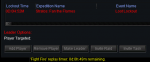
1600915513534.png
 
Does not seem to be working as intended. Mission cooldowns visible with /taskt do not show up for completed missions in the TLO .

/taskt confirms i have one timer with hours left cooldown.
${DynamicZone.MaxTimers} has a value of 0.
Also searching for the timer by name returns NULL.

Perhaps related, the inactive missions on cooldown do not show in the EQ expedition window either, only the /taskt command, to my knowledge

Has someone else gotten this to work for missions (not raids)? There's a good chance my problem is between the chair and the keyboard, so asking for a 2nd set of eyes.
 
Taskt is 100% text based. No other way to get the information that I'm aware of. To my knowledge the information is stored serverside and doing a /taskt requests the results and therefore it isn't locally accessible.

If you're willing to look at some old code I did I had parsed it at one point. But it's been a while and the results of these may no longer be accurate as it done in MQ2 times.

Code:
#Event TaskTimer "'#1#' replay timer: #2#d:#3#h:#4#m remaining."
#Event TaskTimer2 "You may not request this shared task because you must wait #1#d:#2#h:#3#m before you can do another task of this type."

Code:
Sub Event_TaskTimer(string line, string taskname, string days, string hours, string mins)
    |/echo TaskTimer: ${taskname} - ${days}d - ${hours}h - ${mins}m Timer: ${Math.Calc[${Math.Calc[${hours}*6000]}+${Math.Calc[${mins}*100]}].Int}
    /if (!${Defined[${taskname}timer]}) {
        /declare "${taskname}timer" timer outer ${Math.Calc[${Math.Calc[${hours}*36000]}+${Math.Calc[${mins}*600]}+600].Int}
    } else {
        /varset "${taskname}timer" ${Math.Calc[${Math.Calc[${hours}*36000]}+${Math.Calc[${mins}*600]}+600].Int}
    }
/return

Sub Event_TaskTimer2(string line, string days, string hours, string mins)
    |/echo TaskTimer2 ${TaskGetName} - ${days}d - ${hours}h - ${mins}m Timer: ${Math.Calc[${Math.Calc[${hours}*6000]}+${Math.Calc[${mins}*100]}].Int}
    /if (!${Defined[${TaskGetName}timer]}) {
        /declare "${TaskGetName}timer" timer outer ${Math.Calc[${Math.Calc[${hours}*36000]}+${Math.Calc[${mins}*600]}+600].Int}
    } else {
        /varset "${TaskGetName}timer" ${Math.Calc[${Math.Calc[${hours}*36000]}+${Math.Calc[${mins}*600]}+600].Int}
    }
    /varset GetMissionFailed TRUE
    /echo NewTimer: ${${TaskGetName}timer}
/return


These required a /doevents for each task there was a result for. This required you know how many different tasks you planned to do, otherwise there was no way for them all to be parsed. The logic will need to be altered to suit your situation/uses.
 
Question - View Lockout Timers

Users who are viewing this thread

Back
Top
Cart