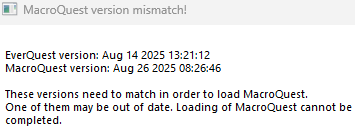
Resolved the issue, it was 100% my fault. Somehow MQ had been installed under the wrong windows user account from the user I was trying to launch it in.
While MacroQuest correctly injects and starts running the autologin script, I am now running into two new issues.
1) When the game fires up, the autologin plugin goes to the sign in screen and 100% of the time I get the client says the wrong password was entered. I checked multiple times and the password is 100% correct and also works fine if I enter it manually. It clicks through so fast, to me it looks like nothing was even entered for the password before the script clicked login.
2) After I manually enter the password and get to the character select screen, I attempt to manually log in the character (or re-enable the autologin plugin) and then as the character signs in I get the following error:
---------------------------
EverQuest Crash Detected
---------------------------
MacroQuest caught a crash:
Process ID: 3896
Version: 3.1.1.3268
Location: RaiseException+0 (C:\WINDOWS\System32\KERNELBASE.dll+00000000000C7EF0)
CrashID: fc74787a-6f0c-4674-abb4-619bb7b6b12b
You can either:
* [RETRY] Continue execution and hope for the best.
* [CANCEL] Write a crash dump and terminate EverQuest.
Copy the contents of this dialog to your clipboard by pressing Ctrl+C
---------------------------
Retry Cancel
---------------------------
I've now gotten the above error 10+ times. I've tried rebooting, reinstalling redguides, macroquest and everything, and the result is always still the same. Any help would be appreciated, the last 5 days has been rough trying to get everything working again.
Thanks