• You've discovered RedGuides, an EverQuest multi-boxing and scripting community 🧙‍♀️⚙️. We want you to play several EQ characters at once, come join us and say hello! 👋

  • A TLP without truebox has thawed (Very Vanilla ready)
    Frostreaver
TsC – Automated Inventory Management & Consolidation For Your Whole Crew

Release TsC – Automated Inventory Management & Consolidation For Your Whole Crew (1 Viewer) 4.1.6

This is strange. It ignores no-drop items during the scan phase, so they should never show up in the confirm trade window.
Is it possible that there is another item with an identical name?
The two items that caused the issue were:
Apprentice Alchemist Trophy
Expert Toxicologist Trophy

Once they were both ignored, the "All give to..." worked fine
 
Oh, those two items are both equipped in the "AMMO" slot on the appropriate characters, not sure if that's contributing
 
Code:
[2025/06/16 12:35:53] Running lua script 'tsc' with PID 27
[2025/06/16 12:35:53] ImGui Failure:C:\Games\MQNext\lua\TSC\gui\main.lua:158: attempt to call field 'fname' (a nil value)stack traceback:    C:\Games\MQNext\lua\TSC\gui\main.lua: in function 'tscWindow'    C:\Games\MQNext\lua\TSC\gui\main.lua:41: in function <C:\Games\MQNext\lua\TSC\gui\main.lua:36>
[2025/06/16 12:35:53] ImGui Critical Failure: Missing End()
[2025/06/16 12:35:53] Plugin ImGui has been temporarily paused. To resume imgui, run: /mqoverlay resume
[2025/06/16 12:35:53] Ending lua script 'tsc' with PID 27 and status -1
 
Code:
[2025/06/16 12:35:53] Running lua script 'tsc' with PID 27
[2025/06/16 12:35:53] ImGui Failure:C:\Games\MQNext\lua\TSC\gui\main.lua:158: attempt to call field 'fname' (a nil value)stack traceback:    C:\Games\MQNext\lua\TSC\gui\main.lua: in function 'tscWindow'    C:\Games\MQNext\lua\TSC\gui\main.lua:41: in function <C:\Games\MQNext\lua\TSC\gui\main.lua:36>
[2025/06/16 12:35:53] ImGui Critical Failure: Missing End()
[2025/06/16 12:35:53] Plugin ImGui has been temporarily paused. To resume imgui, run: /mqoverlay resume
[2025/06/16 12:35:53] Ending lua script 'tsc' with PID 27 and status -1
Is this the first time you're running 4.x?
Did this happen once or every time?
Did the settings conversion run when you ran 4.x?
Send me a DM.
 
I really like a lot of the new changes but one suggestion I have with an issue i noticed, would be if the UI said what toon it was currently working on because if they lag out or have issues, i need to be able to go help the character fix the issue, like click on the bank or start a trade or something.

edit: also, the main UI screen doesnt auto add characters anymore, everytime i load the plugin its blank.. Is that on purpose?
 
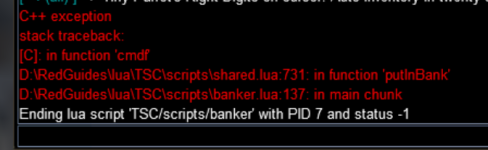
ALSO did this during banking routine. been having a ton of issues with it canceling trades and getting hung up on picking up items.

1750201556871.png
 
Is this the first time you're running 4.x?
Did this happen once or every time?
Did the settings conversion run when you ran 4.x?
Send me a DM.
I got it to work. I deleted and redownloaded from scratch
 
ALSO did this during banking routine. been having a ton of issues with it canceling trades and getting hung up on picking up items.

View attachment 70230
I wonder if something went wrong with the upgrade procedure.
In your next folder can you go to /config/TSC and delete toons.Lua?
Then, in game, add your toons again? (there is a button to add all toons on DanNet)
Also, double check that your Dannet show fullnames is off.
Try again and let me know.
 
Only seeing 2 things persistently, the first isn't really a problem with the app so much as I run MQ2RelayTells with an audio alert... So it gets a little noisy with the "I'm busy right now" tells at the beginning of each new trade window.

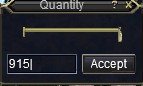
The other thing, during the trading process, it'll hang and sit there with no message, and I'll tab over to the trading toon and find the quantity window just sitting there, I manually click accept and it moves on. This is happening 6 to 10 times on a 7 toon consolidation.
 
Only seeing 2 things persistently, the first isn't really a problem with the app so much as I run MQ2RelayTells with an audio alert... So it gets a little noisy with the "I'm busy right now" tells at the beginning of each new trade window.

The other thing, during the trading process, it'll hang and sit there with no message, and I'll tab over to the trading toon and find the quantity window just sitting there, I manually click accept and it moves on. This is happening 6 to 10 times on a 7 toon consolidation.
I'll see if I can tweak it a bit, as more than one person is reporting an issue. I can't replicate any problems myself, unfortunately, so it's hard to know what exactly is happening.
 
@LrdDread @Myysterio can you guys check the new update if trading has fewer hiccups?
1750380823844.png

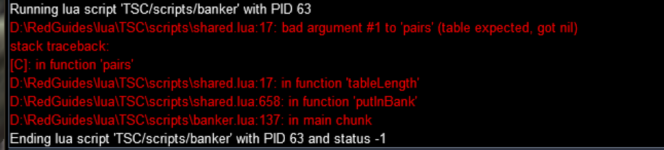
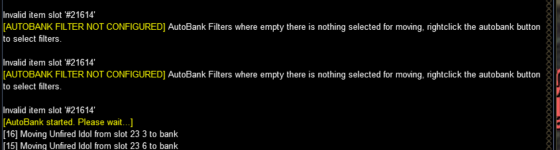
Would still be nice if it said what character it was currently moving around or cleaning their inventory up so i could fix things like this. I am very much not a fan of the autoinventory bank thing as it likes to put my trophies/tools in the bank.
 
View attachment 70325

Would still be nice if it said what character it was currently moving around or cleaning their inventory up so i could fix things like this. I am very much not a fan of the autoinventory bank thing as it likes to put my trophies/tools in the bank.
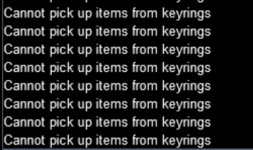
These messages are not from TSC. I don't know what program is showing those messages, but it might be conflicting with TSC.
TSC ignores trophies.

It really seems like something is messed up with your install or config. If I were you, I would try deleting you config/TSC folder and the program itself Lua/TSC, and redownloading it.
Let the program recreate your settings files. Then you can add you toons and paste your ignore/hoard lists back in afterwards. Let me know how it goes...
 
These messages are not from TSC. I don't know what program is showing those messages, but it might be conflicting with TSC.
TSC ignores trophies.

It really seems like something is messed up with your install or config. If I were you, I would try deleting you config/TSC folder and the program itself lua/TSC, and redownloading it.
Let the program recreate your settings files. Then you can add you toons and paste your ignore/hoard lists back in afterwards. Let me know how it goes...
its the autobank shit. if you right click on the autobank button it gives you autobank options. then you click on it again and it will take everything out of your inventory and put it in your bank. It is fighting with that program for some reason.
 
its the autobank shit. if you right click on the autobank button it gives you autobank options. then you click on it again and it will take everything out of your inventory and put it in your bank. It is fighting with that program for some reason.
Autobank is a plugin. If it is conflicting, you can turn it off by the command
Code:
/plugin MQ2AutoBank unload noauto
. (Remove noauto, if you want it to remember the next time your game starts).
 
I got a chance to run it today, had a small batch on my current logged in set of 6. Only 24 items exchanged with no hiccups. Then thought to load up my toons on another server, I didn't note the number of items exchanged, but it was definetly 100s of items. I had 3 occurrences of me needing to switch to the trading toon and click accept on the quantity window
TSC - 1.jpg
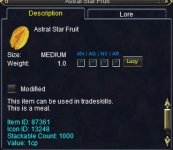
ALL three times it was the same item
TSC - 2.jpg
and each hang up was on a different character.
 
I got a chance to run it today, had a small batch on my current logged in set of 6. Only 24 items exchanged with no hiccups. Then thought to load up my toons on another server, I didn't note the number of items exchanged, but it was definetly 100s of items. I had 3 occurrences of me needing to switch to the trading toon and click accept on the quantity window
View attachment 70337
ALL three times it was the same item
View attachment 70338
and each hang up was on a different character.
Glad it worked for hundreds of items with no hiccups. That means it's definitely more stable now. I have no clue why that specific item could cause an issue!
 
Request a scrolly across the Hoard Lists and Personal Ignore Lists anything over 15 ish toons you have to open the box, slide the box off the screen then open it more and so on. Then reverse the process to get back to the right size to close the box.
 
Request a scrolly across the Hoard Lists and Personal Ignore Lists anything over 15 ish toons you have to open the box, slide the box off the screen then open it more and so on. Then reverse the process to get back to the right size to close the box.
Added.
 
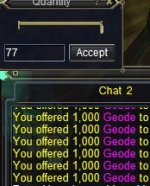
I believe I've tracked down the bug of needing to switch to the trading character and hit the accept button on the Quantity Window. This appears to be happening when you have multiple stacks of the same item to trade. Like having your characters foraging in Ethernere Tainted West Karana for an extended period of time, Druids and Rangers will easily forage multiple stacks of Geodes. And that's when I'm seeing this bug, when they try to trade them to my Jewelcraft character. And it's only happening with the stack that isn't full (less than 1000).
 
I believe I've tracked down the bug of needing to switch to the trading character and hit the accept button on the Quantity Window. This appears to be happening when you have multiple stacks of the same item to trade. Like having your characters foraging in Ethernere Tainted West Karana for an extended period of time, Druids and Rangers will easily forage multiple stacks of Geodes. And that's when I'm seeing this bug, when they try to trade them to my Jewelcraft character. And it's only happening with the stack that isn't full (less than 1000).
Thanks for the details, I'll see if I can track down any bugs related to this tomorrow .
 
One issue I noted this evening was that when you ran the cleanup, it sees items in the parcel vendor and lists them as going to be stored into the depot, but it actually doesnt do anything with them. It took me a bit to figure out why it was showing them,, but not actually storing them, so i had to go empty the parcels to my inventory.
 
Thanks for the details, I'll see if I can track down any bugs related to this tomorrow .
just reverified, that's what's happening...
Screenshot 2025-07-02 065546.jpg
I alt+tabbed to the trading toon and had the Quantity Window awaiting attention. Clicked Accept and TSC moved on...
Screenshot 2025-07-02 065915.jpg
 
One issue I noted this evening was that when you ran the cleanup, it sees items in the parcel vendor and lists them as going to be stored into the depot, but it actually doesnt do anything with them. It took me a bit to figure out why it was showing them,, but not actually storing them, so i had to go empty the parcels to my inventory.
Should be fixed in 4.0.6, releasing shortly.
 
Should be fixed now in 4.0.6... will be released shortly. Let me know if it still bugs out.
I distributed a full stack or 2 of Geodes to each char, and a partial stack... it was a flawless run, many thanks for all your time and efforts!
 
Attempting to use the "All give to..." button in Collectibles mode. the Lua processes how many each toon has, but there is no trading going on and there does not seem to be a way to select whom you are supposed to be giving to. Is there a step I'm missing or not understanding?
 
Attempting to use the "All give to..." button in Collectibles mode. the lua processes how many each toon has, but there is no trading going on and there does not seem to be a way to select whom you are supposed to be giving to. Is there a step I'm missing or not understanding?
When you click "All give to .." there should be a small box pops up and asks for a name with a checkbox to include bank and depot. Might be under another window.
 
When you click "All give to .." there should be a small box pops up and asks for a name with a checkbox to include bank and depot. Might be under another window.
Unless it's off screen somewhere, I'm not getting a pop window, I've minimized all windows and nothing. I tried resetting "Clear Saved ImGui Window Settings" button and still nothing.
 
Release TsC – Automated Inventory Management & Consolidation For Your Whole Crew

Users who are viewing this thread

Back
Top
Cart