
-
 Hail, we're RedGuides. We want you to play six (yes, 6!) EverQuest characters at once. We have scripts and a friendly community to help, please join our playstyle and say hello! 👋
-
 We've added LLM sections to our Terms & Rules and Resource Rules, for everyone's sanity & in-game safety.
Read more
a. Do not replace your voice with an LLM. This goes for your posts and your scripts. Drafting and editing with a tool is fine, but don't take you out of what you share.
b. Do not replace your EQ character's voice with an LLM. We don't want scripts that speak over/ooc,/shoutor other public channels. This has been an unwritten rule that's kept casino scripts off the site for decades, but we're now compelled to make it clear: keep automated communication private.
Why Does RG Review Scripts?
Nearly every LLM-written Lua script we see is making your character do impossible things, and rarely in a way that's beneficial to you. We've seen heavy server hammering,/targetover impossible distances when/nav spawnwould passively accomplish the same thing, a spawn search that fires 20+ times per second, and other pointless actions that are likely annoying GMs.
You are welcome to use LLMs as a tool to structure, draft, and edit your work, but please read critically before hitting/lua run
You are using an out of date browser. It may not display this or other websites correctly.
You should upgrade or use an alternative browser.
You should upgrade or use an alternative browser.

Release TargetInfo (core plugin)
- Thread starter Redbot
- Start date


There is a set of UI overrides you'd likely have to play with to get it to work for you.I am using LodiDodi
This may not be exactly right because I pulled it from mqnext, but in your MQ2TargetInfo.ini you'll want to create a section called [UI_LodiDodi]. Below are the defaults, which I've copied in to that section for you to play with:
Anything you don't need to change, you can delete (since the default will be what it uses if it doesn't exist). And if you get it working, post it back here and we'll include it in the default ini.
INI:
[UI_LodiDodi]
Target_BuffWindow_TopOffset=76
dTopOffset=60
dBottomOffset=74
dLeftOffset=50

CanSeeTopOffset=47
CanSeeBottomOffset=61

TargetInfoWindowStyle=0
TargetInfoAnchoredToRight=0

; These two labels are used as templates for distance.
Label1=Player_ManaLabel
Label2=Player_FatigueLabel

TargetInfoLoc=34,48,0,40
TargetDistanceLoc=34,48,90,0
Anything you don't need to change, you can delete (since the default will be what it uses if it doesn't exist). And if you get it working, post it back here and we'll include it in the default ini.

This is true for MQ2 but not Next.You won't have those buttons unless you are in a group.

Not sure if this is where to ask this question as the problem occurred after switching over to MQnext. Anyway, here goes. After switching over to MQnext I see to have lost the distance and target info. I searched the MQnext files and see that I have the MQtargetinfo.dll in the MQnext\plugins file. The MQTargetInfoPH.txt folder in MQnext\resources folder and most importantly my MQ2Targetinfo.ini folder in MQnext\config which houses the information for my customized UI.
So after finding all the files I thought maybe the plugin just needed to be run again so I tried restarting the plugin. I didnt get an error but the information in my group and target windows is still missing. Any ideas on what I may be missing?
So after finding all the files I thought maybe the plugin just needed to be run again so I tried restarting the plugin. I didnt get an error but the information in my group and target windows is still missing. Any ideas on what I may be missing?
it was split, so there are now 2 plugins mq2targetinfo and mq2groupinfoNot sure if this is where to ask this question as the problem occurred after switching over to MQnext. Anyway, here goes. After switching over to MQnext I see to have lost the distance and target info. I searched the MQnext files and see that I have the MQtargetinfo.dll in the MQnext\plugins file. The MQTargetInfoPH.txt folder in MQnext\resources folder and most importantly my MQ2Targetinfo.ini folder in MQnext\config which houses the information for my customized UI.
So after finding all the files I thought maybe the plugin just needed to be run again so I tried restarting the plugin. I didnt get an error but the information in my group and target windows is still missing. Any ideas on what I may be missing?
i see groupinfo on git, but not xtarinfo? and actually no targetinfo either3 Plugins, but yep. MQ2XTarInfo, MQ2TargetInfo and MQ2GroupInfo
are they hosted somewhere else?
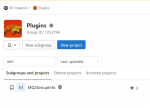
ah - i guess mq2groupinfo is on plugins, but targetinfo and xtarinfo is in next for plugins.
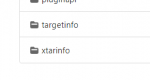
Last edited:
it was split, so there are now 2 plugins mq2targetinfo and mq2groupinfo
Thanks for the info. I did /plugin MQ2groupinfo and the plugin loaded. For most that is probably all you have to do but since I have a custom UI there was a bit more work to do. Running the plugin creates an ini which I was able to then edit. The next time I logged in it was all working. It never would have dawned on me that there would be a new plugin to look for so thanks for the info that put me on the track to fixing it.
Last edited:

they are 3 plugins for MQ "Next"I don't see the distance of my group members in Next. Stock UI. Does anyone have the fix for this?
Code:
/plugin mq2targetinfo
/plugin mq2xtarinfo
/plugin mq2groupinfo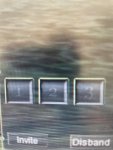
if you are running mq "Next" the plugin that offered that functionality for mq2 is now 3 different pluginsAnyone know why i cannot see those three buttons in group window anymore? The follow, micmic buttons?
you can load them with:
Code:
/plugin mq2targetinfo
/plugin mq2xtarinfo
/plugin mq2groupinfoah,No im not using mqnext and havent d/l it. This morning it was there now my next login its not
then you need
/plugin mq2targetinfo load with the correct options set to be shown, and you need to be in a groupfrom the FAQ:
Q. I no longer see the group buttons like Follow Me and Come to Me?
A. Are you in a group? You need to be in a group to see those. Also, ensure you have those options turned on. You can right-click on your group window and select "Show Come to Me Button" or /groupinfo show cometome etc
If you’re on the new MQ it’s in MQ2GroupInfo.ini and all of the examples for dannet are in there already so you can just copy/paste.
Thank you.
Find and replace :
bcg // to dgge /
Last edited:
are those two toons in a group? in MQ2 "Legacy" (which appears what you are using) it is a single plugin (compared to MQ "next" that is 3 plugins) and that plugin is mq2targetinfo, and it only shows the 3 buttons when you are in a group.They just dissapeared on two toons in one of my groups and I dont know how to get them back

Utility - TargetInfo (core plugin)
2018 ESA Winner Distance, line of sight and place holder info directly on target New buttons for your group window. Mimic me, come to me, follow me, and a handy hot button you can set to whatever slot you wish (drag the button to set)...
 www.redguides.com
the overview page has a table with the commands to show the status or toggle the state of what you have visible
you don't need to keep reposting the same thingThey just dissapeared on two toons in one of my groups and I dont know how to get them back
I already moved your thread from the muleassist section (its not a muleassist question) into the correct location, sent you a notification about it AND responded@Flip32
are those two toons in a group? in MQ2 "Legacy" (which appears what you are using) it is a single plugin (compared to MQ "next" that is 3 plugins) and that plugin is mq2targetinfo, and it only shows the 3 buttons when you are in a group.
Utility - TargetInfo (core plugin)
2018 ESA Winner Distance, line of sight and place holder info directly on target New buttons for your group window. Mimic me, come to me, follow me, and a handy hot button you can set to whatever slot you wish (drag the button to set)...
www.redguides.com
the overview page has a table with the commands to show the status or toggle the state of what you have visible

Flip32
Active member
I tried that and they appear for a split second and then gone againView attachment 14095
Distance, line of sight and place holder info directly on target!
Instructions:
Simply load the plugin
Rich (BB code):/plugin mq2targetinfo
Flip32
Active member
Sorry still trying to figure everything out including the forum. I am not well versed in macros or pathing or forums for that matter.you don't need to keep reposting the same thing
@Flip32
are those two toons in a group? in MQ2 "Legacy" (which appears what you are using) it is a single plugin (compared to MQ "next" that is 3 plugins) and that plugin is mq2targetinfo, and it only shows the 3 buttons when you are in a group.
Utility - TargetInfo (core plugin)
2018 ESA Winner Distance, line of sight and place holder info directly on target New buttons for your group window. Mimic me, come to me, follow me, and a handy hot button you can set to whatever slot you wish (drag the button to set)...
the overview page has a table with the commands to show the status or toggle the state of what you have visible
Flip32
Active member
Yes they are in a group. The buttons still are not showing up. I am using MuleassistSorry still trying to figure everything out including the forum. I am not well versed in macros or pathing or forums for that matter.
yup muleassist is just the automation that you're using, doesn't have anything to do with mq2targetinfoYes they are in a group. The buttons still are not showing up. I am using Muleassist
you need to:
/plugin mq2targetinfo load on all your toons to make sure it is loadedthen
/groupinfo show followme/groupinfo show cometome/groupinfo show mimicme/groupinfo show hotthen you can
/groupinfo saveUsers who are viewing this thread
Total: 1 (members: 0, guests: 1)
Share: