• Hail, we're RedGuides. We want you to play six (yes, 6!) EverQuest characters at once. We have scripts and a friendly community to help, please join our playstyle and say hello! 👋
  • We've added LLM sections to our Terms & Rules and Resource Rules, for everyone's sanity & in-game safety.
    Read more
    a. Do not replace your voice with an LLM. This goes for your posts and your scripts. Drafting and editing with a tool is fine, but don't take you out of what you share.
    b. Do not replace your EQ character's voice with an LLM. We don't want scripts that speak over /ooc, /shout or other public channels. This has been an unwritten rule that's kept casino scripts off the site for decades, but we're now compelled to make it clear: keep automated communication private.

    Why Does RG Review Scripts?
    Nearly every LLM-written Lua script we see is making your character do impossible things, and rarely in a way that's beneficial to you. We've seen heavy server hammering, /target over impossible distances when /nav spawn would passively accomplish the same thing, a spawn search that fires 20+ times per second, and other pointless actions that are likely annoying GMs.

    You are welcome to use LLMs as a tool to structure, draft, and edit your work, but please read critically before hitting /lua run

Problem - Slayers removed or altered - SOLVED

EEPJR24

Active member
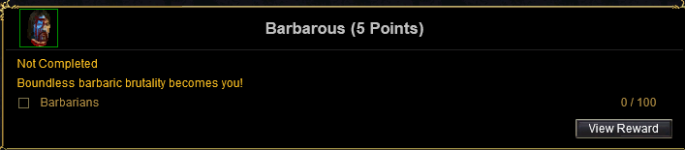
For the last week or so I have been working on various slayer achievements. I run MQ, 2 box a shaman and mage generally. I have gotten 10,000 elementals and 5,000 rats among other things. They are gone, as are a number of things I have not worked on. Other weird things like completed slayers without the sub-requirements. See screenshots.

Did I trigger something and get them taken by an admin / GM? Or is this a bug? Am I just going nuts?Screenshot 2023-11-30 081240.pngScreenshot 2023-11-30 081442.pngScreenshot 2023-11-30 081513.png

 
Okay, so this is apparently a client cache problem. DG forums said that camping to char select should fix, it did not. However, camping to desktop did fix it. So if you run into it, try that first. I should have known after this long playing to try that first, sorry if anyone spent time on it.

- E
 
A lot of issues like this can be attributed to time sync differences between the client and the server. I've found that Windows 11 especially is not very proactive about staying sync'd to Internet time.

I changed a registry setting to force it to sync more often.

Computer\HKEY_LOCAL_MACHINE\SYSTEM\CurrentControlSet\Services\W32Time\Config\UpdateInterval

From 360,000( decimal) to 100000(decimal). Those are seconds between refreshes.


Striking the above for now. There must be more to it because my systems continue to have Internet time sync issues this morning. It appears that if you routinely shut off the PC every evening then Windows somehow misses the required update. I know I could create a batch file and a scheduled task to force the update but I'm trying to work through more minimally invasive options to fix the problem first.

I've just changed the Windows Time Server service to Automatic - Delayed Start from Manual. I also changed my default Internet Time server from Window's default to pool.ntp.org.

I'll check tomorrow to see if I have better luck with the sync.

The way I know that time isn't working correctly is that I have 2 systems side by side. I start them at the same time every morning and then head to the kitchen for coffee. When I return they will both be at the Windows login screen with the time prominently displayed. I can see instantly when they aren't on the same minute! There's no reason they can't be within the same second.
 
Last edited:
Problem - Slayers removed or altered - SOLVED

Users who are viewing this thread

Back
Top
Cart