- Joined
- Jan 5, 2016
- RedCents
- 649¢
At the very top of this zone there is no mesh that works, and i'm not sure how to make it, its all very confusing to me, Does anyone have a working mesh file for this zone?

Follow along with the video below to see how to install our site as a web app on your home screen.
Note: This feature may not be available in some browsers.


No its the open world instance.Is this one of the instances that uses alternate layouts.
If so the mess generator currently is not able to handle that

If it isn't what @Sic said, then try the mesh generator tutorial found here: https://www.redguides.com/community/threads/meshgenerator-exe-tutorial.63553/
Maybe that will help you figure out how to fix whatever is happening.
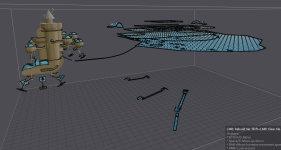
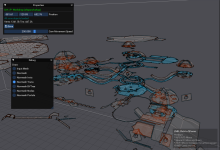
amazing, thank you!S.H.I.P. Workshop actually has random objects they used to build the zone quite far away from the bounding box of the actual zone.
Some zones, like bastion of thunder, that are really tall have issues generating a mesh for the entire height of the "zone". In this case you need to adjust your bounding box to only capture the area of the zone that you are able to navigate.
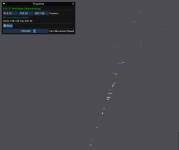
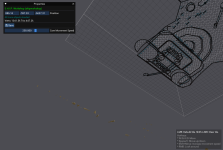
Here are some screenshots of the random objects I'm talking about.
View attachment 69923
View attachment 69924
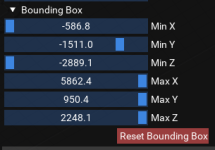
and here is my current bounding box for the zone.
View attachment 69925
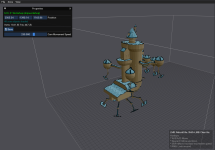
Interestingly enough - My current mesh is showing a large area that doesn't appear to show up in the mesh anymore. If I rebuild the mesh this area is the only thing that shows up.
View attachment 69926
However, my old mesh that I've had for a while shows extra stuff for some reason or another.
View attachment 69927
Simply changing the bounding box will get the item that's currently visible if I rebuild, if it's the stuff that's showing on my existing mesh that doesn't appear to be buildable again due to some change then I have included my copy of the mesh just in case.
