• You've discovered RedGuides, an EverQuest multi-boxing and scripting community 🧙‍♀️⚙️. We want you to play several EQ characters at once, come join us and say hello! 👋

  • A TLP without truebox has thawed (Very Vanilla ready)
    Frostreaver

Request - Probably the most needed plug in of all!!!!

Joined
Mar 12, 2019
RedCents
1,973¢
Please please... for the love of all that IS!!! can someone make a plugin that make it so the "Quest Overlay" window stops opening even after you have closed it a million times.... oh god please!!!!!


Hands down one of the most annoying things in the game. I hate this damn window...
 
@jimmy6154 that would be a good idea. Is that you in that picture?
 
strangely enough, i have one toon that loads w/ the window closed every time and i have no idea how i managed to do that. every other toon has it hidden 99 percent off screen because it's just easier that way. but this one toon ... a gnome ... somehow manages to keep it closed. there has to be a way!

also, my first zerker ever was named Mariusz Pudzianowski
 
I like the overlay, but every one of my chars logs in without it showing and I have to press the hotkey shortcut to open it up.
 
I've never kept that window open and have only ever had to close it when i load the toon in for the very first time. that is surprising that you have it there everytime you launch the game
 
If i remember well, you have a check box on option tab for it.
 
If you never want it open you can use MQ2React to close it whenever it opens, or you can use the ingame settings to stop it (I assume it stops it... not sure)

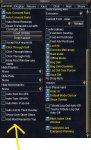
If you open your quest journal window, your current tasks have a checkbox to far left and that is what pops them into the TaskOverlay window. Uncheck them, and make sure the options below are unchecked (Auto Add to Task Overlay)

If however you want to have the taskoverlay for some toons (and use the same EQ directory, you can have character specific MQ2React to automatically close the window when ever it opens, while keeping the auto add/task overlay show on the chars you want

INI:
  TaskOverlay:
    action: /squelch /echo ${Window[TaskOverlayWnd]}
    condition: "${Window[TaskOverlayWnd]}"

taskoverlaystuff.jpg
 
I am sure most of you know this butttt......

The reason it takes so long to camp out of the game is the shutdown procedure takes the opportunity to write all of the changes to your computer and to the host. That way any changes you have made to your windows or settings is updated and saved for your return. If you choose to "exit" or "quit" only the fundamental changes will have been saved. Like if you looted a Zombie Skin, it will still be there. But if you resized a window or changed a setting it may not have been saved and reflect the prior status when you log back in.

So in summary,
Camp saves all your changes
Quit or Exit gets you out quick but may miss some of your changes.

Y'all be safe out there. Ya here,
Playbetter
 
/taskoverlay off used to work. Haven't tried it in years.

What I do is to place the window where I want it, lock it, minimize it. And only open it when I need it. Makes sure none of the little boxes are checked cause that makes it pop open.
 
tons of good posts here guys, most I have tired already and what I didn't did not work..
For me, it reopens every time I reopen advance loot, zone, log in, and could possibly be more... idk. It is very annoying though. Sounds though that it might be just me. so I think I'll just reinstall EQ and see if that fixes it... fingers crosses. Thanks guys for the posts
 
For me I just right clicked on it, turned on close on escape. Escaped the window out and I've never seen it again on any of my toons? That's really odd that so many people are having trouble with it coming back.

I very rarely /exit and do the full /camp desk almost every time. Not sure that has anything to do with it but there it is all the same.
 
Request - Probably the most needed plug in of all!!!!

Users who are viewing this thread

Back
Top
Cart