
Install the app
How to install the app on iOS
Follow along with the video below to see how to install our site as a web app on your home screen.
Note: This feature may not be available in some browsers.
-
 You've discovered RedGuides, an EverQuest multi-boxing and scripting community 🧙♀️⚙️. We want you to play several EQ characters at once, come join us and say hello! 👋

You are using an out of date browser. It may not display this or other websites correctly.
You should upgrade or use an alternative browser.
You should upgrade or use an alternative browser.
Problem - Plugin UI Window - Help!
- Thread starter psatty82
- Start date
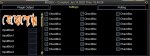

this update should have also included the updated window file to your mq2 -> release -> uifiles -> default folder --- if you have moved it anywhere, you should delete it so it can load from that file.
Since there are a couple people with this issue - i'm trying to make sure that the file got into the update
Since there are a couple people with this issue - i'm trying to make sure that the file got into the update

all of the cwtn class plugins have a window and it is their cmd/shortname then show - so for mq2eskay it would behow do you even bring that window up ?
/shd showyou can check each of the resources for their commands on the commands tab.
yup just checked. the files are correct.
Sounds like you and others must be copying the file to your everquest ui or default folder (you don't need to do that and you will break yourself if/when changes happen)
Yes, I did copy and paste that into my custom EQ UI folder. User error, as always. Thanks for helping out Sic!
Just updating to let you know that deleting the UI File in my custom folder fixed this 100%.
Hopefully I don't have reload the UI everytime I log in to get this to show...that's part of why I moved it over to my custom folder. A small price to pay, I guess!
Hopefully I don't have reload the UI everytime I log in to get this to show...that's part of why I moved it over to my custom folder. A small price to pay, I guess!
you dontJust updating to let you know that deleting the UI File in my custom folder fixed this 100%.
Hopefully I don't have reload the UI everytime I log in to get this to show...that's part of why I moved it over to my custom folder. A small price to pay, I guess!
once the game knows it should be loaded (when it launches and the plugin is set to load) you'll be good to go.
several months ago, custom windows had to be moved to custom folders, but brianiac fixed it so it works again and pulls from the mq2 directory as it sould

- Joined
- Oct 18, 2013
- RedCents
- 2,776¢
I had this same problem as well - posted about it in Discord. It had nothing to do with my /uifiles/ content.
I:
I'm sure I did too many things, but I was really trying to refresh all possible content.
I:
- unloaded / exited MQ2 completely
- did a /loadsk on my char
- force patched MQ2 VV and all MQ2___ plugins
- started MQ2 back up
- MQ2Rogue window did not show, so I did a /rog show command, which resulted in "RogWnd not found" or something weird like that
- Did another /loadsk
- Ta-da, all fixed!
I'm sure I did too many things, but I was really trying to refresh all possible content.
wellI had this same problem as well - posted about it in Discord. It had nothing to do with my /uifiles/ content.
I:
- unloaded / exited MQ2 completely
- did a /loadsk on my char
- force patched MQ2 VV and all MQ2___ plugins
- started MQ2 back up
- MQ2Rogue window did not show, so I did a /rog show command, which resulted in "RogWnd not found" or something weird like that
- Did another /loadsk
- Ta-da, all fixed!
I'm sure I did too many things, but I was really trying to refresh all possible content.
if you load the plugin in game for the first time since you logged in mq2, eq won't have the xml loaded; if the plugin is loaded before you log in, it will load the xml
so when that happens you have to reload your UI, like it says when it says it doesn't find it

Users who are viewing this thread
Total: 1 (members: 0, guests: 1)
Share: