• You've discovered RedGuides, an EverQuest multi-boxing and scripting community 🧙‍♀️⚙️. We want you to play several EQ characters at once, come join us and say hello! 👋
Overseer Automation

Release Overseer Automation 1.9

No permission to download
Joined
Jun 13, 2016
RedCents
31,991¢
This thread is to discuss the "Overseer Automation" macro.

Read the overview here:

 
Last edited by a moderator:
I'm only interested in the tradeskill quests. Crafting, Harvesting, Research. Can it help with those?
 
It can be made to handle anything with a little tweaking. I've honestly never paid attention beyond Conversion and Recruit.

I don't know what time I have but to start giving a nudge - line 449:
/if (${Window[OverseerWnd].Child[OW_OverseerQuestsPage].Child[OW_ALL_DifficultyLabel].Text.Find[" ${rarity}"]} && ${Window[OverseerWnd].Child[OW_OverseerQuestsPage].Child[OW_ALL_DurationValue].Text.Find[${duration}]}) {

Is where it looks at the quest name: "Level 1 Common Harvesting".

I'm only looking to find rarity (i.e. Common, Uncommon).
It would be simple to add "and has Harvesting, Crafting, Research".

Actually now I can think of a simpler way to prioritize all of them.

[QuestTypeOrder]
1=Recruitment
2=Harvesting
3=Crafting
4=Research

(sorry for stream of consciousness here. At work).

I'm going to experiment with this. See if I can have something to help. And no thanks to you for distracting me yet more from things I'm supposed to be doing.
 
It can be made to handle anything with a little tweaking. I've honestly never paid attention beyond Conversion and Recruit.

I don't know what time I have but to start giving a nudge - line 449:
/if (${Window[OverseerWnd].Child[OW_OverseerQuestsPage].Child[OW_ALL_DifficultyLabel].Text.Find[" ${rarity}"]} && ${Window[OverseerWnd].Child[OW_OverseerQuestsPage].Child[OW_ALL_DurationValue].Text.Find[${duration}]}) {

Is where it looks at the quest name: "Level 1 Common Harvesting".

I'm only looking to find rarity (i.e. Common, Uncommon).
It would be simple to add "and has Harvesting, Crafting, Research".

Actually now I can think of a simpler way to prioritize all of them.

[QuestTypeOrder]
1=Recruitment
2=Harvesting
3=Crafting
4=Research

(sorry for stream of consciousness here. At work).

I'm going to experiment with this. See if I can have something to help. And no thanks to you for distracting me yet more from things I'm supposed to be doing.

Haha appreciated! Just tried it and even just having the fillquest option is a godsend, I can easily just select the tradeskill quests I want and use that. This is certainly something I'd be willing to donate some beer money towards.
 
That's excellent. I'd appreciate a beer raised in my name; no more than that needed.

Attached is a version that can run any type(s) specified optionally. I'm putting it here until I more fully test it - and with things that take 6+ hours to cycle, it'll be a day or so.

This will still *always* run Recruitments first. But after them:
INI:
[QuestTypeOrder]
index=4
1=Military
2=Trade
3=Diplomacy
4=Any

This will run them within the [QuestOrder] section so with the sample section above, it'll look for:
  1. Elite, 6h, Military
  2. Elite, 6h, Trade
  3. Elite, 6h, Diplomacy
  4. Elite, 6h, ANY OTHERS
  5. Rare, 6h, Military
  6. Rare, 6h, Trade
  7. .....etc.
By leaving off a last item of "ANY", it'll stop and only run the types you want.

By default the section is created:
[QuestTypeOrder]
index=1
1=Any


As mentioned, I'll need a day or two to work through and verify all is good but so far looks nicer.

EDIT: Have moved updated script to top post
 
Last edited:
worked pretty good, a couple things I ran into on first run were:
1. I had 9 saved rewards for AA, so it got stuck trying to claim all the awards.
2. It then claimed all my AA rewards for non-Overseer wasting 140aa, not sure if there is a way to verify reward is for overseer.
3. once it got to 5 new tasks in the window it said it reached max tasks but then continued to try infinitely to get more tasks.
4. the initial INI didn't make the sections you list above, but it worked to manually add them.

Thanks for your work on this, seems to work well.
 
Testing on 48 characters right now for you. One big thing is I would highly highly recommend editing the posted version from
INI:
/ini ${MyIni} "General" "claimRewards" "1"
to
INI:
/ini ${MyIni} "General" "claimRewards" "0"

This fixes the defaulting to autoclaim and pillaging of banked rewards. One other request, can you add the ability for us to manually set an ini setting that sets a threshold for actually attempting the mission (e.g. 80, 85, 90, etc).
 
Last edited:
I am so sorry for the lost rewards. This was my biggest fear that I'd jack someone's quests.

The top post attachemnt has been updated to:
* Change default to "claimRewards" 0
* Corrected goof (debug code) that didn't stop at 5 quests

Thank you very much for the continued testing - I didn't intend it to be THIS problematic on first roll-out. Had been using for a few weeks.
 
Yeah this is working great for me, much appreciated. Send me your paypal address and I'll put some beer tokens in your pocket.
 
@GoldenFrog Do i put this in the characters ini or somewhere else little confused on that part. Thanks
 
Great Work @GoldenFrog I tried to do this and Navigating the Windows almost made my head explode :D
 
Last edited:
@crs399 in the macros directory, run it once, and it creates a file that has a template
Overseer_${CharacterName}
 
The irony is after DPG has trashed Overseer their numbers will suddenly make it look likes its more popular then ever!
 
Does this seem to have trouble with the quest confirmation window for anyone else? It'll pair agents up to a quest beautifully, but it doesn't always actually start it.
 
Does this seem to have trouble with the quest confirmation window for anyone else? It'll pair agents up to a quest beautifully, but it doesn't always actually start it.

Works fine for me. Custom ui?
 
Rewards window is kinda weird

Selection these is fine.
1588751050689.png

But seems the layout for these types differ and cannot seem to work out how to get to the list
1588751116733.png

Have to wonder if it has something to do with F2P account (doubtfull)
 
Iirc ftp accounts only get the reward options of xp, merc xp, and coin.

That being said great macro and thank you for writing it.
 
What a dumpster fire of a system
1588779839401.png

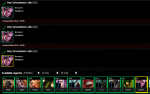
Tell me what wrong with this picture ... /hint I only have 1 of that agent and it is on a quest so should be unavailable for conversion. even shown with the exclamation on the icon.
Why upset, well it hangs the macro.... no message on start quest button or anything

lmao relogged now it shows I have 3 in the quest window, still only 1 in agent list
 
Last edited:
lmao relogged now it shows I have 3 in the quest window, still only 1 in agent list

I'm not totally clear how many of that Challice agent you have. Are you saying from a fresh plate you have 2 of them? I have since seen a situation where Overseer doesn't like you using 2 of the same agent, in cases where you had 3+.

But that doesn't seem to be the case in yours. How many Challice do you have?

--------
Separately, on the reward window, you're touching on one big problem I had. There are phantom tabs at the start.
${Window[RewardSelectionWnd].Child[RewardPageTabWindow].FirstChild}

This will point you to the FIRST tab. But sometimes (for some reason) that isn't the first VISIBLE tab. So you have to navigate through like:
${Window[RewardSelectionWnd].Child[RewardPageTabWindow].FirstChild.Next}

Except sometimes there's more than one invisible tabs.

That and the fact that some rewards have nothing in the first list (like Recruits) made it tricky to just make assumptions.

I'll try to work more on this but as we've seen it's a sensitive area to mistakes.
 
Last edited:
Does this seem to have trouble with the quest confirmation window for anyone else? It'll pair agents up to a quest beautifully, but it doesn't always actually start it.

I did see this once but never reproduced it. Please holler if you see again. Haven't seen anything unique about different quests that should matter but if you could say the type/duration/etc of the quest, if you think about it.
 
I did see this once but never reproduced it. Please holler if you see again. Haven't seen anything unique about different quests that should matter but if you could say the type/duration/etc of the quest, if you think about it.

Still seeing this on 4 of 5 toons. Only one toon efficiently started 5 quests from 0. The others only start the recruitment missions and then never progress past that point.
 
Still seeing this on 4 of 5 toons. Only one toon efficiently started 5 quests from 0. The others only start the recruitment missions and then never progress past that point.

If you click the [Start] button manually and restart the macro does it continue past?

Hint: You can start the macro at any point, so can re-pick it up at the Do-All-Available-Quests part with the [general] parameter and it'll jump to starting there.
/mac overseer general

I'll experiment some to see if there's a potential timing issue in the mix.

Sum1 if you care to add some logging to help see, you can replace ClickConfirmationYes with the code below. The only change is adding some logging outputs. Could let us see where it's hanging up.

INI:
Sub ClickConfirmationYes
:ConfirmWait
/echo Opening confirmation dialog box
      /delay 10s ${Window[ConfirmationDialogBox].Open}
      /if (!${Window[ConfirmationDialogBox].Open}) /goto :ConfirmWait
      /delay 2s
/echo Clicking [Yes]
      /nomodkey /notify ConfirmationDialogBox Yes_Button leftmouseup
      /doevents
      /delay 5
/echo  ...clicked Yes
/return
 
Last edited:
Hahaha @GoldenFrog you said "I have run out of time to work on this" and then we Suck you right back in.

Do you have a TODO list that you would like to work on? Maybe someone could help you.
I would be willing to try to help.
 
I'm not totally clear how many of that Challice agent you have. Are you saying from a fresh plate you have 2 of them? I have since seen a situation where Overseer doesn't like you using 2 of the same agent, in cases where you had 3+.

But that doesn't seem to be the case in yours. How many Challice do you have?
the quest window shows 3 (three), the agent tab shows 1 (one)
So only one.

Changed my CollectRewards as I want to choose different rewards
Collect the rewards
Opens Rewards Window
Wait till it is closed before going on
Code:
Sub CollectAllRewards
    /if (!${Ini[${MyIni},General,claimRewards]}) {
        /return
    }
    
    /call OpenRewardWindow
    /while (${Window[RewardSelectionWnd].Open}) {
        /myecho Collecting any pending rewards
        /if (${Window[OverseerWnd].Open}) {
            /overseer
            /delay 30s !${Window[OverseerWnd].Open}
        }
        /delay 30s !${Bool[${Window[RewardSelectionWnd].Open}]}
    }
    
    /call OpenWindow
    
    /return
 
Last edited:
Boost Merc AA?

If you have a merc out when you select "Character Experience", the merc gets a chunk of AA Exp. When first released, it was WAY more than the Merc AA option gave.
I know there's been a patch that affected this in some way but I haven't bothered to test it yet to see if equal yet or not.
So I always choose "Character Exp" even though I'm at max exp out of habit.
 
BETA WARNING. Provided only to keep anyone willing to experiment up to date.
Attached is a version that initially appears to work for selecting desired rewards I have only run it on 5 chars for half a day.

INI:
[General]
claimRewards=1

[Rewards]
index=3
1=Overseer Tetradrachm
2=Character Experience
3=Mercenary Experience

The code still defaults to claimRewards=0, so this would need to be explicitly turned on.
Also the [Rewards] section defaults to "index=0" with sample entries, so no claims should be attempted without manual intervention THERE as well.

The system should walk all available reward tabs and select one ONLY if one of the options in your [Rewards] selection is shown, in the order available.
Additionally, if one of the [Experience] options is selected, it will attempt to unpack a mercenary if possible. (Probably should add option to turn that off for any who desire)

I have not yet tested with Recruitment or non-Overseer rewards. Need to go get some.
 

Attachments

Hahaha @GoldenFrog you said "I have run out of time to work on this" and then we Suck you right back in.

Do you have a TODO list that you would like to work on? Maybe someone could help you.
I would be willing to try to help.

Thank you freeferli. The biggest TODO is/was the Reward Selection process. I have just pushed (in the previous post) a version that should work, or be close. That part definitely needs more work - more quests added/tested with.

I'd be curious if anyone else cares for things, but my personal desire list includes:
* "Minimum Success Percent" per quest type. Something like [MinimumSuccess] Common=90 Rare=85..... Wouldn't start a common if success would be < 90% (for example)
* Determine time to next Rotate (main Quest tab) and optionally not start new quests if rotating in, say, < 1 hour or something. Lets you sneak in more Recruit or special quests.

Honestly, it's close to doing everything I wanted once Rewards are good. Feel free to experiment or ping me directly on any questions you have as to what/why things are the way they are (not that there's always a grand answer)
 
I may play with it a little bit, mostly to learn how to write a macro
@GoldenFrog Some things that I would want would be

This really only matters for All Access accounts.
A command line option to
Prioritize Tradeskill over Collection items, or the other way around (After recruiting)
Set Tradeskill Quest Reward / or Set Reward for the currency / Collection Item
I.e. I want to collect RoS or TBL tradeskill rewards.
 
Thank you freeferli. The biggest TODO is/was the Reward Selection process. I have just pushed (in the previous post) a version that should work, or be close. That part definitely needs more work - more quests added/tested with.

I'd be curious if anyone else cares for things, but my personal desire list includes:
* "Minimum Success Percent" per quest type. Something like [MinimumSuccess] Common=90 Rare=85..... Wouldn't start a common if success would be < 90% (for example)
* Determine time to next Rotate (main Quest tab) and optionally not start new quests if rotating in, say, < 1 hour or something. Lets you sneak in more Recruit or special quests.

Honestly, it's close to doing everything I wanted once Rewards are good. Feel free to experiment or ping me directly on any questions you have as to what/why things are the way they are (not that there's always a grand answer)
On the common recruitment there is apparently a bug atm if you keep you success rate lower so you do not critical, you get 7 agents and not 4 /5. Tested it out myself a bit and does seem to be true, kept chance at 84/86 and received 7 for every quest that did not critical succeed.

How true if this is a bug I would not know, lower chance means greater failure/risk so may just be intended.
 
is there a way to just do the tasks that gives the collection items?

There is. By setting the line items in the [QuestTypeOrder] section you can limit which quests are run.
[QuestTypeOrder]
index=3
1=Exploration
2=Diplomacy
3=Trade

You can optionally add "Any" to do those first, then any remaining:
4=Any


The above will work if my list below is correct. Someone can correct me but - you get the idea:
  • Exploration - Collection Item Dispenser
  • Diplomacy - Collection Item Dispenser
  • Trade - Collection Item Dispenser
  • Plunder - Mercenary Experience
  • Military - Mercenary Experience & Ornamentation Dispenser
  • Stealth - Mercenary Experience & Ornamentation Dispenser
  • Research - Tradeskill items
  • Crafting - Tradeskill items
  • Harvesting - Tradeskill items
 
On the common recruitment there is apparently a bug atm if you keep you success rate lower so you do not critical, you get 7 agents and not 4 /5. Tested it out myself a bit and does seem to be true, kept chance at 84/86 and received 7 for every quest that did not critical succeed.

How true if this is a bug I would not know, lower chance means greater failure/risk so may just be intended.

That is fascinating and worth a deeper dig. Would make sense they had logic to say : "If critical, give 1, else give whatever supposed to" and missed this scenario. Thanks. I'll try to look further.
 
I may play with it a little bit, mostly to learn how to write a macro
@GoldenFrog Some things that I would want would be

This really only matters for All Access accounts.
A command line option to
Prioritize Tradeskill over Collection items, or the other way around (After recruiting)
Set Tradeskill Quest Reward / or Set Reward for the currency / Collection Item
I.e. I want to collect RoS or TBL tradeskill rewards.

Actually it should work with your first request in the original macro, and second (quest reward) in the one posted subsequently (halfway down). I'll merge them after some more testing on quest rewards. I explained a few posts above but:

[QuestTypeOrder]
index=6
1=Research
2=Harvesting
3=Crafting
4=Exploration
5=Collection
6=Diplomacy

If I have the types right (again, 2 posts up is my assumptions) - it'll do Research/Harvesting/Crafting (the Tradeskill types) first. Then Exploration, Collection, Diplomacy (the Collection Items) second


As far as the Reward (Warning, reward system still being validated). If you use the second script it SHOULD be working to specify exactly the names you want:
[Rewards]
index=5
1=Ring of Scale
2=The Burning Lands
3=Collection Item Dispenser
4=Overseer Tetradrachm

Will select rewards if they are availalbe with those names.
Again WARNING the reward system is still being tested out! Stinkin' rewards every 6 hours puts a damper on how often to test this, even with multiple characters.
 
Last edited:
Release Overseer Automation

Users who are viewing this thread

Back
Top
Cart