

• Hail, we're RedGuides. We want you to play six (yes, 6!) EverQuest characters at once. We have scripts and a friendly community to help, please join our playstyle and say hello! 👋
  • We've added LLM sections to our Terms & Rules and Resource Rules, for everyone's sanity & in-game safety.
    Read more
    a. Do not replace your voice with an LLM. This goes for your posts and your scripts. Drafting and editing with a tool is fine, but don't take you out of what you share.
    b. Do not replace your EQ character's voice with an LLM. We don't want scripts that speak over /ooc, /shout or other public channels. This has been an unwritten rule that's kept casino scripts off the site for decades, but we're now compelled to make it clear: keep automated communication private.

    Why Does RG Review Scripts?
    Nearly every LLM-written Lua script we see is making your character do impossible things, and rarely in a way that's beneficial to you. We've seen heavy server hammering, /target over impossible distances when /nav spawn would passively accomplish the same thing, a spawn search that fires 20+ times per second, and other pointless actions that are likely annoying GMs.

    You are welcome to use LLMs as a tool to structure, draft, and edit your work, but please read critically before hitting /lua run

Problem - Ninjadvloot seemingly causing massive lag (1 Viewer)

Looton=0 does not fix the problem
Half an our ago I used RedGuide Launcher to update all.
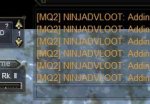
MQ2Ninja.JPG
After a view kills Ninjadvloot startet to spam with atleast 30 rows per second. (My gues, as once a while I can see other lines runnig vs. top very fast and disapear on top.
Checked already similar threads and could not find a way, to switch it off.
Checked Loot.ini ... as far as I can tell it seems normal.

The lag caused by this spam is really bad and hinders me, to enjoy the game.
Anyone has an iedea how to get rid of this spam?


Best regards, Dragonslayer
 
Make sure all toons have opted into advanced looting, and looting is turned on for all of your toons in MQ2Autoloot.ini . They should have under their name:

UseAutoLoot=1

Alternatively, unload the plugin entirely

/plugin MQ2Autloot unload
 
Thanks all for the help ... the loot stuff for me is too confusing.
The actions I took:
- Macroquest.ini :: Section [Plugins] mq2autoloot=0
-all chars Kissassist.inis at header :: LootOn=0
-all chars Kissassist.inis :: Section [Burn] Burnxx=Command:/autoloot turn off
-Loot.Ini :: LootMobs=FALSE
-mq2Autoloot.Ini in all chars section :: UseAutoLoot=0

Is that sufficient to disable any looting apart the standard ingame functions?

Apart from the actual problems I could not avoid, that once a while a nodrop-Item was looted by wrong char.
Attempting again to understand the loot system, I could not figure a save setting, which warrants that no NoDrop Item is never autolooted by wrong char, so I choosed to do anyting to avoid any autolooting in future.

Feature Request: add an Flag anywhere which allows to set all NoDrop Items to be ignored by the autoloot system, so I am allowed to use the ingame loot functions to choose which char will get the item. Even if it does mean, that nodrop Questitems have to be handeled manually as well.

Feature Request: Is it possible to update Kissasist.ini in a way that "LootOn=0" at the header would warrant, that this toon does not use any means of automatic looting apard the standard ingame tools?
 
I had that spam issue at one time and off hand can't remember what ended up fixing it. With that said, I have my LootOn=0 and I use MQ2Autoloot. I have a hotkey /autoloot turn on and /autoloot turn off
Also seen some posts on the boards about who gets loot
Armor=Gear|Classes|CLR|MAG|NumberToLoot|1|
Common Item=Gear|Classes|MAG|NumberToLoot|1|
 
Problem - Ninjadvloot seemingly causing massive lag

Users who are viewing this thread

Back
Top
Cart