• You've discovered RedGuides, an EverQuest multi-boxing and scripting community 🧙‍♀️⚙️. We want you to play several EQ characters at once, come join us and say hello! 👋

  • A TLP without truebox has thawed (Very Vanilla ready)
    Frostreaver

Problem - My toons are lagging me to death

Joined
Jun 3, 2020
RedCents
651¢
Hi All,

I wasn't sure where to post my issue, so please move it to the right place.

Here's my problem: when I attempt to move my 6 toons either using Mode 2 for my CWTN-driven toons, or clicking the Come to Me button, for my Kiss- driven toons, there is a significant movement lag on my toons following my lead SK. The result is I have to switch to each toon's screen to get them to start moving in a meaningful way. The pathing line shows up for all of them, but they aren't moving on their own. Also, when they get to where the SK is setup, the toons are bouncing around the SK randomly, looking like they're overshooting the destination point. Eventually, they settle down by the SK, but by that point a few of them have managed to aggro other mobs.

I have not always had this issue. For the longest time my toons would follow behind as intended. I would appreciate advice on possible setting changes that might resolve this issue.

Thanks,

Dysanor
 
Solution
Update: I incorporated all the suggestions that were offered in this thread, and I'm pleased to say it did the trick. My group is now following me and no longer warping.

You guys are amazing! Thank you again for your help and suggestions.

Dysanor
Internet connect speed, EQ lag bar, and ingame graphics setting.

These would be the first three to rule out. just FYI, then i would look at macro or plugins.
 
Start with the basics if you haven't already. Make sure your AV software has exclusions for both your EQ directory and your MQ directory. Sometimes when AV gets updates, it gets more aggressive. (IE: Interferes with file read performance as it is consistently scanning)
 
Hi All,

I wasn't sure where to post my issue, so please move it to the right place.

Here's my problem: when I attempt to move my 6 toons either using Mode 2 for my CWTN-driven toons, or clicking the Come to Me button, for my Kiss- driven toons, there is a significant movement lag on my toons following my lead SK. The result is I have to switch to each toon's screen to get them to start moving in a meaningful way. The pathing line shows up for all of them, but they aren't moving on their own. Also, when they get to where the SK is setup, the toons are bouncing around the SK randomly, looking like they're overshooting the destination point. Eventually, they settle down by the SK, but by that point a few of them have managed to aggro other mobs.

I have not always had this issue. For the longest time my toons would follow behind as intended. I would appreciate advice on possible setting changes that might resolve this issue.

Thanks,

Dysanor

curious, are you using EQBCS or dannet?
 
Increase the background fps to something >60. Ideally, you'd have the in-game bg fps set to unlimited and be using MQ's frame limiter to control background rendering.
 
Hi All,

I wasn't sure where to post my issue, so please move it to the right place.

Here's my problem: when I attempt to move my 6 toons either using Mode 2 for my CWTN-driven toons, or clicking the Come to Me button, for my Kiss- driven toons, there is a significant movement lag on my toons following my lead SK. The result is I have to switch to each toon's screen to get them to start moving in a meaningful way. The pathing line shows up for all of them, but they aren't moving on their own. Also, when they get to where the SK is setup, the toons are bouncing around the SK randomly, looking like they're overshooting the destination point. Eventually, they settle down by the SK, but by that point a few of them have managed to aggro other mobs.

I have not always had this issue. For the longest time my toons would follow behind as intended. I would appreciate advice on possible setting changes that might resolve this issue.

Thanks,

Dysanor

I just rage quit bro...effective since 1999

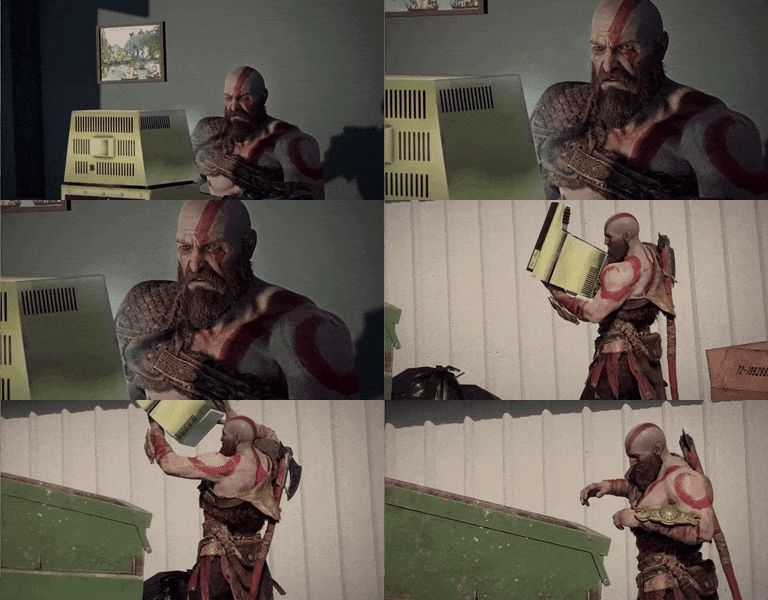
God Of War Reaction GIF by MOODMAN
 
There isn't usually one setting that will fix your issue, it's different things that add up to better performance. You might take a look at your task manager to see what processes you have running and how much resources they're using. Example, my system only has 8 GB of ram. I notice my browser has three tabs open and is using 320 MB if ram, which is nearly 1/3 of a GB. It might seem small, but since my system only has 15% ram free with six clients running it may be a good idea to see what programs I'm not using that I can safely close down to free up resources. I would also check your systems temps. If your system is getting hot, it can become throttled which limits performance to allow it to cool down to safe levels again. Have you tried turning it off and on again? :-) Also, think about what changes have been made since the last time you remember everything working smoothly. It might help narrow down the cause.
  • I would make use mq frame limiter, if you're not already. You want your background fps to be something low, and your foreground fps to be something higher than 30, so you can experience smooth framerates with your driver. You don't want to go too high because it may hurt your performance instead.
  • You could improve your experience by switching some or all character models to the older models, since they're simpler to render. They're also classic.
  • [BGCOLOR=initial]If you open your game launcher and click advanced tools > game configuration you can adjust your graphics settings, texture resolution and switch to older models.[/BGCOLOR]
  • You could adjust the draw distance (clip plane) down to its lowest and turn spell effects off for everyone but your driver.
  • Open eqclient.ini and see what your cpu affinity is set to for your cpu cores. Depending on how many cores you have, you should see a line for each core starting at 0. It should start at CPUAffinity0=-1, then continue to CPUAffinity1=-1, CPUAffinity2=-1 etc.
  • Yes to what Doc and kaen said. There are a lot of eq settings under display and advanced you can adjust for better performance, like turning the sky off and turning down sky reflection update interval, turning off shadows, lowering terrain texture quality.
  • I play with sound off, totally disabled, even with a nosound.txt file in the eq directory .. not sure if it has any effect anymore.
My settings aren't perfect, perhaps someone may correct me where I'm wrong. These are just some things I've tried to optimize my limited resources.
 
Last edited:
Can we please quit telling people to mess with this:

  • Open eqclient.ini and see what your cpu affinity is set to for your cpu cores. Depending on how many cores you have, you should see a line for each core starting at 0. It should start at CPUAffinity0=-1, then continue to CPUAffinity1=-1, CPUAffinity2=-1 etc.
Its managed by EQ now.
 
Can we please quit telling people to mess with this:

  • Open eqclient.ini and see what your cpu affinity is set to for your cpu cores. Depending on how many cores you have, you should see a line for each core starting at 0. It should start at CPUAffinity0=-1, then continue to CPUAffinity1=-1, CPUAffinity2=-1 etc.
Its managed by EQ now.


Well, more technically they just changed the "label". The underlying functionality didn't really change so it wouldn't hurt to check the eqclient.ini and make sure you're not trying to overload a single core...

EQ not spreading across CPU Threads
 
well the cpuaffinity is not a thing anymore so changing or adding those, will have no effect.
his best option is to entirely remove his eqclient.ini, there has been other issues that was fixed by just doing that, and making eq make a new default one.
 
I had an expensive base router that was causing my issues. I have replaced it with an Apple Airport and have had no issues whatsoever. I run three groups simultaneously sometimes and have no issues. I couldn't do that with the other router. The other router caused serious lag and was killing my toons ALL OF THE TIME.
 
Also, you can try FPS limiter. Limit all toons to 30-60FPS and see if there is any improvement.
 
I decided to see what would happen if I moved my eqclient.ini to my desktop to start with a fresh one. I ran the launcher so I could use the old models and adjust the graphics settings. I copied parts of my original ini to the newly created one, specifically keybinds and badword filter setting. I'm amazed. Whatever changed, made a big difference in my groups responsiveness and behavior when following. They aren't rubber-banding around or lagging behind. They follow in a tight group, right away, something I thought would only be possible with a more powerful computer.
 
Sometimes its the simple things. Like the journal or some other full useless file or whatever was on the old one that was not apparent. The game always seems to run faster when I do an install on a new computer so there is something to be said for starting with a fresh icon/launcher/client etc
 
well the cpuaffinity is not a thing anymore so changing or adding those, will have no effect.
his best option is to entirely remove his eqclient.ini, there has been other issues that was fixed by just doing that, and making eq make a new default one.
Dafuq ? Really I know it’s been renamed ClientCore or somesuch, but i am pretty sure there is somethimg in eqclient.ini that balances clients across cpus.

please correct this dumb Australian.
 
Dafuq ? Really I know it’s been renamed ClientCore or somesuch, but i am pretty sure there is somethimg in eqclient.ini that balances clients across cpus.

please correct this dumb Australian.


Check this post by an EQ dev...

 
Thank you all for the great suggestions. I've started making the adjustments and I'll report back how I make out.

Cheers,

Dysanor
 
Update: I incorporated all the suggestions that were offered in this thread, and I'm pleased to say it did the trick. My group is now following me and no longer warping.

You guys are amazing! Thank you again for your help and suggestions.

Dysanor
 
Solution
This worked for me, I've been away for a couple years. My machine should easily be able to handle my toons. I kept getting lagged to death and the setting for background away from zero to unlimited worked for me.
 
Problem - My toons are lagging me to death

Users who are viewing this thread

Back
Top
Cart