
- Commits
- 2
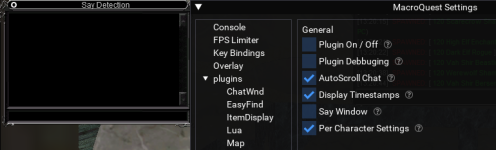
Did you try /plugin mq2say unloadNot a peep here. I've created an issue in the code repo. Please let me know how I can help.



Did you try /plugin mq2say unloadNot a peep here. I've created an issue in the code repo. Please let me know how I can help.
Thanks for the response, but I want the plugin to run, but not use the extra window. It should be going to the main MQ window.Did you try /plugin mq2say unload
Yup…the fix is quit dying. DoneAny way to lower the sound of the beeps? When I am in lobby rezing after a wipe, I go crazy with the dozens of beeps I get from other players summoning corpses (I know, don't die, right)

that is your windows - not an mq/eq/rg thingAny way to lower the sound of the beeps? When I am in lobby rezing after a wipe, I go crazy with the dozens of beeps I get from other players summoning corpses (I know, don't die, right)

ohh, ok thanks Sic, did not know thatthat is your windows - not an mq/eq/rg thing

Sorry for the 6 month delay here.. I just saw it. /BonkPretty sure /mqsay clear (or some form of it) already exists.

Yup, same here.Anyone else having the plugin not filtering out your guildmates after the patch?



 Commits

