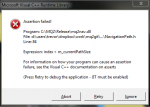
How does one zoom in/out in a mesh on MQ2Nav Mesh generator?
I see from some screenshots in this thread from MQ2Nav Mesh generator that it is possible to zoom in on a specific area of zone.
I've tried most mouse/keyboard shortcuts ctrl/right click/scroll + - etc
With Right Mouse Button held down I can rotate the mesh but can't zoom.
EDIT: it is WASD of course should have read on screen instructions. Doh! 
I see from some screenshots in this thread from MQ2Nav Mesh generator that it is possible to zoom in on a specific area of zone.
I've tried most mouse/keyboard shortcuts ctrl/right click/scroll + - etc
With Right Mouse Button held down I can rotate the mesh but can't zoom.
EDIT: it is WASD of course
should have read on screen instructions. Doh!