wired420 updated MQ2MeshManager with a new update entry:
20230219
Read the rest of this update entry...
20230219

Read the rest of this update entry...


Bug Fixes
- Fixed strerrno calls to strerrno_s then got rid of them completely
(f295444) ~Clayton Johnson
Bug Fixes
- Reports errors on failed file moves so no guessing on cause when its reported
(c868081) ~Clayton Johnson
Added Laurion's Song expansion to updater/website.
Added zone names for Laurion's Song zones to the hard checks in code.
I also have 552 local files. not sure what is happening.Ya trying to figure this out as well.. I see the 552 meshes in my mesh folder... but my plugins do not..
TYVMthe meshupdater might be having an issue - you can download the meshes directly
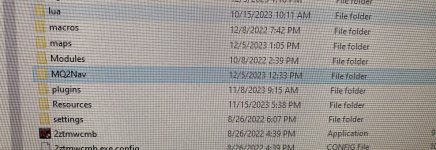
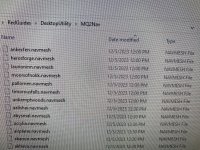
https://mqmesh.com/resources/zips/ls.zip those go in your resources -> mq2nav folder
did you reload the mesh?ok updated those meshes...Plugin still thinks it has no mesh for LS.. it works on any older zones..
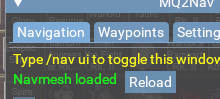
maybe you have an old mq2nav folder in the release folder. They changed it to be in resources now, check there?I am having the same issue. I have verified the MESH for Laurion Inn is in the mq2nav folder but it still tells me it isnt there
can you screen snip your folder and show meI inserted the files into the correct folder and I'm still having the same problem?
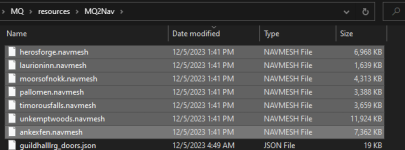
Did this plus closed down everything and restarted, still “no mesh” error.the meshupdater might be having an issue - you can download the meshes directly
https://mqmesh.com/resources/zips/ls.zip those go in your resources -> mq2nav folder
Thanks Sic, I did this and it resolved the problem.the meshupdater might be having an issue - you can download the meshes directly
https://mqmesh.com/resources/zips/ls.zip those go in your resources -> mq2nav folder