- Buyer
- #241
??? That did it. Thank you!I unloaded all my toons MQ2 and realoded and it worked



??? That did it. Thank you!I unloaded all my toons MQ2 and realoded and it worked
Same here.I am getting an error that syays group must be within 100 units They are all standing right next to me at Sentry Ellison in EW. any ideas?
had same problem this morning too, I did /grind reload than it worked. For the 100 units error.Same thing here. Can't run plugin.
I am getting an error that syays group must be within 100 units They are all standing right next to me at Sentry Ellison in EW. any ideas?
Hello, I just got this plugin. But having problems. It will target mobs, but doesn't all the time cast on the mob.
I used default with the ; move up. I tested both lines. Any suggestions?
LTDistPullCmd=/docommand ${If[${Target.Distance} > 50,/ranged,/multiline ; /nav target log=off; /timed 5 /attack on]}
GTDistPullCmd=/multiline ; /cast Protest for Power; /face; /timed 20 /nav target log=off; /timed 25 /attack on
After I unloaded MQ2 on my toons and reloaded it worked flawlessly. Just a thought When I first tried I did have a group member not close, I realized that and moved him closer and then retried but still got error. I tried /grind end thinking it would erase whatever was telling it that group member was not close enough. Then tried to start again. No bueno! So I unloaded MQ2 on my entire group and started the grind again and t worked. So Is possible that when I first tried and the group member was not close the plugin saved that value and even after moving the toon closer it kept trying to use the initial value?Hey guys (I see a few saying the same issue) -- I can't replicate this. Can you help me replicate by sharing a repeatable process that you continually run into this problem?
When MQ2Grind loads, it checks for groupGap and if it doesn't exist, it writes it to INI and then reads from INI into memory. When you /grind start theres a function to check your actual distance vs this value (yes I'll fix the typo of 100 (static) and make it equate to what is defined in groupGap =)
Thanks in advance guys!
After I unloaded MQ2 on my toons and reloaded it worked flawlessly. Just a thought When I first tried I did have a group member not close, I realized that and moved him closer and then retried but still got error. I tried /grind end thinking it would erase whatever was telling it that group member was not close enough. Then tried to start again. No bueno! So I unloaded MQ2 on my entire group and started the grind again and t worked. So Is possible that when I first tried and the group member was not close the plugin saved that value and even after moving the toon closer it kept trying to use the initial value?
/grind reload is working better than unloading and reloading MQ2 ( for me )!Unloading MQ2 and Reloading it now causees CTD?
Did have this issue one time, took a step forward and issued come to me and all was good from there it was during initial start, have not seen it while running yetHey guys (I see a few saying the same issue) -- I can't replicate this. Can you help me replicate by sharing a repeatable process that you continually run into this problem?
When MQ2Grind loads, it checks for groupGap and if it doesn't exist, it writes it to INI and then reads from INI into memory. When you /grind start theres a function to check your actual distance vs this value (yes I'll fix the typo of 100 (static) and make it equate to what is defined in groupGap =)
Thanks in advance guys!
Unloading MQ2 and Reloading it now causees CTD?
Someone messed with the official mesh files and put a barrier in the way. I was able to edit mine and it works great now.Yeah, the Great Divide mission is now a bit buggy in it's pulling. I'm getting WAY more mobs that usual at certain points. It has to do when moving from point 16 to point 17. The toons used to go up the eastern tunnel (correctly) as they cleared the mobs. It now runs back all the way up the western tunnel towards where the mission starts and then tries to go down the eastern tunnel to point 17 with about 9 mobs chasing you. It usually ends poorly. I don't know if this is really an MQ2Grind issue or a difference with the pathing on MQ2Nav. I believe it also paths past a mob or two somewhere around steps 6 or 7. It eventually goes back and picks up the missed mob at step 8.
I personally changedHello, I just got this plugin. But having problems. It will target mobs, but doesn't all the time cast on the mob.
I used default with the ; move up. I tested both lines. Any suggestions?
LTDistPullCmd=/docommand ${If[${Target.Distance} > 50,/ranged,/multiline ; /nav target log=off; /timed 5 /attack on]}
GTDistPullCmd=/multiline ; /cast Protest for Power; /face; /timed 20 /nav target log=off; /timed 25 /attack on
2/19/2021 (HOTFIX)
---
Enhancements
- When you start a Grind (/grind start) the plugin will automatically disable Mimic Me if you had it enabled
Resolved defects
- Fixed an issue where a Grind would fail to start due to group members being too far away, even when they weren't
I personally changed
LTDistPullCmd=/docommand ${If[${Target.Distance} > 50,/ranged,/multiline ; /nav target log=off; /timed 5 /attack on]}
to
LTDistPullCmd=/docommand ${If[${Target.Distance} > 50,/cast Protest for Power,/multiline ; /nav target log=off; /timed 5 /attack on]}
as i dont carry arrows much and was having issues even with arrows of him just standing there
Someone messed with the official mesh files and put a barrier in the way. I was able to edit mine and it works great now.
Ty for the reply, I changed the 50, ranged to 99,ranged seems too work. May be getting more adds with it though. Will try your settings. TyI personally changed
LTDistPullCmd=/docommand ${If[${Target.Distance} > 50,/ranged,/multiline ; /nav target log=off; /timed 5 /attack on]}
to
LTDistPullCmd=/docommand ${If[${Target.Distance} > 50,/cast Protest for Power,/multiline ; /nav target log=off; /timed 5 /attack on]}
as i dont carry arrows much and was having issues even with arrows of him just standing there
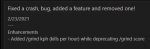
2/23/2021
---
Enhancements
- Added /grind kph (kills per hour) while deprecating /grind score
Resolved defects
- Fixed the "Failed to start, your group must be next to you" error, even when they were close enough
- Fixed a crash (thank you Knightly for your help)
Caveats (known issues)
- /multiline issue with /rgstart in MQ2Grind.ini (work around is to replace /rgstart with /macro rgmercs\RGMERC.mac)
- Plugin is not available for EMU
- EQ, MQ2, and MQ2Nav say mob is LOS, but isn't, tried...

Is /grind score no longer working? I tried it while running the GMM mission and got the error text when it doesn't recognize a /grind command.
Getting a really annoying " Looks like you died,pausing for safety" even tho i havnt died, have either zoned out and are trying to get the next task or start the next round in the instance
This is on Aary
if i just keep spamming /grind resume after like 5 attempts it finally does something/what its supposed to do
Is /grind score no longer working? I tried it while running the GMM mission and got the error text when it doesn't recognize a /grind command.
Enhancements
- Added TLO's: ${Grind.Active}, ${Grind.Instance}, ${Grind.CurrLoc} (more info on resource FAQ page)
Resolved defects
- Fixed a bug if you were bound in Western Wastes (CoV)
Caveats (known issues)
- /multiline issue with /rgstart in MQ2Grind.ini (work around is to replace /rgstart with /macro rgmercs\RGMERC.mac)
- Plugin is not available for EMU
- EQ, MQ2, and MQ2Nav say mob is LOS, but isn't, tried to avoid this by locations, let me know if and where you get stuck
- EQ BUG...
Skyshrine loc 10 stops and can't move. I have to /grind restart 11 to get past it.
I'm good, but I'm not that good....
View attachment 28731
I'm thinking there may be a bug in your logic that calculates this :-)
How did you end up getting to this? What instance?
I just checked the variable handling and cannot see how this happened.
Quick question, is there a way to implement a "Use Glyph when avail" option? I can use MQ2autospend to buy glyphs, But I would gain a lot of time if I had these guys auto glyphing
Also, Is there a reason in "The Call" Why it skips the second Drake in on the left? Think it's called "An Ancient Drakken" It Oddly Skips the last Wyvern on the left in the first room as well "A Scholarly Wyvern"
Bah one more thing. Is there a way to set it to stop "sooner" For instance My team can do the first room of the call. I can do 3 of the mobs in the hallway. Essentially I can do to Location 10. Is there a way to make it so I stop at 10 instead of trying to do the rest?
3/6/2021
---
Enhancements
- Added TBL Contract of War instance support
- Added additional TLO: ${Grind.Paused} (more info on resource FAQ page)
- Added the ability to run MQ2Grind from a non-tank (/grind waiver)
Resolved defects
- Cancelled the Dancing with Mobs (fixed an issue where facing mob would bounce a bit)
Caveats (known issues)
- /multiline issue with /rgstart in MQ2Grind.ini (work around is to replace /rgstart with /macro rgmercs\RGMERC.mac)
- Plugin is not available for EMU
-...


