runicNomad
Member
- Joined
- May 1, 2019
- RedCents
- 70¢
does this work without advloot active in game? I am on an emu without advloot and it says plugin is loaded but it errors when I /autoloot saying command not found or something...

Follow along with the video below to see how to install our site as a web app on your home screen.
Note: This feature may not be available in some browsers.


ok thanks!It will not work on emu that don't have advloot.
hmmm ok that sounds like a solution...no plugin but an inc that can run alongside a macro to control loot
most of the older macros supported ninjaadvloot.inc which is the looting inc file. It controlled loot kinda similar to autoloot just not as many options and not as fast. that inc is still in the vv compile also
ok cool well I got it to work since its with VV... it sets items to sell... however when I target a vendor and /sellstuff it does nothing but it returns a message in mq2 window selling to vendor
| Usage: add the following to your macro for looting
|   #include Ninjadvloot.inc
|   /call SetupAdvLootVars
| /call LootMobs or /call UseAdvLootAlright, so we took off for a month or so and since coming back, my AutoLoot is buggy. The ML part seems to be working fine, but as it goes through my toons in the group it is getting stuck on #2 and not progressing to #3 in a round robin type loot distribution. The loot.ini is shared by all 3 toons.
Check to see if that character doesn't have any filters setup in the advloot window (the EQ provided ones). Those might be overriding the addon.

Using the test version of the plugin in the current release it does not use the Loot.ini at all. The plugin is working and it checks GD for all items. I checked the location and names in the config and everything is fine. It worked prior to this patch on test.

Please try and reset your loot.ini file.
/AutoLoot lootini loot
If that doesn't fix it please let me know.
[Settings]
|======================================================================|
Version=6.09
LogLoot=0
RaidLoot=0
BarMinSellPrice=1
DistributeLootDelay=5
NewItemDelay=0
CursorDelay=10
SaveBagSlots=0
SpamLootInfo=1
QuestKeep=10
NoDropDefault=Ignore
ExcludeBag1=Extraplanar Trade Satchel
ExcludeBag2=Extraplanar Trade Satchel
GuildItemPermission=View Only
AddNewSales=1
LootForage=1
LootMobs=TRUE
CorpseRadius=100
MobsTooClose=40
ReportLoot=FALSE
LootChannel=g
LootForageSpam=1
GlobalLootOn=1
CombatLooting=1
GMLSelect=1
StackPlatValue=0
LootLagDelay=0
[Global]
|======================================================================|
[A]
|======================================================================|
[B]
|======================================================================|
[C]
|======================================================================|
[D]
|======================================================================|
[E]
|======================================================================|
[F]
|======================================================================|
[G]
|======================================================================|
[H]
|======================================================================|
[I]
|======================================================================|
[J]
|======================================================================|
[K]
|======================================================================|
[L]
|======================================================================|
[M]
|======================================================================|
[N]
|======================================================================|
[O]
|======================================================================|
[P]
|======================================================================|
[Q]
|======================================================================|
[R]
|======================================================================|
[S]
|======================================================================|
[T]
|======================================================================|
[U]
|======================================================================|
[V]
|======================================================================|
[W]
|======================================================================|
[X]
|======================================================================|
[Y]
|======================================================================|
[Z]
|======================================================================|[Settings]
|======================================================================|
Version=6.09
LogLoot=0
RaidLoot=0
BarMinSellPrice=1
DistributeLootDelay=5
NewItemDelay=0
CursorDelay=10
SaveBagSlots=0
SpamLootInfo=1
QuestKeep=10
NoDropDefault=Ignore
ExcludeBag1=Extraplanar Trade Satchel
ExcludeBag2=Extraplanar Trade Satchel
GuildItemPermission=View Only
AddNewSales=1
LootForage=1
LootMobs=TRUE
CorpseRadius=100
MobsTooClose=40
ReportLoot=FALSE
LootChannel=g
LootForageSpam=1
GlobalLootOn=1
CombatLooting=1
GMLSelect=1
StackPlatValue=0
LootLagDelay=0
[Global]
|======================================================================|
[A]
|======================================================================|
[B]
|======================================================================|
[C]
|======================================================================|
[D]
|======================================================================|
[E]
|======================================================================|
[F]
|======================================================================|
[G]
|======================================================================|
[H]
|======================================================================|
[I]
|======================================================================|
[J]
|======================================================================|
[K]
|======================================================================|
[L]
|======================================================================|
[M]
|======================================================================|
[N]
|======================================================================|
[O]
|======================================================================|
[P]
|======================================================================|
[Q]
|======================================================================|
[R]
|======================================================================|
[S]
|======================================================================|
[T]
|======================================================================|
[U]
|======================================================================|
[V]
|======================================================================|
[W]
|======================================================================|
[X]
|======================================================================|
[Y]
|======================================================================|
[Z]
|======================================================================|
[]
=IgnoreThanks plure!They messed with advloot, this feels like it needs to be fixed in core mq2. I'll take a look at it after work if mule hasn't already fixed it.
Just started having an issue with MQ2autoloot not destroying no drop quest items. I am currently in Dragonscale Hills. There is a LOT of loot that is quest items and no drop. I put items on cursor and type /setitem destroy. I check the loot.ini and yes, they are labeled as destroy. I am not running ninjaloot as far as I know. In the character ka ini's I have looton=0. Now when I run /mac loot it uses the same ini and it does run ninja loot there. It recognizes all these items on corpses, loots them and destroys them properly. My bags get full and a billion corpses so I run that macro to clear the corpse.
Any suggestions?
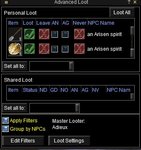
I'm assuming that picture is from when they are grouped? If that is true, then I would make sure the plugin is turned on for that character.
/autoloot turn on
Hypocricy=Gear|Classes|SHD|RNG|ROG|NumberToLoot|1|One thing I've noticed is that if there is a nodrop item that is marked quest or gear, my toons never seem to loot if they are not the ML. e.g. I had this entry:-
Code:Hypocricy=Gear|Classes|SHD|RNG|ROG|NumberToLoot|1|
When the item dropped, the ML assigned it to my SHD (which is correct), but my SHD never actually picked it up.. I had to do that manually. Am I missing something?

I sometimes have items written to the wrong ini file. If I have two toons logged on, each pointing to a separate ini, I hold an item and "/setitem keep" which adds it to loot.ini, I then pass it to the second toon who uses /setitem deposit. Instead of addind the item to the second ini file that toon is pointing at, it overwrites it in loot.ini, who the first toon is pointing at, to deposit.
Is this me being thick? I thought this was how it was supposed to work.
That is how it is suppose to work. Does this happen every single time?
Let me do some testing and i'll get back to you if something is screwed up.
No it's not every time. It's fine when I just tested it again but was sure it was doing it earlier. I'll keep an eye on it and see if it happens again. Thanks for the swift response regardless.
The "LootForage" option in the ini file, I assume if I have this enabled, it will apply the appropriate action on anything I forage. Does this play nicely with mq2autoforage? I mean, can you simply use that plugin to forage constantly but leave the sorting of items to Autoloot?
The "LootForage" isn't used in the plugin, it comes from ninjadvloot.... My understanding is that mq2autoforage has a separate ini file for deciding what to do with the items it forages, they should play nice with each other unless you decide to make mq2autoloot have 0 delay when dealing with items on your cursor.
That is how it is suppose to work. Does this happen every single time?
Let me do some testing and i'll get back to you if something is screwed up.