• You've discovered RedGuides, an EverQuest multi-boxing and scripting community 🧙‍♀️⚙️. We want you to play several EQ characters at once, come join us and say hello! 👋

  • A TLP without truebox has thawed (Very Vanilla ready)
    Frostreaver

Guide - MQ2Autologin - Guide

Joined
Mar 4, 2014
RedCents
1,804¢
Ok I had some trouble getting this up and running so I thought I'd put a small step by step guide for anyone interested in using the MQ2AutoLogin plugin (it is very nice).

This guide assumes you have the MQ2AutoLogin plugin installed already.

First you need to start the file MacroQuest.exe from your MQ2 folder. Right click the icon on the bottom of the screen and choose INI File. Under [Plugins] add the line mq2autologin=mq2autologin.

Next open a text editor of some sort (notepad works fine) and create the .ini file. Cut and Paste the Example below then add your own Station Name, Password, Server, and Character. Use the server names listed below that where it says Server=.

Once you've done that, save it as MQ2AutoLogin.ini

[Settings]
KickActiveCharacter=1
UseStationNamesInsteadOfSessions=0

[Session1]
StationName=Your Station Name Here
Password=My Password Here
Server=Server Name Here
Character=Your Character Name Here

[Session2]
StationName=Your Station Name Here
Password=My Password Here
Server=Server Name Here
Character=Your Character Name Here

[Session3]
StationName=Your Station Name Here
Password=Your Password Here
Server=Server Name Here
Character=Your Character Name Here

[Session4]
StationName=Your Station Name Here
Password=Your Password Here
Server=Server Name Here
Character=Your Character Name Here​


SERVER NAMES
fippy
vulak
mayong
antonius
bertox
bristle
cazic
drinal
erollisi
firiona
luclin
povar
rathe
tunare
xegony
zek

Once you have done that go to the folder that you have Everquest installed in and look for the file eqgame.exe. Mine is here D:\Sony Online Entertainment\Installed Games\EverQuest\eqgame.exe . Right click on the file and select Send to - Desktop(Create Shortcut). This will put a shortcut on your desktop.

Next you will need to go to your desktop, right click on your new shortcut and select properties. Click the Shortcut tab and add patchme /login to the end. It will look like something like this when you are done "C:\Users\Public\Sony Online Entertainment\Installed Games\EverQuest\eqgame.exe" patchme /login
*Note - Make sure you add the patchme /login AFTER the end quotes.

Once you have done that you should be set. When you want to play Everquest just run MacroQuest and then click your new Everquest shortcut on your desktop. Every time you click it another instance will load up, working from Session1 to whatever session number you decide to end at. I box 4 and this works really well.

Please this is my first guide (I'm a fairly new member) if you have any suggestions or see anything I screwed up just let me know and I shall fix it!
 
mq2autologin=mq2autologin same as /plugin mq2autologin when running mq2.
 
I am having no luck with MQ2Autologin. MQ2 is up, the ini file is up to date and in the MQ2 ini folder. It is running when I start the eq shortcut with the 'patchme /login' in the properties. I am not sure where I am going wrong. I can login with the shortcut and MQ2 up but only one instance starts and I still need to enter my password and then select the correct server/character. Any help would be appreciated.
 
Just tested, it's working fine with both patchme & wineq2. Some things to check:

Is MQ2AutoLogin loaded? Close MQ2 if it's running, make sure MQ2AutoLogin is "checked" in the RGUpdate.exe settings and then hit "update". (adding mq2autologin=mq2autologin to the .ini is unnecessary if you use the settings in RGUPdate.exe)

The MQ2AutoLogin.ini file is in your root Macroquest2 folder, correct? (The same folder as Macroquest2.exe)

It should be named:
MQ2AutoLogin.ini

Make sure it's an .ini file, and not something weird like .ini.txt which windows will hide from you. Make windows *show* file extensions to be sure,
http://windows.microsoft.com/en-us/windows/show-hide-file-name-extensions

If you're starting up with patchme, and not wineq2 or isboxer, then your ini file should read as follows:

Rich (BB code):
[Settings]
KickActiveCharacter=1
InstantCamp=0

[Session1]
StationName=ChangeMe
Password=ChangeMe
Server=ChangeMe
Character=ChangeMe

[Session2]
StationName=ChangeMe
Password=ChangeMe
Server=ChangeMe
Character=ChangeMe
 
Last edited:
I forgot to mention I am getting an incorrect client version error box before EQ starts up one instance. I just tried again after checking all of the things you mentioned plus running EQ from the official launcher to make sure it was patched correctly. How would I change the MQ2Autologin.ini file if I were to use WinEQ2.0?

Edit: I got it to login in one of my characters automatically...the other instances have not started.
 
Last edited:
Using WinEQ2 your ini would look like this,


[Settings]
KickActiveCharacter=1
UseStationNamesInsteadOfSessions=1

[YourStationName]
Password=ChangeMe
Server=ChangeMe
Character=ChangeMe

[YourSecondAccount'sStationName]
Password=ChangeMe
Server=ChangeMe
Character=ChangeMe
http://www.redguides.com/community/showthread.php/24878-MQ2AutoLogin


You'll need to set up Wineq2 with all of your accounts first, so get that working before trying to autologin.

I'm not sure why you'd be getting incorrect client version, provided your MQ2 is updated (new compile posted today) and working. It only happens sometimes, not all the time?
 
Last edited:
No, I updated the Redguides compile after my last post but before the edit. I've edited the MQ2Autologin.ini file to use it with WinEQ2. I just now tried it by right-clicking on WinEQ2 on my taskbar and selecting a profile I set up. Though I did not see how the new profile could be different than the default one given the available settings.

So now I am not getting an incorrect client error, EQ is starting but only getting me to the login screen. I may just have to start the three instances separately.
 
So now I am not getting an incorrect client error, EQ is starting but only getting me to the login screen. I may just have to start the three instances separately.

Is MQ2AutoLogin checked in your RGUpdate.exe? (if not, hit update after checking it)
 
Yes, it is.

- - - Updated - - -

So after messing with WinEQ2 profiles I have been successful in getting MQ2Autologin to login in my first character automatically through WinEQ2. No such luck with my other accounts/profiles.

- - - Updated - - -

Got it working. I thought using mq2autologin=mq2autologin in the MQ2 .ini file would work for each character. However, once I logged in manually and used /plugin mq2autologin for the other two accounts everything fell in to place. Thank you for your time and assistance.
 
Your choice, they all work. I like wineq2. Then just use station names in your ini
 
You wouldn't need the /login command line anywhere...WinEQ is able to have multiple profiles, mixed with Autologin....It's Fast and can easily log in multiple accounts....

1) Start Wineq2....in the task bar(Whatever it is in the bottom right corner of screen), go to options and go to everquest....

2) Click profiles and then go to 1 and set the path for EQ, same for all the other profiles....save them...

3) then go right click on wineq icon, go to everquest and there are your profiles...now you will have to log in one time per profile...but after that, your information is saved and as soon as you click load profile....it starts to log you into your character.

Wineq2+autologin...i can log in 4-5 char's at the same time.
 
Last edited:
Just to add if you are using wineq2 I think you need a seperate profile for each character. I usually just had one for my main and one for all of my boxes with lower settings but to get the auto login working I needed to make a profile for each char. It was still pretty easy to set up.
 
So I'm having trouble getting characters onto Lockjaw with autologin -- is the server name just "lockjaw" or should I be using something different? I'm getting to the server selection screen and it just stops there.
 
lockjaw is not in mq2autologin yet just ragefire. I have to put in and re-upload the dll. out of town for the fourth so look for it next week
 
lockjaw is not in mq2autologin yet just ragefire. I have to put in and re-upload the dll. out of town for the fourth so look for it next week

Oh good, I thought I was just losing my mind and could not figure out what spelling of lockjaw you were using.
 
Any update to this -- or is there any way to do this with the [ServerList] option I've tried adding:

UseStationNamesInsteadOfSessions=1


[ServerList]
Lockjaw (Voting/Timelocked Progression)=160

and that dosent seem to work either.
 
Is there any way to have this auto iterate? I box 12 and would like to basically use this as an auto startup script and load all 12 of my guys and log them in with just one double click instead of 12 double clicks. That possible?

While this DDoS is going on, I'm looking into ways to improve my setup once we're all back up and running.
 
More importantly is there anyway to disable the beeping? That's starting to ruin my life when I do my login of 10+ boxes while trying to listen to music...
 
Is there any way to have this auto iterate? I box 12 and would like to basically use this as an auto startup script and load all 12 of my guys and log them in with just one double click instead of 12 double clicks. That possible?

While this DDoS is going on, I'm looking into ways to improve my setup once we're all back up and running.


You can use a .bat file to start up multiple instance with one double click. I don't remember where I saw this a long time ago, but mine is:

login.bat=
Rich (BB code):
cls
@ECHO off
CD L:\Program Files (x86)\WinEQ2\
timeout /t 5
@ECHO Launching Warrior
START WinEQ2.exe /plugin:WinEQ2-EQ.dll "Warrior"
timeout /t 10
@ECHO Launching Bard
START WinEQ2.exe /plugin:WinEQ2-EQ.dll "Bard"
timeout /t 10
@ECHO Launching Wiz
START WinEQ2.exe /plugin:WinEQ2-EQ.dll "Wizard"


You may need to run the batch file as an admin so that it doesn't ask you for permission to open up each instance. You can also adjust the /t # amount to make it shorter if you like, but I like some buffer to make sure my windows are loaded in the "proper" order. Hope it works for you.
 
You may need to run the batch file as an admin so that it doesn't ask you for permission to open up each instance.
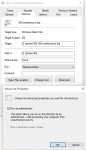
Pro-tip. Place the batch file somewhere, and then create a shortcut to it on your desktop, task bar, wherever is convenient. In the shortcut properties, you can choose to always run it as an admin, so you will never need to right-click the .bat and run as admin each time.

I do this for my log file management; I move to another folder and then run compression for old logs.

batprops.png

You can still right-click the shortcut and edit the batch file as well, just as if it were the file itself.
 
I am unable to get this to work on ragefire. I have added the ini file with the login info, turned it on and re-copiled and re-run MQ, added the login /patchme to the shortcut file, I use ISBoxer so I added a new game pointing to the new shortcut with the /patchme, and it is not logging in. What am I doing wrong? Thanks!
 
I think this was the same problem I was having. You have to move the .ini file to your MQ2 folder, not the Macro folder.
 
Adding that /login and /patchme stuff isn't needed if you use ISBOXER or WinEQ.
If you're using the UseStationNames=1 or whatever then each instance needs to have the station name already in the login screen in order for it to work.

Also make sure that mq2autologin=1 in your main MQ ini file.
 
Got it working. Needed to move the ini file into the MQ2 folder instead of MQ2>INI files folder.

One question, I am using ISBoxer, and some of them crash while it is loading up. I think it may be loading too many clients at once. Can I somehow put in a delay or slow it down a little bit?
 
It crashes if the window isn't focused when it loads up. Put a delay in ISBoxer in between instance loads
 
Thats what i use to start my chars (Using an powershell script)
Yes, i have an own directory for every eq instance.

Save it as StartEQ.ps1
Put a link of that script on your desktop
rightclick - edit properties
change the targetfield to
Rich (BB code):
C:\Windows\System32\WindowsPowerShell\v1.0\powershell.exe -noexit & E:\Spiele\MQ2\StartEQ.ps1
(adjust pathes).


can now start with double click.

Rich (BB code):
$MacroQuestPath = 'e:\spiele\mq2\release\'

$WaitTimeBetweenAccounts = '35'

$EQInstance1 = 'e:\spiele\everquest acc1\'
$EQAccount1  = 'acc1'

$EQInstance2 = 'e:\spiele\everquest acc2\'
$EQAccount2  = 'acc2'

$EQInstance3 = 'e:\spiele\everquest acc3\'
$EQAccount3  = 'acc3'

$EQInstance4 = 'e:\spiele\everquest acc4\'
$EQAccount4  = 'acc4'

$EQInstance5 = 'e:\spiele\everquest acc5\'
$EQAccount5  = 'acc5'

#------------------------------------------------------------------------------

$EQExe = 'eqgame.exe'
$EQArgs = 'patchme /login:'

cd -Path $MacroQuestPath

Write-Host "Starting MQ2EQBCS"
Start-Process -filepath $MacroQuestPath'mq2eqbcs' -WindowStyle Hidden
Write-Host

Write-Host "Starting Macroquest2"
Start-Process -filepath $MacroQuestPath'macroquest2'
Write-Host

Write-Host "Press any key to continue ..."
$x = $host.UI.RawUI.ReadKey("NoEcho,IncludeKeyDown")
Write-Host


#Instance 1 ---------------------------------------------------------------------
Write-Host "Starting Instance" $EQAccount1
cd -path $EQInstance1
Start-Process -filepath $EQInstance1$EQExe -argumentlist  $EQArgs$EQAccount1
Write-Host "Waiting " $WaitTimeBetweenAccounts " Seconds."
sleep -Seconds $WaitTimeBetweenAccounts
#--------------------------------------------------------------------------------


#Instance 2 ---------------------------------------------------------------------
Write-Host "Starting Instance" $EQAccount2
cd -path $EQInstance2
Start-Process -filepath $EQInstance2$EQExe -argumentlist  $EQArgs$EQAccount2
Write-Host "Waiting " $WaitTimeBetweenAccounts " Seconds."
sleep -Seconds $WaitTimeBetweenAccounts
#--------------------------------------------------------------------------------


#Instance 3 ---------------------------------------------------------------------
Write-Host "Starting Instance" $EQAccount3
cd -path $EQInstance3
Start-Process -filepath $EQInstance3$EQExe -argumentlist  $EQArgs$EQAccount3
Write-Host "Waiting " $WaitTimeBetweenAccounts " Seconds."
sleep -Seconds $WaitTimeBetweenAccounts
#--------------------------------------------------------------------------------


#Instance 4 ---------------------------------------------------------------------
Write-Host "Starting Instance" $EQAccount4
cd -path $EQInstance4
Start-Process -filepath $EQInstance4$EQExe -argumentlist  $EQArgs$EQAccount4
Write-Host "Waiting " $WaitTimeBetweenAccounts " Seconds."
sleep -Seconds $WaitTimeBetweenAccounts
#--------------------------------------------------------------------------------


#Instance 5 ---------------------------------------------------------------------
Write-Host "Starting Instance" $EQAccount5
cd -path $EQInstance5
Start-Process -filepath $EQInstance5$EQExe -argumentlist  $EQArgs$EQAccount5
Write-Host "Waiting " $WaitTimeBetweenAccounts " Seconds."
sleep -Seconds $WaitTimeBetweenAccounts
#--------------------------------------------------------------------------------


Write-Host "Done, closing window"
sleep -Seconds 3
 
Seems way overboard when this does the same thing, lol.

Rich (BB code):
cls @ECHO off CD L:\Program Files (x86)\WinEQ2\ timeout /t 5 @ECHO Launching Warrior START WinEQ2.exe /plugin:WinEQ2-EQ.dll "Warrior" timeout /t 10 @ECHO Launching Bard START WinEQ2.exe /plugin:WinEQ2-EQ.dll "Bard" timeout /t 10 @ECHO Launching Wiz START WinEQ2.exe /plugin:WinEQ2-EQ.dll "Wizard"

Is there any advantage to having multiple EQ folders or is it just personal preference?

Edit: oi, copy and paste fail. Too lazy to fix on mobile but original code is a few posts back.
 
Seems way overboard when this does the same thing, lol.

Rich (BB code):
cls @ECHO off CD L:\Program Files (x86)\WinEQ2\ timeout /t 5 @ECHO Launching Warrior START WinEQ2.exe /plugin:WinEQ2-EQ.dll "Warrior" timeout /t 10 @ECHO Launching Bard START WinEQ2.exe /plugin:WinEQ2-EQ.dll "Bard" timeout /t 10 @ECHO Launching Wiz START WinEQ2.exe /plugin:WinEQ2-EQ.dll "Wizard"

Is there any advantage to having multiple EQ folders or is it just personal preference?

Edit: oi, copy and paste fail. Too lazy to fix on mobile but original code is a few posts back.

I dont use wineq ;P
 
I was having an issue with it skipping the first session and loading my 2nd through 6th (of 6).
I incremented all the sessions so it is 2-7 instead of 1-6, and it seems to work.
Any clues what I could have done wrong to make it think my first instance is always open or simply skip it? All the syntax looks correct.
 
Love the PS script! However getting two errors. I think it must be simple and I am overlooking something.

Error 1
Start-Process : This command cannot be run due to the error: The system cannot find the file specified.
At C:\MQ2\StartEQ.ps1:28 char:1
+ Start-Process -filepath $MacroQuestPath'mq2eqbcs' -WindowStyle Hidden
Error 2
Start-Process : This command cannot be run due to the error: The system cannot find the file specified.
At C:\MQ2\StartEQ.ps1:32 char:1
+ Start-Process -filepath $MacroQuestPath'macroquest2'
Code pointing to the files
Rich (BB code):
$MacroQuestPath = 'C:\MQ2'
Rich (BB code):
Write-Host "Starting MQ2EQBCS"
Start-Process -filepath $MacroQuestPath'mq2eqbcs' -WindowStyle Hidden
Write-Host
Rich (BB code):
Write-Host "Starting Macroquest2"
Start-Process -filepath $MacroQuestPath'macroquest2'
Write-Host

The files are there in the C:MQ2 Folder

Even with these two errors, the script runs, opens up all 7 accounts and I am good to go, but trying to figure out why the error is happening.
 
I have this set up to load my guys up, more often than not, one will fail to load, usually with a time out. I have them all on separate instances (6 independent eq files within the daybreak folder), so 6 separate icons on my desktop. I click them with a space in between and consistently fail to load all 6 up. When I click on the missing character to load him up again, it logs out the last guy that is actually (successfully loaded into the world) and logs the same guy back in, refusing to 'autologin' in the missing character.

Am I expecting too much, do I have to load him up manually, or is there a trick I am missing?

My file is set up using sessions 1-6 as below, and its in C:\Users\****\Desktop\MQ2\Release
And my eq.exe file is set up using "C:\Users\Public\Daybreak Game Company\Installed Games\EverQuest - Copy (5)\eqgame.exe" patchme /login:*******

[Settings]
KickActiveCharacter=1
InstantCamp=0

[Session1]
StationName=ChangeMe
Password=ChangeMe
Server=ChangeMe
Character=ChangeMe

[Session2]
StationName=ChangeMe
Password=ChangeMe
Server=ChangeMe
Character=ChangeMe

Any help or advice would be appreciated.
 
Try this
Rich (BB code):
[Settings]
KickActiveCharacter=1
InstantCamp=0
UseStationNamesInsteadOfSessions=1

[StationName]
Password=ChangeMe
Server=ChangeMe
Character=ChangeMe

[StationName]
Password=ChangeMe
Server=ChangeMe
Character=ChangeMe
 
side note, is there an option to have them not fully login to the game? a lot of the times i have my crew camped in a spot, where if they trickle in 1 by 1, they'll get destroyed..is there anyway to add a toggle or an option to have them go to char select and stop there? and then either really quickly hit enter on each instance? still not ideal, but better.

Or perhaps, have a command built into the plugin, that you can type in the MQ window that will have all chars at the char select screen all go in at the same time.

Or perhaps this already exists and i just don't know, lol. i love using it, but it's only useful for me 1/2 the time because of it fully logging me in.
 
Guide - MQ2Autologin - Guide

Users who are viewing this thread

Back
Top
Cart