• You've discovered RedGuides, an EverQuest multi-boxing and scripting community 🧙‍♀️⚙️. We want you to play several EQ characters at once, come join us and say hello! 👋

  • A TLP without truebox has thawed (Very Vanilla ready)
    Frostreaver
KissAssist

KissAssist Release KissAssist (5 Viewers) 12.002.039

No permission to download
Hey guys. In my kissassist ini for my rogue I have:

INI:
[Burn]
BurnAllNamed=1
UseTribute=0
BurnSize=4
Burn1=Rogue's Fury
Burn2=Spire Rake
Burn3=Focused Rampage
Burn4=Drachnid Blade Rk. II
Burn5=NULL

But it's not working. Also, when I manually type /burn, it says burn activated, but none of the abilities trigger.

What am I doing wrong? Do I have to format AA abilities differently?

Thanks.
 
Hey guys. In my kissassist ini for my rogue I have:

INI:
[Burn]
BurnAllNamed=1
UseTribute=0
BurnSize=4
Burn1=Rogue's Fury
Burn2=Spire Rake
Burn3=Focused Rampage
Burn4=Drachnid Blade Rk. II
Burn5=NULL

But it's not working. Also, when I manually type /burn, it says burn activated, but none of the abilities trigger.

What am I doing wrong? Do I have to format AA abilities differently?

Thanks.
Maybe check what the abilities actually are named?
 
Maybe check what the abilities actually are named?
This is what it says in my aa window. I also tried "Rogues Fury XX" but the burn still didn't do anything.

1617110581636.png

Edit: when I type /burn, the Drachnid Blade Rk. II is working. The difference is this is a discipline. The others are AAs. So there must be a different syntax to execute an AA??
 
This is what it says in my aa window. I also tried "Rogues Fury XX" but the burn still didn't do anything.

View attachment 29241

Edit: when I type /burn, the Drachnid Blade Rk. II is working. The difference is this is a discipline. The others are AAs. So there must be a different syntax to execute an AA??
ok, checking when I get home.

but where did you get theese names?
Burn2=Spire Rake
Burn3=Focused Rampage
 
This is what it says in my aa window. I also tried "Rogues Fury XX" but the burn still didn't do anything.

View attachment 29241

Edit: when I type /burn, the Drachnid Blade Rk. II is working. The difference is this is a discipline. The others are AAs. So there must be a different syntax to execute an AA??

I've never played a rogue but in searching Rogue disciplines it's possible your dichotomic proc blocks Rogue's Fury? Anything on Timer 18 that's already running will block this AA. Otherwise, I'd try putting it in double quotes, perhaps the apostrophe isn't being parsed correctly. Or perhaps try the command:/alt act 3514 syntax?
 
Another question:

I have MQ2melee running. I have my rogue set to use Escape at 20% health.
This works great if I'm only running MQ2Melee.

How can I make sure this works with Kissassist too? I don't see an option for it in the documentation. Do I have to create my own custom React to stop Kiss and Escape?
 
Broad strokes here - As an interested user, I've made some modifications to KA12 which enhance the survivability of a group, updated pet toys so they take in consideration a mages own pet vs providing appropriate toys to other pets, you can supply the bags instead to players, added coth and cotheroes support, and modrods - which you can now automate requests within the ini. I did not change any core functionality of KA12; I inject checks for GotHit during crucial loops, like when casting (esp heals), casting other abilities, and so on. If a char is not assigned to tank and gets hit, the char squawks and then others, and pets, will sik them on the offending mob and get them off the soft ones. Enchs now will tash and slow mobs if they cannot mez / unmezzable rather than skip over. Changes required a few additional flags in the ini and events. I didn't want to post my version of KA12 to confuse folks. I'm attaching a copy here if you care to review / diff. I think you'll be pleased. I will provide more information on usage if there is interest. I would love to see the changes added to KA, as they are really helpful.
 

Attachments

Last edited:
Hey guys,

I need help configuring my Rogue's movement.

When the "assistat" percent is reached, my Rogue runs to the target and:
  1. Often he overshoots, putting the mob slightly behind him.
  2. Then, there is a pause, often several seconds before he even tries to attack.
  3. Then, not always, but often, he gets stuck saying "you cannot see your target"
  4. Then, after a few seconds, he tries to reposition. Often this works, but sometimes it doesn't. Sometimes he gets caught in a loop moving back and forth very fast unable to attack.
  5. Sometimes he does engage but spends the whole fight in front of the target rather than behind.
Don't get me wrong. Most of the time it all works. But with these 5 little issues, sometimes an entire fight goes by without him doing any damage. Usually, though, he just misses out on 5 - 10 seconds of combat.
I'm assuming here, but initially, given the nav line that appears, I think kissassist uses mq2nav to reach the target. Then, mq2moveutils tries to position him correctly using /stick.

I'm having trouble understanding the configuration documentation on how to finetune things. Can anyone give me some ready-to-use adjustments I can make to the ini files that will smooth stuff out?

Thanks!
 
Hey guys,

I need help configuring my Rogue's movement.

When the "assistat" percent is reached, my Rogue runs to the target and:
  1. Often he overshoots, putting the mob slightly behind him.
  2. Then, there is a pause, often several seconds before he even tries to attack.
  3. Then, not always, but often, he gets stuck saying "you cannot see your target"
  4. Then, after a few seconds, he tries to reposition. Often this works, but sometimes it doesn't. Sometimes he gets caught in a loop moving back and forth very fast unable to attack.
  5. Sometimes he does engage but spends the whole fight in front of the target rather than behind.
Don't get me wrong. Most of the time it all works. But with these 5 little issues, sometimes an entire fight goes by without him doing any damage. Usually, though, he just misses out on 5 - 10 seconds of combat.
I'm assuming here, but initially, given the nav line that appears, I think kissassist uses mq2nav to reach the target. Then, mq2moveutils tries to position him correctly using /stick.

I'm having trouble understanding the configuration documentation on how to finetune things. Can anyone give me some ready-to-use adjustments I can make to the ini files that will smooth stuff out?

Thanks!
this sounds like you have your min background fps set too low - you need at LEAST 30, but preferably 60+ min background fps for toons to do stuff in the background and not run into situations where they're having weird behavior like this.

I would double-check what your stick setting is - and wether or not you are using mq2melee=1 or not. I would suggest not using mq2melee and allowing kiss to handle your sticking.
 
this sounds like you have your min background fps set too low - you need at LEAST 30, but preferably 60+ min background fps for toons to do stuff in the background and not run into situations where they're having weird behavior like this.

I would double-check what your stick setting is - and wether or not you are using mq2melee=1 or not. I would suggest not using mq2melee and allowing kiss to handle your sticking.

FPS is not the problem.

I tried setting UseMQ2Melee=0 in the kissassist ini, but then Kissassist spams me with error messages and my rogue doesn't do anything.
 
FPS is not the problem.

I tried setting UseMQ2Melee=0 in the kissassist ini, but then Kissassist spams me with error messages and my rogue doesn't do anything.
what is your min background fps set to in your alt-o window? and do you have anything else, like isboxer, that might be limiting your background frames?
 
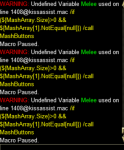
That is a plugin causing that problem. The Variable Melee, that you see in the message is not in the line being shown as in error. That means something is triggering the error message and blaming it on the macro that is running.
 
to piggyback on ctaylor's correct assessment

this means something is checking for ${Melee of some kind - a condition, or a react, or an mq2hud entry

something is trying to "see" information from mq2melee and since it doesn't exist, it spits out a warning to let you know something is wrong
 
That is a plugin causing that problem. The Variable Melee, that you see in the message is not in the line being shown as in error. That means something is triggering the error message and blaming it on the macro that is running.
I do use react and have a bunch of conditions that check if I am in combat or have aggro. Could that be it? If so, I need to keep running mq2melee for everything else to function correctly. Is there a way to keep it running but let KA handle sticking separately?
 
It would be better to find the conditions in React causing the issue and fix them. But if your going to use MQ2melee, then set the StickCmd in MQ2Melee and set UseMQ2Melee=2
 
I use ${Melee.GotAggro} a lot in React, so I don't want to disable mq2melee.
You say to set a good StickCmd in the ini file and that brings me back to my original question:
"I'm having trouble understanding the configuration documentation on how to finetune things. Can anyone give me some ready-to-use adjustments I can make to the ini files that will smooth stuff out?"
I don't quite understand stickcmd, so if anyone has a line that would improve how it's currently working, I'd appreciate it.
 
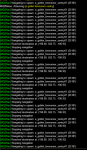
So, I'm actually thinking now that the problems are not stick related, but from mq2nav. I mq2nav messaging off. When I turned it on, this is what I see each time my rogue tries to engage.
1618303839720.png
This is just part of it; it goes on. This is where the delay is coming from. All this has to finish before the rogue actually starts fighting.
 
@rawmotion I can fix some of that, I can add a check before issuing the /nav command, currently if you have UseMQ2Melle turned on, it just uses an open /nav target command. I can minimize that by checking you distance from the mob and only issue the /nav command when your outside of the mobs MaxDistanceTo.
 
@rawmotion I can fix some of that, I can add a check before issuing the /nav command, currently if you have UseMQ2Melle turned on, it just uses an open /nav target command. I can minimize that by checking you distance from the mob and only issue the /nav command when your outside of the mobs MaxDistanceTo.
That would be amazing.
 
@ctaylor22 you upgraded to .011 without fixing this in the broadcast sub

Code:
/if (${DanNet[all].PeerCount}) {
the correct syntax is
Code:
/if (${DanNet.PeerCount[all]}) {
 
My tank is running CWTN in hunter tank mode.
I have my melee DPS toon kissassisting the tank with chaseon.
I've noticed that my DPS toon does not assist the tank if the mob out of line of sight. For example, behind a tree, or slightly around a corner.
DPS toon could be within a few feet of the mob, but if it's just slightly around a corner, or there's a pillar in the way, the DPS toon won't even try to engage.
I have to manually move the DPS toon forward a few feet so it can see the mob, then it kicks in immediatly.
I tried increasing meleedistance to 100, and reducing chacedistance to 5 but neither helped.
 
@ctaylor22 No. When this happens, it does not give the message ATTACKING ->
Once I manually run my toon a few feet forward around the cornder, then the attacking message appears, and I engage the mob.

Edit: It really seems related to line of sight. No matter how closely I'm following my tank. If a fight starts right next to me, but there is a tree, a ledge, a corner, a pillar, in the way, I wont engage in the battle until I manually move a bit so I can see the mob.
 
Yes. When this happens, the mob IS targeted, it IS in the xtarget window, but my toon just does not attempt to attack unless it's in line of sight.
 
Last edited:
Even if you were to hit the attack button the character wouldn't engage, because that is an EQ Client thing. If your not seeing the attack window, then the character is not getting into the combat routine.

When it comes to LOS, there is nothing that tells us the mob is just around the corner or just how far you need to move 1 way or another to be in LOS.
 
Here is an example.
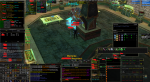
1619449951251.png

My tank is literally right in front of me killing mobs, but I am not engaging because that pillar.
As you can see, I'm not getting any "you can't hit your target from here" messages, or anything. He's just not even trying to engage.
 
Last edited:
Yea, I know it can be frustrating. Can I get you to get me a log of this and PM me the log. I want to see where it is failing to drop into combat.
 
KissAssist Release KissAssist

Users who are viewing this thread

Back
Top
Cart