- Joined
- Dec 29, 2017
- RedCents
- 24,680¢
See something out of date?
Level 2 users can edit this wikipost, so give us a hand!
This is an updated version of an older thread.
Q: What exactly are conditional settings for KissAssist ?
A: KissAssist conditionals are basically a merger of logical conditions used in the MQ2Melee plugin for downshits / holyshits, and the great KissAssist universal class macro that you already know and love.
It allows you to setup logical conditions for when exactly to do something.
This provides the more experienced MQ2 user the ability to get extremely detailed in their casting/melee fucntions and define them to a granular level.
It also lets people create conditions that will always fail and cause KissAssist to act in an undesired manner when done incorrectly!
With that said, just because it has conditions, does -NOT- mean it's better!
A novice to moderate understanding of downshits & holyshits or MQ2 Conditions is required to use/take advantage of this feature.
Q: Can I not use this feature if it doesn't interest me / can I disable it / can i just use KissAssist like I always have before ?
A: The basic answer to all these questions is YES.
You can turn on or off the use of the conditional system with a simple ini setting or a toggle when running KissAsssit. See In Game Commands.
We are not forcing anyone to change their use of KissAsssit, but simply providing the extra control for those who want it.
KissAssist conditional settings are editable in your KissAssist_ToonName.ini in the [KConditions] section.
--------------------------------------------------------------------------------------------------------
Creating your kissassist conditions in the INI:
1. Run the KissAssist macro (Type "/mac kissassist") and wait till you see the "Redguides presents" message then end the macro.
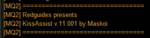
2. Once the macro ends, edit the KissAssist_ToonName.ini file and change the ConOn flag in the [KConditions] section from 0 to 1.
You no longer have a condition entry for every single thing when the conditions are on. It's now handled with the KConditions section and tags at the end of the INI entry.
· Upon creation, generic TRUE conditional settings are made for each of the 5 condition lines. These are place-holders for you to replace with actual conditions.
4. Edit the Cond# you want to use.
5. Assign it to an action elsewhere in the INI by appending Cond# to the end of the thing you want constrained by the condition, where # is the Cond#= is the one you are referencing.
Back to Top
Variables
The following is a Variable Reference:
This is not finished. More to process but the page is being laggy and I need to save the progress so far so I can reopen the browser.
Level 2 users can edit this wikipost, so give us a hand!
This is an updated version of an older thread.
Q: What exactly are conditional settings for KissAssist ?
A: KissAssist conditionals are basically a merger of logical conditions used in the MQ2Melee plugin for downshits / holyshits, and the great KissAssist universal class macro that you already know and love.
It allows you to setup logical conditions for when exactly to do something.
This provides the more experienced MQ2 user the ability to get extremely detailed in their casting/melee fucntions and define them to a granular level.
It also lets people create conditions that will always fail and cause KissAssist to act in an undesired manner when done incorrectly!
With that said, just because it has conditions, does -NOT- mean it's better!
A novice to moderate understanding of downshits & holyshits or MQ2 Conditions is required to use/take advantage of this feature.
Q: Can I not use this feature if it doesn't interest me / can I disable it / can i just use KissAssist like I always have before ?
A: The basic answer to all these questions is YES.
You can turn on or off the use of the conditional system with a simple ini setting or a toggle when running KissAsssit. See In Game Commands.
We are not forcing anyone to change their use of KissAsssit, but simply providing the extra control for those who want it.
KissAssist conditional settings are editable in your KissAssist_ToonName.ini in the [KConditions] section.
--------------------------------------------------------------------------------------------------------
Creating your kissassist conditions in the INI:
1. Run the KissAssist macro (Type "/mac kissassist") and wait till you see the "Redguides presents" message then end the macro.
2. Once the macro ends, edit the KissAssist_ToonName.ini file and change the ConOn flag in the [KConditions] section from 0 to 1.
Code:
[KConditions]
ConOn=0<~~~Here!
CondSize=5
Cond1=TRUE
Cond2=TRUE
Cond3=TRUE
Cond4=TRUE
Cond5=TRUE
You no longer have a condition entry for every single thing when the conditions are on. It's now handled with the KConditions section and tags at the end of the INI entry.
· Upon creation, generic TRUE conditional settings are made for each of the 5 condition lines. These are place-holders for you to replace with actual conditions.
4. Edit the Cond# you want to use.
Code:
[KConditions]
ConOn=1
CondSize=9
Cond1=${Target.ID} && ${Range.Between[50,99:${Target.PctHPs}]}  && ${Target.Beneficial.ID} && ${Target.Beneficial.ID}!=49665 && ${Select[${Zone.ID},21,777,555,980]}
Cond2=(${Me.PctMana} > 80 && ${Target.PctHPs} > 80) || (${Target.Named} && ${Target.PctHPs} > 50)
Cond3=${Target.ID} && ${Target.PctHPs} > 20 &&  ${Me.PctAggro}>50
Cond4=${Target.PctHPs} > 50 && ${Target.BuffsPopulated} && !${Me.Song[Evoker's Synergy].ID} && !${Target.Buff[Shocking Vortex].ID}  && !${Me.Song[Dichotomic Reinforcement].ID}
Cond5=${Target.Named} && ${Target.PctHPs} > 10
Cond6=${Target.Named}
Cond7=${Me.PctMana} < 45 && !${Me.SpellReady[Quiescent Gambit]}
Cond8=${Cast.Ready[Miniature Horn of Unity]} && !${Me.Song[Blessing of Unity].ID} && ${Me.PctMana} < 85
Cond9=${Me.PctMana} < 45
5. Assign it to an action elsewhere in the INI by appending Cond# to the end of the thing you want constrained by the condition, where # is the Cond#= is the one you are referencing.
Code:
[DPS]
DPSOn=2
COn=1
DPSSkip=1
DPSInterval=0
DPSSize=20
DPS1=Eradicate Magic|99|Cond1
DPS2=Frostbound Alliance|99|Cond2
DPS3=Concussive Intuition|99|Cond3
DPS4=Shocking Vortex|100|Cond4
DPS5=Mind Crash|99|Cond5
DPS6=Fury of the Gods|99|Cond6
DPS7=Focus of Arcanum|99
DPS8=Forceful Rejuvenation|99|Cond7
DPS9=Miniature Horn of Unity|99|Cond8
DPS10=Sebilisian Froglokskin Robe|99|Cond9
Back to Top
Variables
The following is a Variable Reference:
It is intended to give you a list of the most common variables used withing KissAssist, in order to help you create your own logical condition.
| Variable | Description |
|---|---|
AggroTargetID | The target ID of the current mob that has agro on us (we are engaging), it may include mobs in camp but not on XTarget. Example: ${Spawn[${AggroTargetID}].Distance}<=${CampRadius} |
CampRadius | This is the radial distance around your character that your virtual camp extends. Example: ${Spawn[${AggroTargetID}].Distance}<=${CampRadius} |
ClosestMobID | This is the target ID of the calculated closest mob to your character. Example: ${Target.ID}!=${ClosestMobID} |
CountRadius | This is the radial distance around your character that your virtual melee attack distance extends. |
GoMActive | Indicates the state of GoM being triggered. If the event for GOM has been triggered, GoMActive=1. |
MainAssistClass | This is the shortname of the class of your current Main Assist. |
MainAssistID | This is the target ID of your current Main Assist. |
MainAssistType | This is the target type of your current Main Assist. (PC or Pet) |
Medding | This indicates the state of your medding status, primarily triggered from ${GroupWatchOn} and ${MedCombat} settings. |
MercAssisting | This indicates the state of if your mercenary is assisting in combat. |
MercInGroup | This indicates if your character currently has a mercenary in the group. |
MezMobAECount | Total nuber of AE mezzed mobs, used when mezzer needs to keep track of locking down AE mezzed mobs with longer lasting single mob mezzes. |
MezMobCount | Total nuber of mezzed mobs. |
MobCount | Total number of npc targetable mobs within "line of sight" of your melee attack radius. Example: ${SpawnCount[npc targetable los radius ${CountRadius} zradius 50 noalert 3]} |
MyTargetID | This is the target ID of the currently targeted spawn you have. (Does not mean your AggroTargetID, simply whatever you happen to have targeted). |
MyTargetName | This is the target name of the currently targeted spawn you have. |
PetActiveState | Indicates if you have a pet currently active, this is used when determining when to suspend/activate pets that are suspended. |
PetAttack | Indicates the state of your pet being in combat. |
PetAttackRange | This is the range in which your current pet will engage a target within. Think of it as your pet's melee attack distance. |
PetSuspendState | Indicates if you currently have a pet in suspend state (independant of PetActiveState to determine if you have a pet available to activate if current pet dies). |
PetTanking | Indicates if your pet is currently tanking the group's AggroTargetID. |
PetTauntOn | Indicates if your pet is taunting teh AggroTargetID or not. |
PetTotCount | Indicates how many total pets you have available to you (current active + total suspended pets). |
PullRange | This is the default pull range for your charater. |
PullRangeActual | This is the adjusted pull range of your current character. (PullRange adjusted for range of their current PullWith method: spell, item(bow)... etc.) |
Pulled | The active state if you currently have a NPC pulled or not yet. |
ReturnToCamp | Indicates wether or not your character should return to camp after combat has finished. |
ValidTarget | The end result state indicating if a target is a valid NPC to pull, after several advanced checks are made. |
XTSlot | Extended target window slot number. ${Me.XTarget[${XTSlot}].ID} |
This is not finished. More to process but the page is being laggy and I need to save the progress so far so I can reopen the browser.
Last edited: