• You've discovered RedGuides, an EverQuest multi-boxing and scripting community 🧙‍♀️⚙️. We want you to play several EQ characters at once, come join us and say hello! 👋

  • A TLP without truebox has thawed (Very Vanilla ready)
    Frostreaver

Tip - Inventory UI with Tabs for Bags

Joined
Dec 24, 2017
RedCents
1,813¢
*** See further down thread for new inventory window UI.


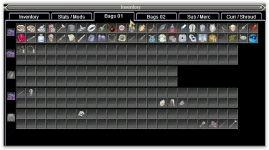
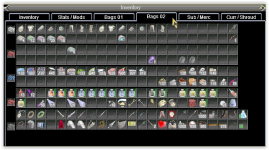
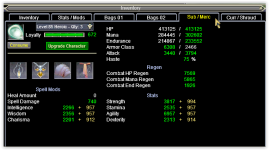
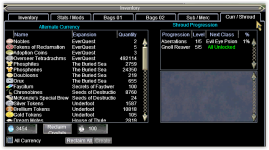
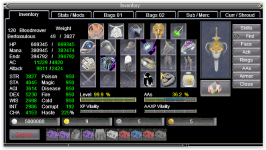
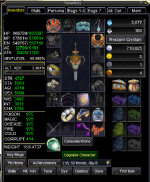
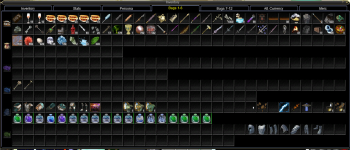
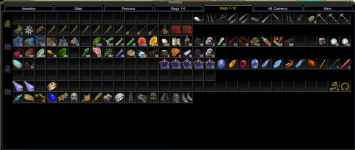
I was sick of looking for a tabbed bag UI, so I modified one from EQInterface. Hope you like it as much as I do!
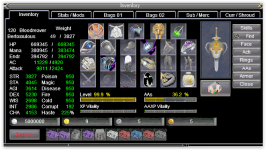
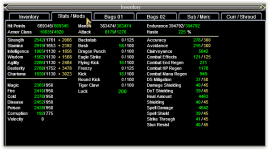
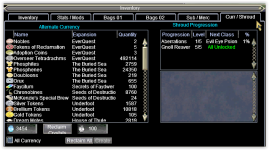
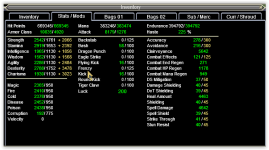
1672720072194.png1672720134330.png

1672720155210.png1672720171185.png


1672720293368.png1672720308976.png


Bag 1 is all my clickies and food.
Bag 2 is a collection only container (so the collections fall in there when auto looted).
Bag 3 is a Trade skill Bag (so the items marked ts items will fall in here when auto looted).
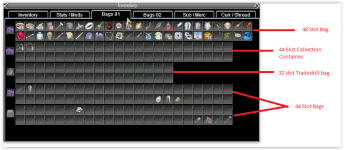
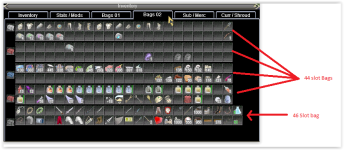
1672720625924.png


1672720465079.png
 

Attachments

  • 1672720456148.png
    1672720456148.png
    75.6 KB · Views: 2
  • 1672720115624.png
    1672720115624.png
    37.2 KB · Views: 2
  • 1672720100895.png
    1672720100895.png
    135.6 KB · Views: 3
  • EQUI_Inventory.xml
    EQUI_Inventory.xml
    435.8 KB · Views: 15
Last edited:
That looks pretty sweet--I'm definitely gonna give it a whirl!

I suppose it will force me to organize my bags too hehe
 
OMGosh @deathlock , your smallest bag is bigger than my biggest... you have given me e-Bag envy...😳
 
Haha, seeing this I realise all my toons either have only 1 bag, or are running with 8 slots. I really need to sort that out
 
How do I use this. I really like your setup
Download the EQUI_Iventory.xml in the original post, and put that xml file in your currently used uifiles folder. For example, if using default, put that EQUI_Inventory.xml file you just downloaded, inside of the <eqdirectory>/uifiles/default folder.
 
Better not to update the /default as it'll get overwritten on re-patching.

Create a folder under /uifiles (if you aren't already using one)
/uifiles/MyNewAwesomeUI

Then select that name from /loadskin
 
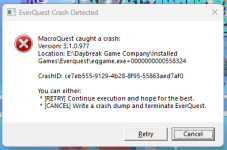
FYI I downloaded and installed this today, replacing the current window in the Sic/Kaen UI. No issues except for my 2 Mages who kept crashing with different error codes. This was one of them

1672764848535.png

I reverted the EQUI_Inventory to the standard from the UI and stopped crashing. Funny thing, none of my other 10 characters had the problem.
 
I like it however it only does the base 10 inventory slots so those that have 11 and 12 with perks cannot see their last 2 slots/bags
 
I like it however it only does the base 10 inventory slots so those that have 11 and 12 with perks cannot see their last 2 slots/bags
I don't have perks, so yah, that is a bummer. Maybe one day.... if they fix how many items you can display without it breaking things.
 
I don't have perks, so yah, that is a bummer. Maybe one day.... if they fix how many items you can display without it breaking things.
Maybe new patch on test will help there? "Increased the maximum amount of container windows that can be opened at once from 40 to 43"
 
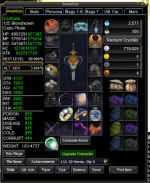
Here is a redo of this. This is much better and you see all the bags slots (60 max each) . Plus it uses the default Inventory window. Should work with perk slots too.

1764516229940.png
1764516004051.png
1764516020867.png
 

Attachments

Tip - Inventory UI with Tabs for Bags

Users who are viewing this thread

Back
Top
Cart