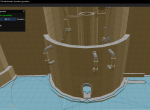
Looks like there is a break in the mesh right there. This could be due to various things, such as a height or radius restriction. The simpliest method of addressing this would be to load the mech guardian mesh, navigate to this room and add an offmesh link to bridge the gap between the two sections of the mesh.
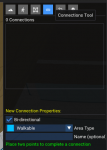
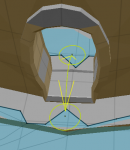
this shows you where the option for the connection tool is. Simply click the icon, then click on both sides of the break to create the path. The entry and exit points are where you click. The center of the door way is the optimal location to avoid running into the edges of the door frame.
The second option would be to do as
@Sic mentioned, and that is to create a walkable volume in this area as seen in the following image.
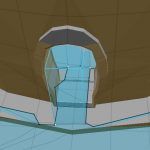
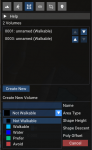
In this example. You would need to go to the "Mark Areas Tool" one icon left of the one in the above screenshot. Hit create new. Click on the 4 points shown in the image or some variation of it. Select "Walkable" from the dropdown. Then hit save. For the walkable bit to work you need only have the connection from the two sides connect and create a blue path all the way through. It doesn't matter how small the connection is, only that there is a connection. Like with the above explanation, it's best to keep it as centered as possible. In the image I've provided I've made the volume too large and the left side is overlapping the wall and entry through the doorway would likely create a collision between the character and the entry way.
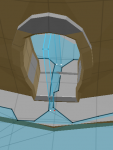
This is a much more accurate method. The area where there was no mesh has now bridged the gap between the two sides, is thin, yet reaching either side will now be possible, but it reduces the likely hood that you will collide with the outer edges of the doorframe.
I do hope this information is helpful.