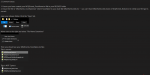
I've been using the following configuration for weeks, with dozens of successful missions using the following MQ2Events configuration.
For what it's worth, my group composition for this mission:
* Warrior: Using MQ2War on sicktank setting
* Berzerkers: Using MQ2Berzerker on assist setting
* Cleric :Using MQ2Cleric as-is
* Shaman: Playing manually don't judge!
For the Warrior:
For the Berzerkers:
For the Cleric:
For the Shaman:
In hindsight, there are a few options worth mentioning that you must have and should have configured:
1) CWTN Plugins, be sure that AutoStandOnDuck is DISABLED
2) MQ2Berzerker, I disable the UseAOE during this mission to control where the DPS is being applied. Yes it cuts down on overall DPS, but makes this much easier to control
3) MQ2Berzerker, I use /zerk switchwithma on - this helps me micromanage (thanks sic!)
I also use the following social hotkey that @Sic shared with me for very good micro-management:
While this is short and sweet, it works for me as I wanted it. Obviously you might want to tweak to suit your play-style.
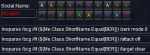
And then I have another once which brings the Berzerkers back in:
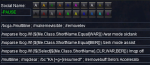
(this is used in other scenarios as you can tell)
If you are wondering how to implement, you will need a file called "MQ2Events_<toonname>.ini" in your Release folder, NOT the macro folder. You will also need MQ2Events enabled.
Enjoy it, use it, don't use it.
-hytiek
For what it's worth, my group composition for this mission:
* Warrior: Using MQ2War on sicktank setting
* Berzerkers: Using MQ2Berzerker on assist setting
* Cleric :Using MQ2Cleric as-is
* Shaman: Playing manually don't judge!
For the Warrior:
INI:
[kneel]
trigger=#1#The ice encrusted Avatar of War shouts that |${Me}| must bend the knee!#2#
command=/if (!${Me.Ducking}) /multiline ; /attack off ; /keypress DUCK
[stand]
trigger=#1#The Avatar of War nods, accepting the subservience of those that gave it#2#
command=/if (${Me.Ducking}) /multiline ; /keypress DUCK ; /attack on
[avatarp2]
trigger=#1#The Avatar of War changes the rules and chooses a new field of battle!#2#
command=/multiline ; /target npc Icebound Avatar of War ; /attack on ; /nav spawn Icebound Avatar of War
For the Berzerkers:
INI:
[kneel]
trigger=#1#The ice encrusted Avatar of War shouts that |${Me}| must bend the knee!#2#
command=/if (!${Me.Ducking}) /multiline ; /zerk mode 0 ; /attack off ; /keypress DUCK
[stand]
trigger=#1#The Avatar of War nods, accepting the subservience of those that gave it#2#
command=/if (${Me.Ducking}) /multiline ; /keypress DUCK ; /zerk mode vorpal
[avatarp2]
trigger=#1#The Avatar of War changes the rules and chooses a new field of battle!#2#
command=/multiline ; /zerk mode 0 ; /target Icebound Avatar of War ; /attack on ; /nav spawn Icebound Avatar of War
For the Cleric:
INI:
[kneel]
trigger=#1#The ice encrusted Avatar of War shouts that |${Me}| must bend the knee!#2#
command=/if (!${Me.Ducking}) /keypress DUCK
[stand]
trigger=#1#The Avatar of War nods, accepting the subservience of those that gave it#2#
command=/if (${Me.Ducking}) /keypress DUCK
[avatarp2]
trigger=#1#The Avatar of War changes the rules and chooses a new field of battle!#2#
command=/nav spawn Icebound Avatar of War
For the Shaman:
INI:
[kneel]
trigger=#1#The ice encrusted Avatar of War shouts that |${Me}| must bend the knee!#2#
command=/if (!${Me.Ducking}) /keypress DUCK
[stand]
trigger=#1#The Avatar of War nods, accepting the subservience of those that gave it#2#
command=/if (${Me.Ducking}) /keypress DUCK
[avatarp2]
trigger=#1#The Avatar of War changes the rules and chooses a new field of battle!#2#
command=/nav spawn Icebound Avatar of War
In hindsight, there are a few options worth mentioning that you must have and should have configured:
1) CWTN Plugins, be sure that AutoStandOnDuck is DISABLED
2) MQ2Berzerker, I disable the UseAOE during this mission to control where the DPS is being applied. Yes it cuts down on overall DPS, but makes this much easier to control
3) MQ2Berzerker, I use /zerk switchwithma on - this helps me micromanage (thanks sic!)
I also use the following social hotkey that @Sic shared with me for very good micro-management:
While this is short and sweet, it works for me as I wanted it. Obviously you might want to tweak to suit your play-style.
And then I have another once which brings the Berzerkers back in:
(this is used in other scenarios as you can tell)
If you are wondering how to implement, you will need a file called "MQ2Events_<toonname>.ini" in your Release folder, NOT the macro folder. You will also need MQ2Events enabled.
Enjoy it, use it, don't use it.
-hytiek
Last edited: