


The library:
https://www.redguides.com/community/resources/categories/kissassist-ini-library.18/
Using the KissAssist .ini Library
https://www.redguides.com/community/resources/categories/kissassist-ini-library.18/
Using the KissAssist .ini Library
- Find a character configuration you like. Copy the .ini by clicking the button that looks like this:
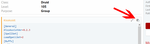
- In your
configfolder, edit yourKissAssist_charactername.ini(don't have one? Run/mac kissassistfirst, as shown in the beginner guide) - Delete the contents of this file, and paste the contents of step 1. Save.
- Run
/mac kissassiston the character to complete the .ini file. - Open it again and make any customizations you'd like (refer to the instructions if you don't understand a setting.)
- Enjoy your boxed character.
- Click this "Add Resource" button, or the one from the category screen.
- in-game, type
/plugin mq2kisstemplateand then type/maketemplateto create the .ini - In your macroquest's "config" folder, edit the Kissassist_level_class.ini that was just created. Copy the contents.
- Paste the contents into the resource description. Optional: include a few notes about the .ini
Last edited:
