
Install the app
How to install the app on iOS
Follow along with the video below to see how to install our site as a web app on your home screen.
Note: This feature may not be available in some browsers.
-
 You've discovered RedGuides, an EverQuest multi-boxing and scripting community 🧙♀️⚙️. We want you to play several EQ characters at once, come join us and say hello! 👋
You are using an out of date browser. It may not display this or other websites correctly.
You should upgrade or use an alternative browser.
You should upgrade or use an alternative browser.
Question - Hi new to MQ2 , set up issues
- Thread starter Adhemar28
- Start date

Howdy @Adhemar28 ! we're lucky to have youHello!
New to using this and I have Kissassist running. Ive used /mac kissassist on both my chanter and shaman and neither do anything.
Im assisting off the tank.
Any advice would be great!
Did you check out the RG First time user videos? HERE
It sounds like maybe you don't have an .ini file for kiss
Kiss Ini Library <--- Here is a link to the KissAssist ini library - here is where you can find some .ini files for your class, that meets your needs, that you can use with kiss.
the ini files go in your Macro folder --- when you fired up kissassist on your enchanter - let's say your enchanter name is Pookie --- you would have a Kissassist_Pookie.ini --- and that is where you would have what stuff you want Pookie to do. So you would edit your current kissassist_pookie.ini file with whatever ini information either editing yourself and customizing it, or using one from the libraryThank you for the quick response!
I did watch the beginner video. For Ini files is that just a "watch" or is that a download and install?

I went through the same thing here when I first started a month ago. People are more than willing to bend over backwards to help you out. I found that at first I did not have an INI file so I had to make one. Take one of you toons and type /mac kissassist the first time and it will create the ini file for you and you will see it in you Macros folder with your char name attached to it. You will have to do this with each of your alts yea It is time consumeing but worth it in the end. After you have all of them done then go to your Macro folder and now you can edit your INI file via notepad. Just make sure you save it. Then when you play target your main tank type /mac kissassist and you will see it going throug the list. You may have to tweek the INI file a bit to get it to work for you. Also remember when you are done type /end that stops the macro from runningHello!
New to using this and I have Kissassist running. Ive used /mac kissassist on both my chanter and shaman and neither do anything.
Im assisting off the tank.
Any advice would be great!
Thank you for the advice!I went through the same thing here when I first started a month ago. People are more than willing to bend over backwards to help you out. I found that at first I did not have an INI file so I had to make one. Take one of you toons and type /mac kissassist the first time and it will create the ini file for you and you will see it in you Macros folder with your char name attached to it. You will have to do this with each of your alts yea It is time consumeing but worth it in the end. After you have all of them done then go to your Macro folder and now you can edit your INI file via notepad. Just make sure you save it. Then when you play target your main tank type /mac kissassist and you will see it going throug the list. You may have to tweek the INI file a bit to get it to work for you. Also remember when you are done type /end that stops the macro from running
Ive edited the INI for my chanter and shaman, Ive targeted the main tank and did /mac kissassist. Still nothing. I do see it go through the load up process. with the last 2 lines showing which toon its assisting. I used a Chanter and Shaman INI from the resources. Not sure what I am missing.
Semper Fi
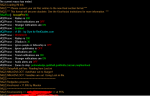
when scroll up in the mq2 window - did it say anything about abilities not found or anything like that? maybe nothing defined in a section?Thank you for the advice!
Ive edited the INI for my chanter and shaman, Ive targeted the main tank and did /mac kissassist. Still nothing. I do see it go through the load up process. with the last 2 lines showing which toon its assisting. I used a Chanter and Shaman INI from the resources. Not sure what I am missing.
Semper Fi
Also make sure you're not invisible
I went through the same thing here when I first started a month ago. People are more than willing to bend over backwards to help you out. I found that at first I did not have an INI file so I had to make one. Take one of you toons and type /mac kissassist the first time and it will create the ini file for you and you will see it in you Macros folder with your char name attached to it. You will have to do this with each of your alts yea It is time consumeing but worth it in the end. After you have all of them done then go to your Macro folder and now you can edit your INI file via notepad. Just make sure you save it. Then when you play target your main tank type /mac kissassist and you will see it going throug the list. You may have to tweek the INI file a bit to get it to work for you. Also remember when you are done type /end that stops the macro from running
Ive edited the shaman INI using one from here.
Ive targeted the main tank and used the /mac kissassist command. Still nothing.
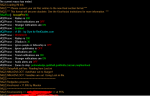
Any thoughts
- Joined
- Mar 9, 2017
- RedCents
- 13,217¢
So it's loading KA, that's the startup message + mq2posse plugin activation.
Let's double check the ini you're editing is the one KA is loading.
Change this in the [Melee] section:
Then restart KA on the shaman. That last line after the "KissAssist v.11.005 by Maskoi" should change to this when you restart:
KissAssisting >> TankName << at 99%
Did it change?
Can you post the ini you're using too? Maybe it has some sections turned off or duplicated.
Let's double check the ini you're editing is the one KA is loading.
Change this in the [Melee] section:
INI:
[Melee]
AssistAt=99
Then restart KA on the shaman. That last line after the "KissAssist v.11.005 by Maskoi" should change to this when you restart:
KissAssisting >> TankName << at 99%
Did it change?
Can you post the ini you're using too? Maybe it has some sections turned off or duplicated.
Katiekaboom
Well-known member
- Joined
- Mar 2, 2019
- RedCents
- 951¢
Getting "locked" onto a mob is typical, Usually when this happens I pause the macro (/mqp) and hit escape to clear target and q to stop the autoattack
think that is associated with Mq2Melee . . although I am not possitive
think that is associated with Mq2Melee . . although I am not possitive
Katiekaboom
Well-known member
- Joined
- Mar 2, 2019
- RedCents
- 951¢
The editing of Macros can be a overwhelming at first, edit in your Buffs section, your DPS section, for your enchanter or pet class the pet section.
Then at least they will do something. . .
Finding INI files that will work for your needs, there are several available here to copy/paste from, or use them as they are.
Then at least they will do something. . .
Finding INI files that will work for your needs, there are several available here to copy/paste from, or use them as they are.
I guess my question is if run just a tank and shammy for example. How can I have the tank totally unaffected by MQ2 and just have it on the shaman. Right now the toon im using for tanking is firing off a couple of combat abilities and wants to lock onto a mob on it own. is this where /unload would come in play?
Awesome ty! I will give that a tryYeah you could "/unload" to turn off everything. It sounds like mq2melee plugin is still running on your tank. Its usually on by default. Try a "/melee off" on the tank and that one will disable for the session.
2 more easy questions
1. My main toon I do not use /mac kissassist, im playing this character fully. When I hit my cycle through npc key I fire off a arrow as soon as I have a mob targeted? Is there a command to stop this?
2. Is there a command to prevent auto running when using /find in game
Thanks again for the help with all the newb questions!
1. My main toon I do not use /mac kissassist, im playing this character fully. When I hit my cycle through npc key I fire off a arrow as soon as I have a mob targeted? Is there a command to stop this?
2. Is there a command to prevent auto running when using /find in game
Thanks again for the help with all the newb questions!
Katiekaboom
Well-known member
- Joined
- Mar 2, 2019
- RedCents
- 951¢
for the Find command automaticly starting you running you can shut off with
/plugin mq2easyfind unload
the autofire issue may be a melee issue
/plugin mq2easyfind unload
the autofire issue may be a melee issue

wymranar
I <3 SKs *kissy face*
- Joined
- Jun 16, 2019
- RedCents
- 1,319¢
I would just turn the entire mq2melee section to 0 on your tank if you’re going to actually play him.
then if you get to a spot where you don’t want him to fire off combat abilities as well, use /mqp. When you do that your toon will operate normally. So, make a hot key with /mqp (it turns it on/off every time you press it)
then if you get to a spot where you don’t want him to fire off combat abilities as well, use /mqp. When you do that your toon will operate normally. So, make a hot key with /mqp (it turns it on/off every time you press it)

thisway
Member
- Joined
- Sep 16, 2016
- RedCents
- 54¢
If your running manual just target yourself till your back to group then use extended target window if not F8 if you have more than 1 mob.Last question ..at least for now. Im using my tank to pull as well. Im not running anything on . Is there a way to stop him from being locked onto a mob since im controlling him?
minniemmee24
Active member
- Joined
- Aug 11, 2015
- RedCents
- 330¢
Post your ini for toons that are not doing any thingThank you for the advice!
Ive edited the INI for my chanter and shaman, Ive targeted the main tank and did /mac kissassist. Still nothing. I do see it go through the load up process. with the last 2 lines showing which toon its assisting. I used a Chanter and Shaman INI from the resources. Not sure what I am missing.
Semper Fi
Post your ini for toons that are not doing any thing
This is what I have on the toon that I dont to use anything but map features etc. When I pull with this toon I use "x" to cycle through npcs. As soon as I pick one up this toon will fire off a arrow. Im not loading /mac kissassist on this toon.
[General]
KissAssistVer=11.005
Role=Assist
CampRadius=30
CampRadiusExceed=400
ReturnToCamp=0
ChaseAssist=0
ChaseDistance=25
MedOn=1
MedStart=20
MedCombat=0
LootOn=0
RezAcceptOn=1|90
AcceptInvitesOn=1
GroupWatchOn=0
GroupWatchCheck=FALSE
EQBCOn=0
DanNetOn=0
DanNetDelay=20
IRCOn=0
CampfireOn=0
CharInfo=Ranger|114|GOLD
DPSMeter=1
ScatterOn=0
XTSlot=0
[Spells]
MiscGem=8
MiscGemLW=0
MiscGemRemem=1
CastingInterruptOn=0
LoadSpellSet=0
SpellSetName=KissAssist
[Buffs]
BuffsOn=0
BuffsSize=20
Buffs1=NULL
Buffs2=NULL
Buffs3=NULL
Buffs4=NULL
Buffs5=NULL
Buffs6=NULL
Buffs7=NULL
Buffs8=NULL
Buffs9=NULL
Buffs10=NULL
Buffs11=NULL
Buffs12=NULL
Buffs13=NULL
Buffs14=NULL
Buffs15=NULL
Buffs16=NULL
Buffs17=NULL
Buffs18=NULL
Buffs19=NULL
Buffs20=NULL
RebuffOn=1
CheckBuffsTimer=10
PowerSource=NULL
[Melee]
AssistAt=95
MeleeOn=0
FaceMobOn=1
MeleeDistance=75
StickHow=snaproll
AutoFireOn=0
UseMQ2Melee=0
TargetSwitchingOn=0
[GoM]
GoMSHelp=Format - Spell|Target, MA Me or Mob, i.e. Rampaging Servant Rk. II|Mob
GoMSize=3
GoMSpell1=NULL
GoMSpell2=NULL
GoMSpell3=NULL
[GMail]
GMailHelp=Events currently support - Dead,Drag,GM,Level,Named,Leftgroup,Tells
GMailOn=0
GMailSize=5
GMail1=NULL
GMail2=NULL
GMail3=NULL
GMail4=NULL
GMail5=NULL
[AE]
AEOn=0
AESize=10
AERadius=50
AE1=NULL
AE2=NULL
AE3=NULL
AE4=NULL
AE5=NULL
AE6=NULL
AE7=NULL
AE8=NULL
AE9=NULL
AE10=NULL
[DPS]
DPSOn=0
DPSSize=20
DPSSkip=20
DPSInterval=2
DPS1=NULL
DPS2=NULL
DPS3=NULL
DPS4=NULL
DPS5=NULL
DPS6=NULL
DPS7=NULL
DPS8=NULL
DPS9=NULL
DPS10=NULL
DPS11=NULL
DPS12=NULL
DPS13=NULL
DPS14=NULL
DPS15=NULL
DPS16=NULL
DPS17=NULL
DPS18=NULL
DPS19=NULL
DPS20=NULL
DebuffAllOn=0
[Aggro]
AggroOn=0
AggroSize=5
Aggro1=NULL
Aggro2=NULL
Aggro3=NULL
Aggro4=NULL
Aggro5=NULL
[Heals]
Help=Format Spell|% to heal at i.e. Devout Light Rk. II|50
HealsOn=0
HealsSize=5
Heals1=NULL
Heals2=NULL
Heals3=NULL
Heals4=NULL
Heals5=NULL
XTarHeal=0
XTarHealList=Xtar slots here Example: 5|6|7
HealGroupPetsOn=0
[Cures]
CuresOn=0
CuresSize=5
Cures1=NULL
Cures2=NULL
Cures3=NULL
Cures4=NULL
Cures5=NULL
[Burn]
BurnSize=15
BurnAllNamed=0
Burn1=NULL
Burn2=NULL
Burn3=NULL
Burn4=NULL
Burn5=NULL
Burn6=NULL
Burn7=NULL
Burn8=NULL
Burn9=NULL
Burn10=NULL
Burn11=NULL
Burn12=NULL
Burn13=NULL
Burn14=NULL
Burn15=NULL
UseTribute=0
[Pull]
PullWith=Melee
PullMeleeStick=0
MaxRadius=350
MaxZRange=50
UseWayPointZ=0
PullWait=5
PullRadiusToUse=90
PullRoleToggle=0
ChainPull=0
ChainPullHP=90
ChainPullPause=30|2
PullPause=30|2
PullLevel=0|0
PullArcWidth=0
[AFKTools]
AFKHelp=AFKGMAction=0 Off, 1 Pause Macro, 2 End Macro, 3 Unload MQ2, 4 Quit Game
AFKToolsOn=1
AFKGMAction=1
AFKPCRadius=500
CampOnDeath=0
ClickBacktoCamp=0
[KConditions]
ConOn=0
CondSize=5
Cond1=TRUE
Cond2=TRUE
Cond3=TRUE
Cond4=TRUE
Cond5=TRUE
[Merc]
Help=To use: Turn off Auto Assist in Manage Mercenary Window
MercOn=0
MercAssistAt=92
[KissError]
LastCMD:=/endmacro
ErrorDateTime:=12/22/2019 16:14:47
ErrorMsg:=Cannot end a macro when one isn't running.
DataError:=NULL
SyntaxError:=NULL
RunningTime:=4604774
BuildDate:=20191221
CurrentUI:=Test
Anyone happen to have the trick to stopping EQ for pausing for a second when I receive a /tell on the toon I am not using mq2melee on. For example if im running across a zone and receive a /tell EQ seems to stop for a brief second 2 or 3 times.
Ive searched the forums but cant seem to find a command to stop that?
Thank you all in advance for all the help for a newbie!
Ive searched the forums but cant seem to find a command to stop that?
Thank you all in advance for all the help for a newbie!
Katiekaboom
Well-known member
- Joined
- Mar 2, 2019
- RedCents
- 951¢
Never had a pause from receiving a tell.
I don't use tell windows, I have tells filtered to my Main chat (Guild, Group, Raid, Fellowship, Tells), everything else to spam or scroll tabs.
Perhaps it is from the new tell window being generated?
I have had some massive lag when new characters enter the zone. While using a machine with 4GB of ram and running 5 or 6 instances of EQ, when additional characters entered the zone (and all of their spawn info was being added to the packet received (x6) . . .massive lag spike) but that was packet update and 80% or 4 GB memory being over-taxed.
I learned to stay well off the beaten path, fewer characters entering the zone the better.
I don't use tell windows, I have tells filtered to my Main chat (Guild, Group, Raid, Fellowship, Tells), everything else to spam or scroll tabs.
Perhaps it is from the new tell window being generated?
I have had some massive lag when new characters enter the zone. While using a machine with 4GB of ram and running 5 or 6 instances of EQ, when additional characters entered the zone (and all of their spawn info was being added to the packet received (x6) . . .massive lag spike) but that was packet update and 80% or 4 GB memory being over-taxed.
I learned to stay well off the beaten path, fewer characters entering the zone the better.

- Joined
- Mar 9, 2017
- RedCents
- 13,217¢
Not sure about it causing lag, but these are setting in your MacroQuest.ini in the Release folder:
As far as shooting an arrow at new targets you cycle to, is attack turning on? In EQ's options (alt-o) keys is "X" bound to other stuff besides cycle targets?
Code:
BeepOnTells=0
FlashOnTells=0
As far as shooting an arrow at new targets you cycle to, is attack turning on? In EQ's options (alt-o) keys is "X" bound to other stuff besides cycle targets?
foreverandeternity
Well-known member
- Joined
- Jun 21, 2018
- RedCents
- 104¢
It could be the key that is set for something in MQ2melee like in this post.

 www.redguides.com
Question - - Pressing Z with MQ2melee loaded makes me attack stuff
Where can I unbind this press z = mq2melee goes ape shit on mobs?
www.redguides.com
Do you use the flashing tell box? It may have something to do with that?
Yes, I think that is the issue im having. Im adjusting the ini now per the post below! Thanks!
Ajusting this now , thank you!Not sure about it causing lag, but these are setting in your MacroQuest.ini in the Release folder:
Code:BeepOnTells=0 FlashOnTells=0
As far as shooting an arrow at new targets you cycle to, is attack turning on? In EQ's options (alt-o) keys is "X" bound to other stuff besides cycle targets?
Users who are viewing this thread
Total: 1 (members: 0, guests: 1)
Share: