• You've discovered RedGuides, an EverQuest multi-boxing and scripting community 🧙‍♀️⚙️. We want you to play several EQ characters at once, come join us and say hello! 👋

  • A TLP without truebox has thawed (Very Vanilla ready)
    Frostreaver
GuildClicky

Release GuildClicky 01/06/2026

No permission to download

Sic

Administrator
Moderator
Joined
May 5, 2016
RedCents
53,845¢
Pronouns
He/Him
Sic submitted a new resource:

GuildClicky - Click those Guild Hall Items to travel!

This lua script allows you to use guild items that port you to various places.

There will be others added to this as it develops.

There will also be additional checking (like you're in a guild hall etc).

This is early stages, so "it does what it does" nothing more and nothing less :)

Read more about this resource...
 
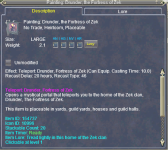
This might be off topic but where do you get all the old click ports? Like the paintings that take you to old world places? Are those prizes from missions or do you have to buy them from the market place?

Taz
 
from the crates in the marketplace, like Feir'Dal Heritage Crate
 
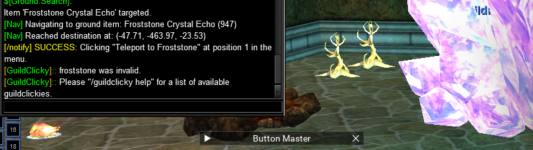
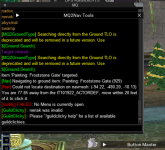
hi Sic, I just loaded this and got this error message below. Does this work by proximity or was just a bug to sort out? Seemed to want to target the Froststone painting instead of the Neriak Painting. Also it says something about No Menu is currently open? Thanks man and Merry Christmas!
1640296260962.png

Update: So I tried another painting and it also failed, so I tried Froststone, which was very close behind the character. He walked over but did not click. He's standing there in the crystal.
1640297479949.png
 
Last edited:
Sic updated GuildClicky with a new update entry:

fixed missing return which results in everyone saying "invalid"

fixed missing return which results in everyone saying "invalid"

things to do:

- there still isn't any nav validation. so if we have the item, we're going to assume we can nav to it
- there also isn't any validation we have a menu open, we currently assume if the item exists, that we can nav to it, and if we nav to it, we are within range to open the menu and click it

Read the rest of this update entry...
 
Nice job with the Lua script. I actually set up stuff like this in the zoneconnections.yaml file, (even though brain doesn't like it) says he has something in the works for guild halls through easyfind. Can use teleport items, music boxes and more through easyfind. Anyway thought I would share.
Code:
-   type: ZoneConnection
            location: [2.1, 251.09, -10.82]
            switch: GUILDHALL_DOOR_SWITCH
            targetZone: neighborhood
        -   type: ZoneConnection
            location: [2, 255, -10.60]
            script: |
                mq.cmd('/itemtarget "Shabby Lobby Door"')
                mq.delay(2000)
                mq.cmd('/click right item')
                mq.delay(2000)
                mq.cmd('/notify "open the door" menuselect')
            targetZone: guildlobby
        -   type: ZoneConnection
            location: [26.51, 214.26, -11.92]
            script: |
                mq.cmd('/itemtarget "Music Box: Rivervale"')
                mq.delay(2000)
                mq.cmd('/click right item')
                mq.delay(2000)
                mq.cmd('/notify "Wind the Music Box" menuselect')
            targetZone: guildhall3
 
yeah, i mentioned in the overview page that i think it is more appropriate to be in easyfind, but this will be useful for folks until that is a reality, if it is a thing that happens
 
Nice job with the lua script. I actually set up stuff like this in the zoneconnections.yaml file, (even though brain doesn't like it) says he has something in the works for guild halls through easyfind. Can use teleport items, music boxes and more through easyfind. Anyway thought I would share.
Code:
-   type: ZoneConnection
            location: [2.1, 251.09, -10.82]
            switch: GUILDHALL_DOOR_SWITCH
            targetZone: neighborhood
        -   type: ZoneConnection
            location: [2, 255, -10.60]
            script: |
                mq.cmd('/itemtarget "Shabby Lobby Door"')
                mq.delay(2000)
                mq.cmd('/click right item')
                mq.delay(2000)
                mq.cmd('/notify "open the door" menuselect')
            targetZone: guildlobby
        -   type: ZoneConnection
            location: [26.51, 214.26, -11.92]
            script: |
                mq.cmd('/itemtarget "Music Box: Rivervale"')
                mq.delay(2000)
                mq.cmd('/click right item')
                mq.delay(2000)
                mq.cmd('/notify "Wind the Music Box" menuselect')
            targetZone: guildhall3

The reason why I don't like it is because if you don't have these things you'll trap yourself in the guild lobby.

Its fine to add for your own configuration but as a general default it isn't suitable (yet)
 
ok, added in the latest Lua, and now I understand what 'menu' meant...anyway, says no Menu open, but as you see it ran over and opened the menu, but ends there. I tried the East Cab one and Guild lobby door. I did not see a menu pop up, but both worked no prob. I have a few more I can test. I don't know if its worth your time, as this may all go EasyNav, but would a small window popup similar to PortalSetter be easy?
1640326374014.png
 
ok, added in the latest Lua, and now I understand what 'menu' meant...anyway, says no Menu open, but as you see it ran over and opened the menu, but ends there. I tried the East Cab one and Guild lobby door. I did not see a menu pop up, but both worked no prob. I have a few more I can test. I don't know if its worth your time, as this may all go EasyNav, but would a small window popup similar to PortalSetter be easy?
View attachment 36184
no, there isn't a menu like portalsetter.

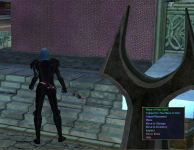
the menu is what eq gives you from clicking on the item.

I'm not sure what would cause yours to not think it has a menu open, and i can't replicate it.

I did make some validation checks earlier for ensuring the item exists, that we have a nav path to it and such.

I might need to make some adjustments to slow down the right click -> notify in case folks are laggy or whatnot

and nah, none of this will go in easynav. if brain adds it to easyFIND that is ok, but I have no plans on adding anything to easynav, i field too much confusion from folks who get those two mixed up.

update:
@Redfrog I think i can add some menu validation, going to upload another update, lemme know if this works better for you.

I didn't post an "update message" but there is a new file.
 
@Sic , its working well now, paths around the guild hall and ports. I need to say something embarassing, the character I was testing with is not able to go to Froststone because he doesn't have TOV and above ☹️
 
@Sic , its working well now, paths around the guild hall and ports. I need to say something embarassing, the character I was testing with is not able to go to Froststone because he doesn't have TOV and above ☹️
lol ok thanks. all good <3

at least we check if the menu is open, and the menu matches the menu we want to click on stuff for now!

thanks for letting me know, I appreciate it
 
Sic updated GuildClicky with a new update entry:

Moar stuff to click

- Thanks to @MrPatate for some more things to click.
- Added some more info in help

- I know it says to use Ground.Search, it actually does :p
- I need to redo the table so the help prints out in the order i would like to, but not super pressing at the moment.

- If you have one of the neriak "neriak, neriak3rd, or neriakfq" if you could just hollar that those work.

thanks :)

Read the rest of this update entry...
 
This is fucking awesome!, took a bit to figure it out, way better then having to cycle through 4 screens on 6 character and right clicky things.

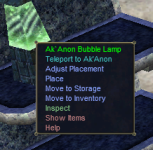
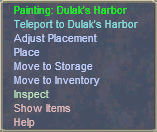
I made a social key /bcga //squelch /guildclicky mistmoore.. just replace mistmoore with what ever name for the portal.

These are Quality of Gaming life things that EQ needs to seriously get there collective heads out of there Ass and see the usefulness of this MQ. Just like any tool, two ways to use it...
 
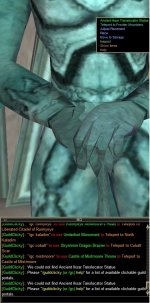
So I have the latest version installed according to the launcher, but several destinations do not show as available when I do /gc help. Example is the screen shot below. It says no Iksar for Frontier. What did I do wrong?

Supper cool Lua btw! Worked great and then some stuff went missing it appears

gc.jpg
 
Last edited by a moderator:
So I have the latest version installed according to the launcher, but several destinations do not show as available when I do /gc help. Example is the screen shot below. It says no Iksar for Frontier. What did I do wrong?

Supper cool lua btw! Worked great and then some stuff went missing it appears

View attachment 37456
if you don't have a path to it you will say you can't find it to use it

(however, in this case it is spelled wrong :) )
 
Release GuildClicky

Users who are viewing this thread

Back
Top
Cart