
-
 Hail, we're RedGuides. We want you to play six (yes, 6!) EverQuest characters at once. We have scripts and a friendly community to help, please join our playstyle and say hello! 👋
-
 We've added LLM sections to our Terms & Rules and Resource Rules, for everyone's sanity & in-game safety.
Read more
a. Do not replace your voice with an LLM. This goes for your posts and your scripts. Drafting and editing with a tool is fine, but don't take you out of what you share.
b. Do not replace your EQ character's voice with an LLM. We don't want scripts that speak over/ooc,/shoutor other public channels. This has been an unwritten rule that's kept casino scripts off the site for decades, but we're now compelled to make it clear: keep automated communication private.
Why Does RG Review Scripts?
Nearly every LLM-written Lua script we see is making your character do impossible things, and rarely in a way that's beneficial to you. We've seen heavy server hammering,/targetover impossible distances when/nav spawnwould passively accomplish the same thing, a spawn search that fires 20+ times per second, and other pointless actions that are likely annoying GMs.
You are welcome to use LLMs as a tool to structure, draft, and edit your work, but please read critically before hitting/lua run
You are using an out of date browser. It may not display this or other websites correctly.
You should upgrade or use an alternative browser.
You should upgrade or use an alternative browser.
Problem - EQ will not load following MQ2 since last night (1 Viewer)
- Thread starter Boring
- Start date

Boring
Well-known member
[Plugins]
mq2aaspend=0
mq2advpath=1
mq2afnuke=0
mq2autoaccept=1
mq2autocamp=1
mq2autoforage=0
mq2autogroup=0
mq2autologin=0
mq2autoloot=1
mq2autosize=0
mq2bandolier=0
mq2bardswap=1
mq2bucles=0
mq2bufftool=0
mq2bzsrch=0
mq2camera=0
mq2cast=0
mq2charnotes=0
mq2chat=0
mq2chatwnd=1
mq2clipboard=0
mq2combat=0
mq2cpuload=0
mq2cursor=0
mq2custombinds=1
mq2damageparser=0
mq2dannet=0
mq2debuffs=0
mq2discord=0
mq2dpsadv=1
mq2easyfind=1
mq2eqbc=1
mq2eqbugfix=0
mq2events=0
mq2exchange=1
mq2fearrunner=0
mq2feedme=0
mq2finditem=0
mq2fps=0
mq2gmail=0
mq2gmcheck=0
mq2headshot=0
mq2heals=0
mq2hud=0
mq2hudmove=0
mq2ic=1
mq2irc=0
mq2itemdisplay=1
mq2killtracker=0
mq2kisstemplate=0
mq2labels=0
mq2linkdb=0
mq2log=0
mq2map=1
mq2medley=0
mq2melee=1
mq2missing=0
mq2moveutils=1
mq2mybuttons=0
mq2nav=1
mq2netbots=0
mq2netheal=0
mq2nonagwindows=0
mq2notepad=0
mq2paranoid=0
mq2plattracker=0
mq2portalsetter=0
mq2posse=1
mq2pvpalert=0
mq2radar=0
mq2raidutils=0
mq2randomstuff=0
mq2relaytells=0
mq2reward=0
mq2rez=1
mq2search=0
mq2slave=1
mq2spawnmaster=0
mq2spawns=0
mq2spawnsort=0
mq2speaker=0
mq2spellhotkeys=0
mq2spellsearch=0
mq2targetinfo=0
mq2targets=0
mq2telnet=0
mq2tooltip=0
mq2tracking=0
mq2tributemanager=0
mq2twist=0
mq2vendors=0
mq2viewport=0
mq2worsthurt=0
mq2xptracker=0
mq2xassist=1
mq2yes=1
mq2pluginmanager=1
mq2rogue=0
MQ2BerZerker=1
MQ2Relocate=0
MQ2EQWire=0
mq2kissbuffs=0
MQ2AutoClaim=1
MQ2Bst=0
MQ2ShellCmd=0
MQ2Collections=0
MQ2TSTrophy=1
mq2cleric=1
mq2CWTNBuffs=1
mq2eskay=1
mq2farmtest=0
mq2enchanter=1
MQ2Shaman=1


- Commits
- 191
I don't see anything that stands out in the INI. Here's the refined list omitting the =0 items.
INI:
mq2advpath=1
mq2autoaccept=1
mq2autocamp=1
mq2autoloot=1
mq2bardswap=1
mq2chatwnd=1
mq2custombinds=1
mq2dpsadv=1
mq2easyfind=1
mq2eqbc=1
mq2exchange=1
mq2ic=1
mq2itemdisplay=1
mq2map=1
mq2melee=1
mq2moveutils=1
mq2nav=1
mq2posse=1
mq2rez=1
mq2slave=1
mq2xassist=1
mq2yes=1
mq2pluginmanager=1
MQ2BerZerker=1
MQ2AutoClaim=1
MQ2TSTrophy=1
mq2cleric=1
mq2CWTNBuffs=1
mq2eskay=1
mq2enchanter=1
MQ2Shaman=1- Commits
- 191
With that said, if you want to confirm if it's a plugin issue you can remove all the plugins you can remove and then try to log in, if the crash happens, then it's not plugin related.
Should be able to unload everything except MQ2IC
If you don't crash you could start adding plugins back. I personally use a "bracketing" method, where I'll add the top half back, and if I crash, then I know it's in that group, so I'll remove half the top half and if I don't crash it was one I removed, so I'll only load half of those, etc until I break it down to what is causing it.
I do not see any mq2slave on this list? I also don't see it in my .ini file as an option even. I will load the top half and see.
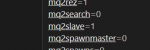
just mentioned it because i was unfamiliar with it
mq2slave and mq2custombinds are the only "out of the usual" ones i saw at a glance
Boring
Well-known member
So apparently the plugin slave or custombinds were the culprit? I loaded my toon with everything on but those two and no issues loading. I honestly am not sure what those even did - I do not ever remember downloading or installing either.
Whatever the reason, thank you Sic and CWTN for helping me figure this out. I was stumped.
Whatever the reason, thank you Sic and CWTN for helping me figure this out. I was stumped.
- Commits
- 191
if they all loaded fine, do half the bottom half, etc. Process of elimination until you sort out what plugin is causing the crash.
If we can isolate what's causing it, we can load the plugin and attach a debugger and hopefully catch the cause.
If we can isolate what's causing it, we can load the plugin and attach a debugger and hopefully catch the cause.
Users who are viewing this thread
Total: 2 (members: 0, guests: 2)
Share: