• Hail, we're RedGuides. We want you to play six (yes, 6!) EverQuest characters at once. We have scripts and a friendly community to help, please join our playstyle and say hello! 👋
  • We've added LLM sections to our Terms & Rules and Resource Rules, for everyone's sanity & in-game safety.
    Read more
    a. Do not replace your voice with an LLM. This goes for your posts and your scripts. Drafting and editing with a tool is fine, but don't take you out of what you share.
    b. Do not replace your EQ character's voice with an LLM. We don't want scripts that speak over /ooc, /shout or other public channels. This has been an unwritten rule that's kept casino scripts off the site for decades, but we're now compelled to make it clear: keep automated communication private.

    Why Does RG Review Scripts?
    Nearly every LLM-written Lua script we see is making your character do impossible things, and rarely in a way that's beneficial to you. We've seen heavy server hammering, /target over impossible distances when /nav spawn would passively accomplish the same thing, a spawn search that fires 20+ times per second, and other pointless actions that are likely annoying GMs.

    You are welcome to use LLMs as a tool to structure, draft, and edit your work, but please read critically before hitting /lua run

Problem - Discord Linking

Status
Not open for further replies.
So with all the fun of the 64bit upgrade today I decided to make today the day I went back to try out redguides again :) At any rate, I used to have an account here years ago, lost my login and I wasn't getting the link to reset page to come up this AM so I created a new account and paid for T2 for 3 months.

That's where the issue started. I went to link my discord account to this profile I'm using now I keep getting "There is no valid connected account request available. Please try again.". I have removed the POD access, left the channel in discord and have logged out of my profile on this website, nothing seems to solve it.

Any other ideas on what I can do?

Thanks!
 
Solution
nah, i would hang tight, i'll have @Redbot take a look just in case it is something hidden on our end
So turns out you can change your email on discord - should have used my noodle on this first. Anyway, looks like its linked now? Not seeing it show in discord but maybe that's a time issue more than anything.
1645025008546.png
So with all the fun of the 64bit upgrade today I decided to make today the day I went back to try out redguides again :) At any rate, I used to have an account here years ago, lost my login and I wasn't getting the link to reset page to come up this AM so I created a new account and paid for T2 for 3 months.

That's where the issue started. I went to link my discord account to this profile I'm using now I keep getting "There is no valid connected account request available. Please try again.". I have removed the POD access, left the channel in discord and have logged out of my profile on this website, nothing seems to solve it.

Any other ideas on what I can do?

Thanks!
it sometimes takes a couple of tries for discord to not be stupid - i'd try it a couple of times.

so that other account you were msg'd about - is that a duplicate account? i will delete.
 
it sometimes takes a couple of tries for discord to not be stupid - i'd try it a couple of times.

so that other account you were msg'd about - is that a duplicate account? i will delete.
I think I have tried more than a dozen times :) But yes, that other account would be a dupe at this point, maybe deleting that one would solve the issue.
 
First I want to say, great job on getting Redguides back to usable in game after the patch, really good work. So I do understand that this minor issue had to take a back seat while you all worked that. I still have the same issue as yesterday, the PoD app in Discord won't re-link to this account so I am stuck at lvl1. I am really hoping to get this sorted soon so I can try and TS a minor thing for myself rather than asking what may already be answered elsewhere. Any assistance would be really appreciated.

Thanks!
depending on your browser, you might need to clear out cache or cookies - for most folks you just need a login-in and log-out of both a couple of times.
 
So new browser here is what I got:

Oops! We ran into some problems.​


This account's email is already associated with another member. Please log into that account to associate this account.

I think this is all tied back to the other account I used to have/use. Not sure how/where I can disassociate that. Would be happy to do so if that is something I can do though.
well you didn't mention you got this message before

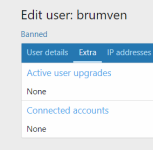
but it doesn't show your previous account has anything associated with it as far as our forum software goes.

1645023053973.png
 
nah, i would hang tight, i'll have @Redbot take a look just in case it is something hidden on our end
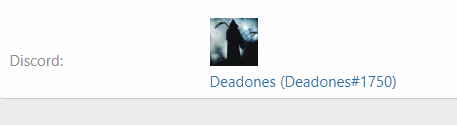
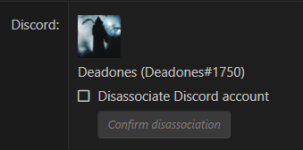
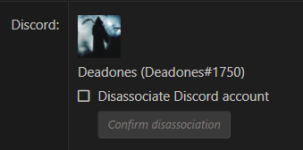
So turns out you can change your email on discord - should have used my noodle on this first. Anyway, looks like its linked now? Not seeing it show in discord but maybe that's a time issue more than anything.
1645025008546.png
 

Attachments

  • 1645025006176.png
    1645025006176.png
    12.5 KB · Views: 0
Solution
This is usually caused by your main browser's settings / extensions. Temporarily using a different browser will allow you to link.


Problem - Discord Linking
Status
Not open for further replies.

Users who are viewing this thread

Back
Top
Cart