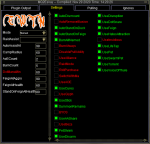
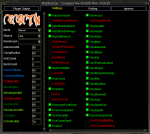
All of the CWTN class plugins uses the shortname for their "/" command example: /shd for SK, /clr for cleric, /bst for beastlord etc
so loading the window is "/shd show", "/clr show", "/bst show", "/ber show", etc.
Q. The UI Window Doesn't save my settings?
A. This is intentional.
The UI acts as a "hot swap" allowing you to adjust on the fly.
If you want to "save" your settings, adjust it with the slash command.
Explained here > UI Video @ 9:10 <
Q. My UI window isn't saving the location
A. > CWTN UI Vid < follow these steps:
1. move it to where you want it
2. close the window
3. /ber show to reshow it - eq will now have the window saved
Q. The Window isn't loading?!?
A. This is demonstrated in the vid.
If you don't want to watch it, make sure you reloaded your UI if you are loading it for the first time
/reloadui
or
/loadskin default
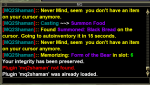
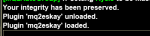
the plugin actually tells you to do that in your mq window.
then it is just your plugin class command and "show" example: /shd show
so loading the window is "/shd show", "/clr show", "/bst show", "/ber show", etc.
Q. The UI Window Doesn't save my settings?
A. This is intentional.
The UI acts as a "hot swap" allowing you to adjust on the fly.
If you want to "save" your settings, adjust it with the slash command.
Explained here > UI Video @ 9:10 <
Q. My UI window isn't saving the location
A. > CWTN UI Vid < follow these steps:
1. move it to where you want it
2. close the window
3. /ber show to reshow it - eq will now have the window saved
Q. The Window isn't loading?!?
A. This is demonstrated in the vid.
If you don't want to watch it, make sure you reloaded your UI if you are loading it for the first time
/reloadui
or
/loadskin default
the plugin actually tells you to do that in your mq window.
then it is just your plugin class command and "show" example: /shd show