• You've discovered RedGuides, an EverQuest multi-boxing and scripting community 🧙‍♀️⚙️. We want you to play several EQ characters at once, come join us and say hello! 👋

  • A TLP without truebox has thawed (Very Vanilla ready)
    Frostreaver

Problem - Current Find Item Window

Joined
Jan 20, 2019
RedCents
3,941¢
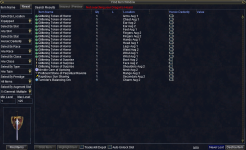
Don't know if this is an EQ or MQ problem, I have already deleted the EQUI_FindItemWindow.xml and allowed it to re-download from the patcher with no change...
Screenshot 2025-11-13 153714.png

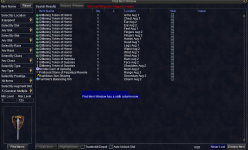
then actually adding a stat...

Screenshot 2025-11-13 153754.png

and then attempting to click on the stat column to sort only selects and unselects all the check boxes in the stat column

Screenshot 2025-11-13 153840.png
 
It's garbage. And still not finished apparently, I have to stretch my window all the way from left to right to see the columns.

Dev said it was confirmed bug and then said this on the forums

"The default width values can be gotten back to by deleting the lines starting with "SearchList_ColWidth" in the "[FindItemWnd]" section of your character's "UI_name_server_class.ini" file. If you're not comfortable with this, you'll need to wait until the changes we make to allow the columns resizable go through."

[FindItemWnd]
SearchList_ColWidth_0=13
SearchList_ColWidth_1=220
SearchList_ColWidth_2=40
 
I’m not sure if anybody else has this problem but when I go to a vendor and open up the find window and select my intend in my bags with the check mark and then hit sell my client will crash
 
Problem - Current Find Item Window

Users who are viewing this thread

Back
Top
Cart