• Hail, we're RedGuides. We want you to play six (yes, 6!) EverQuest characters at once. We have scripts and a friendly community to help, please join our playstyle and say hello! 👋
  • We've added LLM sections to our Terms & Rules and Resource Rules, for everyone's sanity & in-game safety.
    Read more
    a. Do not replace your voice with an LLM. This goes for your posts and your scripts. Drafting and editing with a tool is fine, but don't take you out of what you share.
    b. Do not replace your EQ character's voice with an LLM. We don't want scripts that speak over /ooc, /shout or other public channels. This has been an unwritten rule that's kept casino scripts off the site for decades, but we're now compelled to make it clear: keep automated communication private.

    Why Does RG Review Scripts?
    Nearly every LLM-written Lua script we see is making your character do impossible things, and rarely in a way that's beneficial to you. We've seen heavy server hammering, /target over impossible distances when /nav spawn would passively accomplish the same thing, a spawn search that fires 20+ times per second, and other pointless actions that are likely annoying GMs.

    You are welcome to use LLMs as a tool to structure, draft, and edit your work, but please read critically before hitting /lua run

Question - Cresent Reach Lifts

Does anyone have a macro that navigates the lifts in Crescent Reach?
I am writing my first macro and trying to navigate from the first floor back to the Hollows.
I can move to the lift controller and activate the control, but my toon refuses to move onto the platform

Any help would be appreciated.

I am using:
/nav door id 11 click
to move and activate the switch and
/nav loc -1309.44 -1541.75 13.86
to try move onto the platform
Well a few issues.

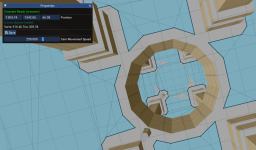
Based on the location it looks like you're trying to navigate onto the lift when you're already up and want to go down. You cannot. Because there is no mesh there.
1700468811158.png
Now presumably you have MQ2MoveUtils - So you can use /moveto which doesn't require a mesh and doesn't care if the elevator is there or not.
I would use nav to get to the edge or line of sight of the elevator (like -1306 -1559 10 and then issue a /moveto to get onto the lift (or fall in the hole)
Speaking of which you'll probably want to know if the elevator is up or down. I don't know the answer to that question, just saying it's something you may want to know.
 
Will I now have most my macro working. it just errors on the last sub :(
Travels up the lift OK, but them I get the message

1700748946803.png
But if I manually run the sub, it works as expected.

Here is my code, as this is my first mac, happy for any critique, as I am sure it is brutal and non-elegant:
Sub Main
/call GetTask
/Call LiftDown
/Call ToMoors
/call WanderLust1
/Call LiftUp
/Call EndTask
/Return

sub LiftDown
/nav door id 11 click
/delay 100 !${Me.Moving}
/while ( ${Navigation.Active} || ${Me.Moving} ) {
/delay 180
}
/moveto loc -1308.44 -1542.75
/Delay 15
/doortarget
/click left door
/delay 120
/moveto loc -1302 -1569
/Delay 20
/return

sub LiftUp
/Nav loc -1307.78 -1590.68 -90.07
/delay 80 !${Me.Moving}
/while ( ${Navigation.Active} || ${Me.Moving} ) {
/delay 10
}
/moveto loc -1308.04 -1540.34 -89.50
/delay 80 !${Me.Moving}
/while ( ${Navigation.Active} || ${Me.Moving} ) {
/delay 10
}
/Delay 15
/doortarget
/click left door
/delay 120
/moveto loc -1308 -1508
/return

Sub GetTask
/Nav Spawn Master Vanguard Regan| dist=10
/delay 10 !${Me.Moving}
/while ( ${Navigation.Active} || ${Me.Moving} ) {
/delay 30
}
/Target "Master Vanguard Regan"
/Keypress HAIL
/delay 5
/say Wanderlust
/delay 5
/say join
/delay 5
/say Do This
/delay 5
/call AcceptTask
/return

Sub WanderLust1
/nav loc -116.02 569.13 19.80
/delay 10 !${Me.Moving}
/while ( ${Navigation.Active} || ${Me.Moving} ) {
/delay 10
}
/nav loc 1524.67 2940.49 203.68
/delay 10 !${Me.Moving}
/while ( ${Navigation.Active} || ${Me.Moving} ) {
/delay 10
}
/nav loc -1745.71 1112.67 -23.75
/delay 10 !${Me.Moving}
/while ( ${Navigation.Active} || ${Me.Moving} ) {
/delay 10
}
/Travelto Crescent
/delay 10 !${Me.Moving}
/while ( ${Navigation.Active} || ${Me.Moving} ) {
/delay 10
}
/return

Sub ToMoors
/travelto Moors
/delay 100 !${Me.Moving}
/while ( ${Navigation.Active} || ${Me.Moving} ) {
/delay 30
}
/return

Sub AcceptTask
/delay 5s ${Window[TaskSelectWnd].Open}
/notify TaskSelectWnd TSEL_AcceptButton leftmouseup
/delay 5s !${Window[TaskSelectWnd].Open}
/delay 5
/return

Sub EndTask
/Nav Spawn Master Vanguard Regan| dist=10
/delay 10 !${Me.Moving}
/while ( ${Navigation.Active} || ${Me.Moving} ) {
/delay 30
}
/Target "Master Vanguard Regan"
/Keypress HAIL

/return
 
Tried moving to various spots, taking note of the loc and then moving to and from that spot fine, I am on the mesh, it seams using the lift upsets it
I have tried jumping on the spot, to see if that would kick start it and even reloaded the mesh with no joy.
Manually running the /nav from that spot works, just not as a follow on in the macro
are you sure you went up the lift? I just copied it and tried it. both on the down and up, the lift was not in the right position so just ran onto the underpart and then ran off but still on the base floor, then tried to nav to Regan but had no path because I wasn't on the same floor.

but then when manually typing the commands in, the elevator was down, so I ended up on the correct floor and everything worked.

just an fyi on the down function the first thing you did was nav over and click the lift
Code:
/nav door id 11 click
so then you drop on top of it and ride it back up and click again.
 
also you can detect if the lift is up or down, would probably be the best way to not have issues with it.

here's a quick snippet for each.
Code:
/if (${Switch.Z} == -89.50) /echo lift is down.
/if (${Switch.Z} == 10.50) /echo lift is up.
 
I ran into this very problem with the lifts in CR. This is code for the 1st floor lift to work.

Code:
Sub Main
/echo Checking Crescent Reach Lift   


/call Lift

/delay 2s
/cheer

Sub Lift
    /doortarget ID 1
    /echo ${Switch.Z}
        /if (${Switch.Z} == -89.5) {
            /echo Lift is Down...moving onto lift
            /nav door ID 1 click
            /echo Going UP!
    }
    /while (${Switch.Z} != -89.5) {
        /echo Lift is UP
        /delay 4s
        /echo Waiting for Lift to come DOWN
    }
    /nav door ID 1 click
        /while (${Switch.Z} < 10.5) {
            /delay 1s
        }
    /moveto loc -1307 -1492 13
    /delay 1s
/return
 
Question - Cresent Reach Lifts

Users who are viewing this thread

Back
Top
Cart