
Goatse Moneyshot
BANNED
im not concerned with check to close anything. im just making a statement about using reload to sometimes bring back windows that are gone or off the screen, such as 90% of the MQ2CLASSNAMEHERE plugins.;

Follow along with the video below to see how to install our site as a web app on your home screen.
Note: This feature may not be available in some browsers.

hrm, nothing that i'm aware of - do you have your files set to read only, or exiting with aso i upgraded to mqnext and ever since my chat window resets back to the default location every time i log out and log back in. is there something that i missed somewhere?
/exit instead of camping fully?Trying to move back to the live servers, I ran into this issue on 3 toons tonight, the above worked for me. Thanks!/plugin mq2chatwnd load
then
/mqchat reset
noWould the move to 64 bit, on both EQ and MQ side, possibly help memory issues, as listed above from map and chat window limits on text display amount? I recall on the EQ forums a dev said something about 64 bit will allow for more memory usage of our computers, beyond the 4 GB 32 bit limits.

You can do the following stepsHi,
I have installed EQ on a new computer, and now I cannot see the MQ window any more. I can see the MQ2Cleric window, but not the normal one with EQBC chat etc.
Haven't seen anything on search, apologies if this has been posted before, but how do I get the window back?
Thank you
sorry phone autocorrectedThanks both, but it did not solve the problem... When I type /mq2chat reset, I get a That is not a valid command. response.
Since its a brand new installation, all I did was download the launcher, and import/export the profiles from the old PC. Are there any other plugins that I need to start manually that my old PC has?
(/clr missing for instance works fine in the MQ2Cleric window)
/mqchat reset - Reset the window to the top left corner of your EQ client window.make sure to cleanly camp out so eq saves your settings - doing a /exit will not do thatEverytime I load MQ, my MQ chat window is not where I left it when I locked it. It also has ESC to Close checked, even after I uncheck it. HOw can I get this window to stay put and not close on ESC?
That's awesome it feels like rock lee removing his weights nowhit ctrl+` to access the far superior console and just unload this plugin.

/plugin mq2chat unload ?Short story long:
So today I was fixing an issue with MQ2groundspawns, Initially I put a command line in my social when I made it 2 years ago, to "add global Glowing Globe", needless to say that resulted in 50 or so entries scrolling each time I started the /ground active on (don't judge this idiot).
At some point today, in attempting to correct this, I was using a reset command I saw in the thread on MQ2groundspawns but my syntax was incorrect, so I experimented with variations hoping to resolve my collection issue. (Later I read/figured out to just edit the INI and removed the duplicates...)
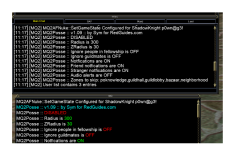
However, one of those experiments seems to have resulted in MQ2Chat or MQ2ChatWnd dumping data into the EQ chat {see screenshot) now...
Any advice on how to correct this?
View attachment 50531
Post in thread 'MQ2 Chat/messages in EQ Main Chat window' https://www.redguides.com/community...ages-in-eq-main-chat-window.78962/post-519246Short story long:
So today I was fixing an issue with MQ2groundspawns, Initially I put a command line in my social when I made it 2 years ago, to "add global Glowing Globe", needless to say that resulted in 50 or so entries scrolling each time I started the /ground active on (don't judge this idiot).
At some point today, in attempting to correct this, I was using a reset command I saw in the thread on MQ2groundspawns but my syntax was incorrect, so I experimented with variations hoping to resolve my collection issue. (Later I read/figured out to just edit the INI and removed the duplicates...)
However, one of those experiments seems to have resulted in MQ2Chat or MQ2ChatWnd dumping data into the EQ chat {see screenshot) now...
Any advice on how to correct this?
View attachment 50531
Thanks Sic, I didn't see that thread in searching, though I tried the just use "mqconsole" that was suggested elsewhere. It populated halfway off my screen, and I couldn't drag it down, so that was moot. Not sure why that happens (Lua used to do that all the time but it self-corrected) -Post in thread 'MQ2 Chat/messages in EQ Main Chat window' https://www.redguides.com/community...ages-in-eq-main-chat-window.78962/post-519246
But also inb4 "just unload mq2chatwnd and use mqconsole"

imo you'd be better served doing a /plugin chatwnd unloadHello all! Where is it set that period "." starts a / in the mq2chatwnd? I want to change it so that / always goes there, if possible.
Thanks for the quick reply! I have been using it for about a year, and haven't ever used the mq2 console (control `). Can you elaborate on being better served? I like being better servedimo you'd be better served doing a /plugin chatwnd unload
looks like it is
[Keybinds]
MQ2CHAT_Nrm=.
in MacroQuest.ini

Mq2chatwnd?Hello Folks,
I have an odd issue, one of my characters MQ2 window is now showing anywhere. Ive tried unloading and reloading, relogging, etc. but it wont show up. My character is a shaman but I dontthink the class matters. I cant seem to find any commands to make it show up, anyone know the command to make it show?
Thanks!
depemd on what you use for your bard automation, if kissassist, turn on dannet if you using dannet, in the ini, and it should announce itwhen my bard mez...i can't see the mez (and remez) messages on the mq windows of the other characters. yet when my enchanter mez's..i can see that the enchanter mezed a mob on all mq windows of all the other characters. i used to be able to see the bard mez messages, but that has disappaered recently. any fix for this? thanks.
Please post when you figure this out. I want what you have currently, to disable the spammy messages across the groups mqchat windows =)when my bard mez...i can't see the mez (and remez) messages on the mq windows of the other characters. yet when my enchanter mez's..i can see that the enchanter mezed a mob on all mq windows of all the other characters. i used to be able to see the bard mez messages, but that has disappaered recently. any fix for this? thanks.
you're right. i actually did have dannet turned on (i've thought of that and checked it before). but upon closer inspection today...at the very very bottom of my INI..i had pasted a second [Genera] section with dannet turned off...not sure how that even happened lol, but thank you for the dannet reminder which made me take a second lookdepemd on what you use for your bard automation, if kissassist, turn on dannet if you using dannet, in the ini, and it should announce it


