• Hail, we're RedGuides. We want you to play six (yes, 6!) EverQuest characters at once. We have scripts and a friendly community to help, please join our playstyle and say hello! 👋
  • We've added LLM sections to our Terms & Rules and Resource Rules, for everyone's sanity & in-game safety.
    Read more
    a. Do not replace your voice with an LLM. This goes for your posts and your scripts. Drafting and editing with a tool is fine, but don't take you out of what you share.
    b. Do not replace your EQ character's voice with an LLM. We don't want scripts that speak over /ooc, /shout or other public channels. This has been an unwritten rule that's kept casino scripts off the site for decades, but we're now compelled to make it clear: keep automated communication private.

    Why Does RG Review Scripts?
    Nearly every LLM-written Lua script we see is making your character do impossible things, and rarely in a way that's beneficial to you. We've seen heavy server hammering, /target over impossible distances when /nav spawn would passively accomplish the same thing, a spawn search that fires 20+ times per second, and other pointless actions that are likely annoying GMs.

    You are welcome to use LLMs as a tool to structure, draft, and edit your work, but please read critically before hitting /lua run
ChatWnd (core plugin)

Release ChatWnd (core plugin)

Been searching for a while, all I find is mq2labels, but that doesnt seem to be getting me what I want. Tried captions, but I believe that's just player titles, etc. Use to know how to do this, but forgot and can't seem to figure it out this early. How do you change the title of the MQ window to something custom. With the EQ windows it's just simply a right click.

Thanks!
Each resource on RG has an Overview / Discussion Thread and either a link to their wiki or tabs with FAQ, Commands, Etc.
Please make sure to post in the respective discussion thread, and check the FAQ/Commands/Wiki for information before posting.
 
Each resource on RG has an Overview / Discussion Thread and either a link to their wiki or tabs with FAQ, Commands, Etc.
Please make sure to post in the respective discussion thread, and check the FAQ/Commands/Wiki for information before posting.
Thanks man i'll check into that next time.
 
Somehow I "threw" the mq2 window up high enough that now I can't "grab" it to move it. So I can't choose the tabs - so the character is not usable like this. Is there a restore to original position fix for that? I have restarted the game completely - still has it out of bounds. Thank you!
 
We just fought this. Change your EQ resolution to something poor like 640x480 or whatever. Then you will see it. Grab the window and move it to the left side of the screen and return your resolution to a good one. Voila!
 
Somehow I "threw" the mq2 window up high enough that now I can't "grab" it to move it. So I can't choose the tabs - so the character is not usable like this. Is there a restore to original position fix for that? I have restarted the game completely - still has it out of bounds. Thank you!
/mqchat reset
 
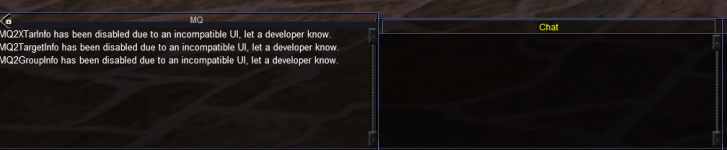
Anyone know if its possible and if so what file i would be needing to change make my MQ chat window match my UI's? this is what i have at the moment

1734372706317.png
 
MQ Window used to save the MQFont= # and it keeps that setting forever. Everytime i set it to a specific MQFont size it goes back to MQfont = 4.

- INI been edited, both character and general settings still holds that font figure.
 
Release ChatWnd (core plugin)

Users who are viewing this thread

Back
Top
Cart