• You've discovered RedGuides, an EverQuest multi-boxing and scripting community 🧙‍♀️⚙️. We want you to play several EQ characters at once, come join us and say hello! 👋

  • A TLP without truebox has thawed (Very Vanilla ready)
    Frostreaver
Boxhud

Release Boxhud 04/06/2024

No permission to download
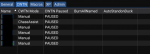
I was bored and made a CWTN column but apparently the commands don't work the same with Lua Vs. in-game.

For example, this command as shown below in the code:
INI:
/noparse /dex #botName# /docommand /${Me.Class.ShortName} mode assist
If I enter this in the in-game browser but replace the #botName# with the characters name, it works. But as a button it does not work.

If I use that command in-game using Lua, it sends the command to the proper character but detects the sender's class, saying I am not a specific class.

I think I can tweak it by setting up an alias, but I do not learn anything. Anyone willing to share some knowledge?


INI:
        {
            Name='CWTN',
            Columns = {
                {
                    Name='Manual',
                    Type='button',
                    Action='/noparse /dex #botName# /docommand /${Me.Class.ShortName} Manual',
                    Width=60
                },
                {
                    Name='Assist',
                    Type='button',
                    Action='/noparse /dex #botName# /docommand /${Me.Class.ShortName} assist',
                    Width=55
                },
                {
                    Name='Chase',
                    Type='button',
                    Action='/noparse /dex #botName# /docommand /${Me.Class.ShortName} chase',
                    Width=55
                },
                {
                    Name='Vorpal',
                    Type='button',
                    Action='/noparse /dex #botName# /docommand /${Me.Class.ShortName} vorpal',
                    Width=55
                },
                {
                    Name='Tank',
                    Type='button',
                    Action='/noparse /dex #botName# /docommand /${Me.Class.ShortName} tank',
                    Width=50
                },
                {
                    Name='PullTank',
                    Type='button',
                    Action='/noparse /dex #botName# /docommand /${Me.Class.ShortName} PullerTank',
                    Width=70
                },
                {
                    Name='PullAss',
                    Type='button',
                    Action='/noparse /dex #botName# /docommand /${Me.Class.ShortName} PullerAssist',
                    Width=65
                },
                {
                    Name='Pause',
                    Type='button',
                    Action='/noparse /dex #botName# /docommand /${Me.Class.ShortName} pause on',
                    Width=55
                },
                {
                    Name='UnPause',
                    Type='button',
                    Action='/noparse /dex #botName# /docommand /${Me.Class.ShortName} pause off',
                    Width=70
                }
            }
        },
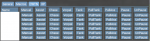
 

Attachments

  • tempsnip.png
    tempsnip.png
    60.8 KB · Views: 108
Also, I made a roles tab to quickly assign roles since I occasionally change assist and puller for mercs.

The only thing that doesn't work is the Make Leader. The command I tried was "/Makeleader #botName#" but EQ spits out a "Toon 1 is not in your group" for some reason it adds a 1 to the end.


INI:
        {
            Name='Roles',
            Columns = {
                {
                    Name='Leader',
                    Type='button',
                    Action='/makeleader #botName#',
                    Width=60
                },
                {
                    Name='Main Tank',
                    Type='button',
                    Action='/grouproles set #botName# 1',
                    Width=55
                },
                {
                    Name='Main Assist',
                    Type='button',
                    Action='/grouproles set #botName# 2',
                    Width=55
                },
                {
                    Name='Puller',
                    Type='button',
                    Action='/grouproles set #botName# 3',
                    Width=55
                },
                {
                    Name='Looter',
                    Type='button',
                    Action='/grouproles set #botName# 5',
                    Width=50
                },
            }
        },
 
For the buttons, they're currently being run with
Code:
mq.cmd.squelch(column['Action']:gsub('#botName#', botName))
which translates to
INI:
/squelch <your command>
so, in your case its running:
INI:
/squelch /noparse /dex toon /docommand /${Me.Class.ShortName} Manual

/noparse always has to come first or its ignored.

I can look into maybe seeing if its a /noparse command and using mq.cmd.noparse instead of mq.cmd.squelch.

btw.. that is a scary amount of buttons!
 
btw.. that is a scary amount of buttons!

Lol yes, I will likely trim it down to what I do end up wanting to use. For example, I don't use half those CWTN modes, so I will likely cut them out. I also created a /nav tab that has most of the commonly used /nav commands (run 2 me, follow, stop nav, etc) as well as a zone tab to remotely send toons to zones (POK, GL, anchor, etc).

I rather like this window of yours and its possibilities. The buttons options will allow me to cut out some of my hotkeys, which are a lot of /dex or bct commands

This is also a great alternative to MQ2buttons since we are limited to one bar with that plugin.
 
aquietone updated boxhud.lua (Requires MQNext and MQ2Lua) with a new update entry:

button fixes

Includes a couple small bug fixes:
  • Fix use of gsub in button commands. mq.cmd.squelch(value:gsub(...)) was passing in the result string as well as the number of replacements.
  • Fix to handle button actions that begin with /noparse.
  • Replace usage of tostring(mq.TLO.Property) with mq.TLO.Property().
  • Move "main" code into a main function for clarity.

Read the rest of this update entry...
 
I had to roll back to Sunday's 1.4.1 version. The latest version will pick one or two observed properties in your group, and instead of returning the expected result, returns |server_character in its place. That looks like a dannet peer in full name right?

Anyways, loaded up 1.4.1 this morning and didn't have that issue.
 
I had to roll back to Sunday's 1.4.1 version. The latest version will pick one or two observed properties in your group, and instead of returning the expected result, returns |server_character in its place. That looks like a dannet peer in full name right?

Anyways, loaded up 1.4.1 this morning and didn't have that issue.

Thanks, I saw that in 1 toon in 1 property and hoped it was just some oddity but yeah seems pretty easily reproducible. Think I it fixed, will include whenever I update it next. Seems to be related to how I updated it to list toons in alpha order.
 
aquietone updated boxhud.lua (Requires MQNext and MQ2Lua) with a new update entry:

v1.5 - expanded right click options a bit

- Add some built in right click actions on name buttons (task/dzadd, target, etc.)
A few convenience buttons, kind of like the menu when right clicking yourself/someone in wow.
- Add /boxhudanon binding to replace names with class names in name column
Mostly so I don't have to color over names in screenshots
Doesn't hide any names that appear in the target column
- Try to adjust observe timeouts based on # of peers
- Misc cleanup

Read the rest of this update entry...
 
I love this Lua, but I can't seem to run it with my full 24. I assume it's a dannet issue, as I start to hang on observers. What would some of the first steps be to troubleshoot?
 
I love this LUA, but I can't seem to run it with my full 24. I assume it's a dannet issue, as I start to hang on observers. What would some of the first steps be to troubleshoot?

It may just need to wait longer, gotten a couple other reports of that. I tried to make it dynamically wait longer based on the number of peers but maybe just needs more time or something.

You can try increasing the times at line 254, 264 and 575 maybe.
 
Loving this Lua script. I have been expanding mine a bit to hold/display things I normally keep elsewhere, but one thing I did come across was a small bug with the spawn properties. In boxhud.Lua, line 636 it is missing the >> . << between botName and the property. I made a quick change to this and works now.

INI:
Old Code:
botValues[spawnProp['Name']] = mq.TLO.Spawn('='..botName)[spawnProp['Name']]()

New Code:
botValues[spawnProp['Name']] = mq.TLO.Spawn('='..botName)'.'[spawnProp['Name']]()
 
Loving this lua script. I have been expanding mine a bit to hold/display things I normally keep elsewhere, but one thing I did come across was a small bug with the spawn properties. In boxhud.lua, line 636 it is missing the >> . << between botName and the property. I made a quick change to this and works now.

INI:
Old Code:
botValues[spawnProp['Name']] = mq.TLO.Spawn('='..botName)[spawnProp['Name']]()

New Code:
botValues[spawnProp['Name']] = mq.TLO.Spawn('='..botName)'.'[spawnProp['Name']]()

Were you seeing an error because of that line? Its not really clear to me why the . is needed there, moreso why the . would be a string, but maybe its just some Lua thing?
mq.TLO.Spawn('='..botName) returns the spawn data as type userdata which I'm using like a table here, then accessing a property in that table, similar to code like

INI:
local testtable = {
    test1='a',
    test2='b'
}
print(testtable.test1)
print(testtable[test2])
where I would use either .propertyname or [propertyname], but not .[propertyname]

I did try your change though and it seems to work the same as it does without the . for me.

INI:
local randomspawn = mq.TLO.Spawn('radius 50')
print(type(randomspawn))
print(randomspawn.CleanName)
print(randomspawn[CleanName])
print(randomspawn'.'[CleanName])
All 3 print statements return the same value. I've not seen another language that uses something like that 3rd option before.
 
is there a way to observe if oxygen meter is up?

I'm actually not sure if there is a TLO for the breath meter? I feel like there probably is but nothing looked obvious under the character data type. There might be some way to find if you have an enduring breath buff by looking for a buff with the right SPA, but then I don't think that would cover if you had EB from a piece of gear either.
 
maybe need to translate to Lua format still
/if (${Window[BreathWindow].Open}) {
}
 
Last edited:
It looks like an upcoming next build will actually include some new data members you can use for this:

INI:
${Me.AirSupply}
${Me.MaxAirSupply}
${Me.PctAirSupply}
 
Great work and constant support!

Question - how would I go about modifying to allow me to start by Class, and then by name

So if, for example, I had 5 clerics, I could group them by class first, before going alphabetically by name?

Right now it seems to be sorted by the toons name.
 
Great work and constant support!

Question - how would I go about modifying to allow me to start by Class, and then by name

So if, for example, I had 5 clerics, I could group them by class first, before going alphabetically by name?

Right now it seems to be sorted by the toons name.

I was working on this last week but didn't finish before leaving on vacation and forgot to check in what I had. You could try this one which has some of the initial work for sorting but might still have some oddities to it. I probably won't update the version til I'm back home.
There is only the primary sorting by a given column, no secondary sort. so if it sorted by class, the clerics wouldn't necessarily be in alphabetical order.
 

Attachments

aquietone updated boxhud.lua (Requires MQNext and MQ2Lua) with a new update entry:

Adds sorting and other minor things

- Adds ability to sort the HUD by column by clicking the column headers.
- Add some more formal support for NetBots as a primary data source for the HUD, if you're into that sorta thing.
- Add new PeerSource setting to specify whether peer list should come from either dannet or netbots. Defaults to dannet.
- Add FromIDProperty to spawn properties to allow getting spawn properties for some Spawn other than =botName. The referred...

Read the rest of this update entry...
 
A small tweak to fix sort treating everything as strings -

Code:
local sortAsc = function(a, b)
    if tonumber(a) ~= nil and tonumber(b) ~= nil then
        return tonumber(a) < tonumber(b)
    else
        return a < b
    end
end
local sortDesc = function(a, b)
    if tonumber(a) ~= nil and tonumber(b) ~= nil then
        return tonumber(a) > tonumber(b)
    else
        return a > b
    end
end

ninja edit to fix the number case on sortDesc
 
Looking for some feedback, if anyone using this has any thoughts on it. Looking into making it configurable in game rather than having to edit the separate settings file.
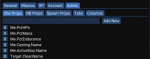
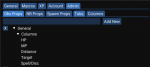
UI design and me don't get along particularly well. Still working through how to lay out the inputs but looking at something similar to the screenshots below..

1625762531786.png
1625762573733.png
 
aquietone updated boxhud.lua (Requires MQNext and MQ2Lua) with a new update entry:

v1.7 - lua table support

Updates to use the lua table API which provides:
- Better sorting
- Ability to hide and rearrange columns
- No longer using a fixed width based on config, can resize the table and columns

That's about it, no new function beyond what the table provides.
Looking at some other things for future updates..
- in-game config options instead of editing separate settings file
- configure the text colors instead of the current white/green/red
- ...

Please post if anythings broken

Read the rest of this update entry...
 
aquietone updated boxhud.lua (Requires MQNext and MQ2Lua) with a new update entry:

couple small fixes

- Context menu on Name column should work again, though even I obviously was never really using it.
- Buttons in table columns should click properly again. They were taking one or more clicks due to bad IDs.
- May just look at removing the context menu and buttons in favor of other buttons in the future.

Some known issues:
- If the script errors out then it seems to reliably cause a client crash in mq2lua after restarting the script. I've only been able to get around this by unloading MQ...

Read the rest of this update entry...
 
I was trying to get the CWTN TLOs ${CWTN.Mode} and ${CWTN.Paused} to work in boxhud, and they do work. The issue I run into though is that it messes up Kissassist. Initially I was getting KA errors for Undefined Variable CWTN used on line <whatever>, kaen and Special Ed suggested declaring CWTN as a string in KA, which may have sort of worked (although I'm not sure if I did it correctly), however I would still get KA errors for No such 'string' member 'Mode' or 'Paused' and I'm not knowledgeable enough to know how to fix this.

I was curious if there was a way to get around this or not have the CWTN TLOs sent to non-CWTN toons.
 
I was trying to get the CWTN TLOs ${CWTN.Mode} and ${CWTN.Paused} to work in boxhud, and they do work. The issue I run into though is that it messes up Kissassist. Initially I was getting KA errors for Undefined Variable CWTN used on line <whatever>, kaen and Special Ed suggested declaring CWTN as a string in KA, which may have sort of worked (although I'm not sure if I did it correctly), however I would still get KA errors for No such 'string' member 'Mode' or 'Paused' and I'm not knowledgeable enough to know how to fix this.

I was curious if there was a way to get around this or not have the CWTN TLOs sent to non-CWTN toons.

I don't have any way in there atm to observe properties by specific classes. Columns can display different properties specific to one class or another, but the observers defined are setup for all peers. Will have to think about how something like that could be added, as I've not looked at each peers class at the time the observers are initialized when the script starts.

Edit: Note that Sic also has CWTN plugin status reportable using the MQ2Status plugin I'm pretty sure. I forget what command exactly but /status something... I think causes all toons to /bc their CWTN status. That'd be an on-demand check of status but may be useful in the meantime.

Edit 2: I thought maybe you could observe something crazy like
INI:
If[$\\{Plugin[MQ2War].IsLoaded},$\\{CWTN.Paused},$\\{Macro.Paused}]
but that also still results in macros spitting out errors for undefined TLO
 
Last edited:
Yeah, MQ2Status is what gave me the idea to try it in boxhud. I figured it would be cool to see everything live in the boxhud GUI. For the time being I just unload dannet from the Bard.

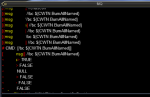
I'm running into something weird with the CWTN stuff though. Some things don't seem to work boxhud... but I don't know where it's an issue (CWTN, boxhud, dannet, etc). For example I can /echo ${CWTN.BurnAllNamed} ingame and get True or False depending on if it's enabled, but I don't get anything back in boxhud.


INI:
                { 
                    Name='CWTN Mode', 
                    Type='property',
                    Properties={all='CWTN.Mode'}, 
                    Thresholds=nil, 
                    Percentage=false, 
                    InZone=false
                },
                { 
                    Name='CWTN Paused', 
                    Type='property',
                    Properties={all='CWTN.Paused'},
                    Mappings={
                        TRUE='PAUSED',
                        FALSE='NOT PAUSED'
                    },                  
                    Thresholds=nil, 
                    Percentage=false, 
                    InZone=false
                },
                { 
                    Name='BurnAllNamed', 
                    Type='property',
                    Properties={all='CWTN.BurnAllNamed'},
                    Mappings={
                        TRUE='Yes',
                        FALSE='NO'
                    },           
                    Thresholds=nil, 
                    Percentage=false, 
                    InZone=false
                },
                { 
                    Name='AutoStandonDuck', 
                    Type='property',
                    Properties={all='CWTN.AutoStandOnDuck'}, 
                    Thresholds=nil, 
                    Percentage=false, 
                    InZone=false
                }

1627121921138.png

1627122344380.png
 
I am new to coding and trying modify some code to boxhud.Lua for CWTN support. and it works for me for some config.
can anyone help to review my code and config to improve for CWTN support? will thanks a lot!

And I still manual to issue a command in game to query CWTN toon status from running boxhud's toon before I run boxhud. i.e. "/dobserve cwtn_toon_name -q CWTN"
boxhud01.jpg
boxhud02.jpg

[CODE title="boxhud.Lua"]
-- CWTN Plugin class--
local cwtn = Set { 'warrior', 'war', 'berserker', 'ber', 'monk', 'mnk', 'rogue', 'rog',
'beastlord', 'bst', 'cleric', 'clr', 'enchanter', 'enc', 'magician', 'mag',
'shaman', 'shm' }
local nocwtn = Set { 'bard', 'brd', 'ranger', 'rng', 'paladin', 'pal', 'druid', 'dru',
'necromancer', 'nec', 'wizard', 'wiz' }


-- Add or remove observers for the given toon
local function ManageObservers(botName, drop)
local observeWaitMod = 1+table.getn(peerTable)/10
if drop then
for _, obsProp in pairs(settings['ObservedProperties']) do
-- Drop the observation if it is set
if mq.TLO.DanNet(botName).ObserveSet('"'..obsProp['Name']..'"')() == 1 then
mq.cmd.dobserve(botName..' -q "'..obsProp['Name']..'" -drop')
mq.delay(50*observeWaitMod)
end
end
-- Support CWTN Observe Query
if mq.TLO.DanNet(botName).Observe('CWTN')() == 'CWTN' then
for _, obsProp in pairs(settings['CWTNProperties']) do
-- Drop the observation if it is set
if mq.TLO.DanNet(botName).ObserveSet('"'..obsProp['Name']..'"')() == 1 then
mq.cmd.dobserve(botName..' -q "'..obsProp['Name']..'" -drop')
mq.delay(50*observeWaitMod)
end
end
end
observedToons[botName] = nil
else
if not observedToons[botName] then
for _, obsProp in pairs(settings['ObservedProperties']) do
-- Add the observation if it is not set
if mq.TLO.DanNet(botName).ObserveSet('"'..obsProp['Name']..'"')() == 0 then
mq.cmd.dobserve(botName..' -q "'..obsProp['Name']..'"')
mq.delay(50*observeWaitMod)
end
end
-- Support CWTN Observe Query --
if mq.TLO.DanNet(botName).Observe('CWTN')() == 'CWTN' then
for _, obsProp in pairs(settings['CWTNProperties']) do
-- Add the observation if it is not set
if mq.TLO.DanNet(botName).ObserveSet('"'..obsProp['Name']..'"')() == 0 then
mq.cmd.dobserve(botName..' -q "'..obsProp['Name']..'"')
mq.delay(50*observeWaitMod)
end
end
end
observedToons[botName] = true
end
end
end


--Add CWTN Column Property--
local function DrawColumnProperty(botValues, botClass, botInZone, column)
if not column['InZone'] or (column['InZone'] and botInZone) then
local value = 'NULL'
if column['Properties'][botClass] then
value = botValues[column['Properties'][botClass]]
elseif column['Properties']['ranged'] and ranged[botClass] then
value = botValues[column['Properties']['ranged']]
elseif column['Properties']['hybrids'] and hybrids[botClass] then
value = botValues[column['Properties']['hybrids']]
elseif column['Properties']['caster'] and casters[botClass] then
value = botValues[column['Properties']['caster']]
elseif column['Properties']['melee'] and melee[botClass] then
value = botValues[column['Properties']['melee']]
elseif column['Properties']['cwtn'] and cwtn[botClass] then
value = botValues[column['Properties']['cwtn']]
elseif column['Properties']['nocwtn'] and nocwtn[botClass] then
value = botValues[column['Properties']['nocwtn']]
end
if (value == 'NULL' or value == '') and column['Properties']['all'] then
value = botValues[column['Properties']['all']]
end
local thresholds = column['Thresholds']
if value ~= 'NULL' then
if column['Mappings'] and column['Mappings'][value] then
value = column['Mappings'][value]
end
SetText(value, thresholds, column['Ascending'], column['Percentage'])
end
end
end


-- Support CWTN Observe Query --
if settings['CWTNProperties'] then
for _, obsProp in pairs(settings['CWTNProperties']) do
if mq.TLO.DanNet(botName).Observe('CWTN')() == 'CWTN' then
botValues[obsProp['Name']] = mq.TLO.DanNet(botName).Observe('"'..obsProp['Name']..'"')()
end
end
end

[/CODE]

[CODE lang="ini" title="boxhud-settings"]
Tabs = {
{
Name='General',
Columns={
{
Name='Target',
Type='property',
Properties={all='Target.CleanName'},
Thresholds=nil,
Percentage=false,
InZone=true
},
{
Name='Distance',
Type='property',
Properties={all='Distance3D'},
Thresholds={100,200},
Percentage=false,
Ascending=false,
InZone=true
},
{
Name='Spell/Disc',
Type='property',
Properties={
all='Me.Casting.Name',
melee='Me.ActiveDisc.Name'
},
Thresholds=nil,
Percentage=false,
InZone=false
},
{
Name='Macro',
Type='property',
Properties={
all='Macro.Name'
},
Thresholds=nil,
Percentage=false,
InZone=false
},
{
Name='CWTN',
Type='property',
Properties={
cwtn='CWTN.Mode'
},
Thresholds=nil,
Percentage=false,
InZone=false
},
{
Name='Paused',
Type='property',
Properties={
nocwtn='Macro.Paused',
cwtn='CWTN.Paused'
},
Mappings={
TRUE='PAUSED',
FALSE=''
},
Thresholds=nil,
Percentage=false,
InZone=false
},
{
Name='Pause',
Type='button',
Action='/dex #botName# /boxr pause'
},
{
Name='Unpause',
Type='button',
Action='/dex #botName# /boxr unpause'
},
{
Name='INV',
Type='property',
Properties={
all='Me.Invis[NORMAL]'
},
Mappings={
TRUE='Yes',
FALSE=''
},
Thresholds=nil,
Percentage=false,
InZone=false
},
{
Name='IVU',
Type='property',
Properties={
all='Me.Invis[UNDEAD]'
},
Mappings={
TRUE='Yes',
FALSE=''
},
Thresholds=nil,
Percentage=false,
InZone=false
}
}
}, [/CODE]
 
I am new to coding and trying modify some code to boxhud.lua for CWTN support. and it works for me for some config.
can anyone help to review my code and config to improve for CWTN support? will thanks a lot!

And I still manual to issue a command in game to query CWTN toon status from running boxhud's toon before I run boxhud. i.e. "/dobserve cwtn_toon_name -q CWTN"

I'd prefer keeping the script generic and not adding in any handling specific to TLOs provided by particular plugins, beyond the two plugins used to gather the data about the boxes (MQ2DanNet or MQ2NetBots). That being said, you're welcome to modify it and add in handling specific to any plugin you like.
For what you proposed above, I'd try to find a way to implement it without requiring manually adding an observed property only on specific characters like you've done by observing `CWTN`. If all characters of a given class which has a plugin will be running that plugin, then it may be easier to add in a dependency on checking the observed class value of the character before adding the observer for the class specific property.
Other than that, for adding in content specific to a particular plugin, what you have should work fine. It just leads to some mostly duplicated code.

I keep on making the configuration of this script more and more complex, but I can look at adding the ability to define dependencies between observed properties, so that you can configure something like:

"only observe property X if property Y has value Z".

For example: Only observe CWTN.Mode if Me.Class.ShortName is in MNK,ROG,CLR,SHM,ENC,MAG,SHD,WAR.

INI:
  ObservedProperties = {
    {
      Name='Me.Class.ShortName'
    },
    {
      Name='CWTN.Mode',
      DependsOnName='Me.Class.ShortName',
      DependsOnValue='MNK,ROG,CLR,SHM,ENC,MAG,SHD,WAR'
    }
  }

It just begins to get a little bit out of control after awhile.
 
For our TLP friends, add this code to to the ass-end of your Tabs section. Make sure to match up the last closed-bracket with what I have at the start, need that comma or it throws errors.

INI:
        },
        {
            Name='LDoN',
            Columns = {
                {
                    Name='Available Pts',
                    Type='property',
                    Properties={
                        all='Me.LDoNPoints',
                    },
                    Thresholds=nil,
                    Percentage=false,
                    InZone=false,
                    Width=85
                },
                {
                    Name='Guk Total',
                    Type='property',
                    Properties={
                        all='Me.GukEarned'
                    },
                    Thresholds=nil,
                    Percentage=false,
                    InZone=false,
                    Width=65
                },
                {
                    Name='Mir. Total',
                    Type='property',
                    Properties={
                        all='Me.MirEarned'
                    },
                    Thresholds=nil,
                    Percentage=false,
                    InZone=false,
                    Width=65
                },
                {
                    Name='MMC Total',
                    Type='property',
                    Properties={
                        all='Me.MMEarned'
                    },
                    Thresholds=nil,
                    Percentage=false,
                    InZone=false,
                    Width=75
                },
                {
                    Name='Ruj Total',
                    Type='property',
                    Properties={
                        all='Me.RujEarned'
                    },
                    Thresholds=nil,
                    Percentage=false,
                    InZone=false,
                    Width=60
                },
                {
                    Name='Tak Total',
                    Type='property',
                    Properties={
                        all='Me.TakEarned'
                    },
                    Thresholds=nil,
                    Percentage=false,
                    InZone=false,
                    Width=65
                }
            }
        }

Then, down further in Observed Properties:

INI:
        {Name='Me.LDoNPoints'},
        {Name='Me.GukEarned'},
        {Name='Me.MirEarned'},
        {Name='Me.MMEarned'},
        {Name='Me.RujEarned'},
        {Name='Me.TakEarned'},

Again, commas are very important! Make sure you're not missing any.
 
Thanks for this.

I tried to add zone name in there. I find it useful to see at a glance what zone everyone is in. I was able to add it in there successfully, but it doesn't update when other characters zone. Is this some limitation with dannet? or something else?

Thank you
 
Thanks for this.

I tried to add zone name in there. I find it useful to see at a glance what zone everyone is in. I was able to add it in there successfully, but it doesn't update when other characters zone. Is this some limitation with dannet? or something else?

Thank you

If you add a column or property you want to track in a tab, you also have to add the corresponding observed property down below in your settings file. In this case it'd be {Name='Zone.Name'}
 
If you add a column or property you want to track in a tab, you also have to add the corresponding observed property down below in your settings file. In this case it'd be {Name='Zone.Name'}

Thanks for the help. I don't know what i did wrong the first time, but its working now.

My next question..... Once you have dragged the window out of the EQ window (onto another monitor). Is it possible to "unlink" (cant think of a better work to use) the buxhud window with the EQ client that you used to run it? I mean, if I have something else open on the 2nd monitor (EQresource or something), and I click on my main toon's eq client, it puts the hud back on front of EQR. I'd like the hud to stay behind unless i clcik on it on the taskbar.... Is that possible?
 
If you add a column or property you want to track in a tab, you also have to add the corresponding observed property down below in your settings file. In this case it'd be {Name='Zone.Name'}

Doh... I forgot this part on like 1/2 the stuff I was trying. That explains why it wasn't working.
 
Thanks for the help. I don't know what i did wrong the first time, but its working now.

My next question..... Once you have dragged the window out of the EQ window (onto another monitor). Is it possible to "unlink" (cant think of a better work to use) the buxhud window with the EQ client that you used to run it? I mean, if I have something else open on the 2nd monitor (EQresource or something), and I click on my main toon's eq client, it puts the hud back on front of EQR. I'd like the hud to stay behind unless i clcik on it on the taskbar.... Is that possible?
Not that I'm aware of. The ImGui windows stay linked to the process which spawned them.

Doh... I forgot this part on like 1/2 the stuff I was trying. That explains why it wasn't working.
I've got some more strict validation planned, it should yell at you and tell you what's wrong if a column references a property that isn't observed, among other things.
 
Release Boxhud

Users who are viewing this thread

Back
Top
Cart