Oh !!! I didn't even realize that it was paused. Assumed it was ended. lol. thanks Durango

-
 Hail, we're RedGuides. We want you to play six (yes, 6!) EverQuest characters at once. We have scripts and a friendly community to help, please join our playstyle and say hello! 👋
You are using an out of date browser. It may not display this or other websites correctly.
You should upgrade or use an alternative browser.
You should upgrade or use an alternative browser.

Release Bazaar.mac 2023.8.20.1
- Thread starter JerkChicken
- Start date

I started my usual trader as usual "/mac bazaar trader"
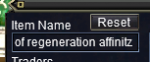
but new to me is, that serveral Items are not found anymore at bazaar.
It seems, that it does not anymore work well with keyboards different to standard us layout.
Any Item containing "Y" or "Z" cause a long "hold": in the mq2 window the items are named right, in the bazaar search window, the chars are wrong.
Atm I saw a "'" "hight-comma?" written as a rectangle.
but new to me is, that serveral Items are not found anymore at bazaar.
It seems, that it does not anymore work well with keyboards different to standard us layout.
Any Item containing "Y" or "Z" cause a long "hold": in the mq2 window the items are named right, in the bazaar search window, the chars are wrong.
Atm I saw a "'" "hight-comma?" written as a rectangle.

Robban
Ultimate seasoned veteran member
I get that if I dont have an english keyboard in windowsAtm I saw a "'" "hight-comma?" written as a rectangle.

- Commits
- 1
So...
A few weeks ago I posted my version of the bazaar macro. I called it bazaar3. It is far more intense than the original bazaar.mac. I wanted to get peoples thoughts and contribute back to the community that has helps me so much.
The last patch (2021-02-17) Redbot upgraded the bazaar.mac file that was included with VV with my version. (Yah me!) And assigned the resource to me. This was a exciting surprise.
If you have been using the original bazaar.mac file the new one serves the same purpose, however it works completely different. If you had been using the bazaar2.mac file then you are familiar with how the macro demands control of your toon.
There are a few tweaks I know of and intend on refreshing the overview to reflect the newest version.
If you want to revert back to the previous version, it is still in the history tab. Just name it to something other than bazaar.mac
A few weeks ago I posted my version of the bazaar macro. I called it bazaar3. It is far more intense than the original bazaar.mac. I wanted to get peoples thoughts and contribute back to the community that has helps me so much.
The last patch (2021-02-17) Redbot upgraded the bazaar.mac file that was included with VV with my version. (Yah me!) And assigned the resource to me. This was a exciting surprise.
If you have been using the original bazaar.mac file the new one serves the same purpose, however it works completely different. If you had been using the bazaar2.mac file then you are familiar with how the macro demands control of your toon.
There are a few tweaks I know of and intend on refreshing the overview to reflect the newest version.
If you want to revert back to the previous version, it is still in the history tab. Just name it to something other than bazaar.mac
Robban
Ultimate seasoned veteran member
So bazaar2.mac is untouched?So...
A few weeks ago I posted my version of the bazaar macro. I called it bazaar3. It is far more intense than the original bazaar.mac. I wanted to get peoples thoughts and contribute back to the community that has helps me so much.
The last patch (2021-02-17) Redbot upgraded the bazaar.mac file that was included with VV with my version. (Yah me!) And assigned the resource to me. This was a exciting surprise.
If you have been using the original bazaar.mac file the new one serves the same purpose, however it works completely different. If you had been using the bazaar2.mac file then you are familiar with how the macro demands control of your toon.
There are a few tweaks I know of and intend on refreshing the overview to reflect the newest version.
If you want to revert back to the previous version, it is still in the history tab. Just name it to something other than bazaar.mac
- Commits
- 1
Sorry but I need a little help here. I'm new at this. I can't get the /mac bazaar trader to work now. Look's like it has changed to Bazaar3 now. Please take a look thanks.View attachment 28354
Because how this one interact with all the windows it really wants control of your screen. The only way to really end or pause the macro is with a hotkey. This pause was put in place to give you a chance to create those hotkeys.
You can disable this initial pause in the bazaarSettings.ini file
Disable Pause on start.
INI:
PauseOnStart=FALSE- Commits
- 1
I started my usual trader as usual "/mac bazaar trader"
View attachment 28360
but new to me is, that serveral Items are not found anymore at bazaar.
It seems, that it does not anymore work well with keyboards different to standard us layout.
Any Item containing "Y" or "Z" cause a long "hold": in the mq2 window the items are named right, in the bazaar search window, the chars are wrong.
Atm I saw a "'" "hight-comma?" written as a rectangle.
"trader" is no longer needed. Just use "/mac bazaar". It will check to see if you are on the trader side or the buyer side.
More to your question; I have never used a non-english keyboard, I will have to see what I can do. You can still grab the original bazaar.mac from the history tab.
Edit:
Found this;
Since the part that does the bazaar searching is based off of CWTN bazaar2 this new version will likely have the same issues.

The original bazaar.mac used the MQ2Bzsrch plugin. Bazaar2 and this new version uses /keypress.
Last edited:
- Commits
- 1
So bazaar2.mac is untouched?
I stole some code from it
 , but yah that one is the same as before.
Sorry to throw you into the deep end JC, but I believe in your version!
I've updated the resource overview page with the new .ini settings and usage, but anyone should feel free to contribute if you see something that should be added
I've updated the resource overview page with the new .ini settings and usage, but anyone should feel free to contribute if you see something that should be added

I'm actually glad they changed the new version to be called bazaar.mac because I had named my own personally modified version to be bazaar3.mac
- Commits
- 1
@B_I_G__D_A_D_D_Y
Other than the suggestions you made here:
Are there any thoughts you had? I understand not wanting to give out all your trade secrets.
I see where rounding to a more human friendly number would be a good add.
Other than the suggestions you made here:
Are there any thoughts you had? I understand not wanting to give out all your trade secrets.
I see where rounding to a more human friendly number would be a good add.
@B_I_G__D_A_D_D_Y
Other than the suggestions you made here:
Are there any thoughts you had? I understand not wanting to give out all your trade secrets.
I see where rounding to a more human friendly number would be a good add.
I'm not trying to get rich selling my wares in Trader mode. It is much more important to me to protect my accounts.
So last year when a Daybreak Dev made some posts about trying to identify people using automated bazaar pricing macros I decided to try and make my pricing more human-like. I figured most people round off in their heads so they don't have to type so many numbers into the price field. Or alternately, they will undercut by 1 pp.
So I customized the bazaar2.mac file and used the math function modulo to extract the significant digits and then I rounded downward to that number.
It works good for my normal pricing method which is to run the macro and then end it and put my traders into Offline Mode. My thought is that any Dev snooping around my bazaar traders will realize they can't be automating if they are in Offline Mode!
Again, I'm not trying to get rich, but I play a lot and accumulate a lot of stuff and rather than getting a few pennies from an NPC trader why not make a few more by selling to other players?
Please feel free to use any of my code you might find interesting. All I changed from bazaar2.mac was the section where I branch depending on the current price and do the modulo function. If I'm selling something for a million plat I'll round down by 10,000. Obviously the lower the price the fewer digits you round down!
"trader" is no longer needed. Just use "/mac bazaar". It will check to see if you are on the trader side or the buyer side.
More to your question; I have never used a non-english keyboard, I will have to see what I can do. .......
No need for additional code here.
Installed english keyboard as a second one beside my usual and figured, that using <alt><shift> windows 10 now allows to set the keyboard layout per app. This possibility was new to me. The problem I described above was easy solved that way.
Now I just need to remember to switch keyboard-layout bevor starting bazaar

What I noticed: its much faster than the old version, as it recognizes double items and skips them after the first occurance.

yeah there are a couple of oddities with mq2 and non english keyboards i know its on the known bug listNo need for additional code here.
Installed english keyboard as a second one beside my usual and figured, that using <alt><shift> windows 10 now allows to set the keyboard layout per app. This possibility was new to me. The problem I described above was easy solved that way.
Now I just need to remember to switch keyboard-layout bevor starting bazaar
What I noticed: its much faster than the old version, as it recognizes double items and skips them after the first occurance.
- Commits
- 1
JerkChicken updated Bazaar.mac with a new update entry:
Skip Seller Items Support
Read the rest of this update entry...
Skip Seller Items Support
Version 2021.02.20.0
Tired of trying to sell water flasks? (Oddly people will buy them)
Setting your SellPriceMax to -1 (negative one) will skip the item during seller updates
This will allow you to exclude certain items or manage them manually.
Item Skip
INI:[Water Flask] SellPriceMin=1 SellPriceMax=-1
Other changes include:
Improved: Production Release
- Who needs a beta?
Improved: Pause on Start
- Added more info regarding why it pauses on start...
Read the rest of this update entry...
- Commits
- 1
I'm guessing that MQ2Bzsrch does support non-english keyboards since the legacy bazaar.mac utilized it. There is not a lot on it so either it just works or no one uses it.
My todo list includes looking at B_I_G__D_A_D_D_Y's rounding code and looking at using MQ2Bzsrch.
I undercut everyone by 1pp and go offline, but for those using a percentage and nice "clean" number would look less robotic.
My todo list includes looking at B_I_G__D_A_D_D_Y's rounding code and looking at using MQ2Bzsrch.
I undercut everyone by 1pp and go offline, but for those using a percentage and nice "clean" number would look less robotic.

Killertoxin
Well-known member
This new macro is giving me issues. Firstly on my server ring of condemned dead is going for at least 300k this macro insists its a common trash ring and i should consiter vendoring it then posts it for 100 plat regardless of what my ini is set to. It is doing the same thing with Ice Encrusted items and a few ToV T1 weapons. I fix it all after the fact but every time i re run the macro its sets them all back to basically nothing in value. Is there someway I could access the old version 2 of mac bazaar trader ?
- Commits
- 1
The old versions are in the history tabs.
Not sure why it would do that. Can you post your bazaar.ini settings for these specific items? We can start there.
Also make sure there are not 2 entries in the bazaar.ini file for the same item.
If you want to dig into the details of what it is doing, set LogLevel in the bazaarSettings.ini to 4. You will want to move the items in question to the first bag. Level 4 will produce a crap load of information and will pause between each item.
With the latest update (2021.02.20.0); You can set an items SellPriceMax to -1 and the macro should ignore it. This will allow you to either ignore or manually control updates.
Not sure why it would do that. Can you post your bazaar.ini settings for these specific items? We can start there.
Also make sure there are not 2 entries in the bazaar.ini file for the same item.
If you want to dig into the details of what it is doing, set LogLevel in the bazaarSettings.ini to 4. You will want to move the items in question to the first bag. Level 4 will produce a crap load of information and will pause between each item.
With the latest update (2021.02.20.0); You can set an items SellPriceMax to -1 and the macro should ignore it. This will allow you to either ignore or manually control updates.
Killertoxin
Well-known member
here are my bazaar settings
[Settings]
LogLevel=2
UndercutPct=5
UpdateOn=TRUE
UpdateInterval=90
UpdateDrift=10
BuyerReview=FALSE
AggressiveBuyer=FALSE
AggressiveSeller=FALSE
UndercutAmount=1
SafeSeller=FALSE
SearchWaitTime=30
PauseOnStart=TRUE
SellerReview=FALSE
[Excludes]
ExcludeList=********, *****
[Defaults]
SellPriceMin=1
SellPriceMax=1
BuyPriceMin=1
BuyPriceMax=1
InitialPrice=5000
[Spam]
UpdateSpam=TRUE
UpdateSpamFrequency=5
ReportExcluded=FALSE
here is one of the items having issues and as we can see its wrong even after settin it manually in EQ
[Ring of the Condemned Dead]
SellPriceMin=100
SellPriceMax=1
BuyPriceMin=1
BuyPriceMax=1000
I have personally updated this in the ini file. and is what it should look like.
[Ring of the Condemned Dead]
SellPriceMin=150000
SellPriceMax=1000000
BuyPriceMin=1
BuyPriceMax=1000
I have tried to replicate the error given in mq2 output but not having luck perhaps setting the values in the ini got them to stick. if I see it again tonight when i setup my traders ill post it.
[Settings]
LogLevel=2
UndercutPct=5
UpdateOn=TRUE
UpdateInterval=90
UpdateDrift=10
BuyerReview=FALSE
AggressiveBuyer=FALSE
AggressiveSeller=FALSE
UndercutAmount=1
SafeSeller=FALSE
SearchWaitTime=30
PauseOnStart=TRUE
SellerReview=FALSE
[Excludes]
ExcludeList=********, *****
[Defaults]
SellPriceMin=1
SellPriceMax=1
BuyPriceMin=1
BuyPriceMax=1
InitialPrice=5000
[Spam]
UpdateSpam=TRUE
UpdateSpamFrequency=5
ReportExcluded=FALSE
here is one of the items having issues and as we can see its wrong even after settin it manually in EQ
[Ring of the Condemned Dead]
SellPriceMin=100
SellPriceMax=1
BuyPriceMin=1
BuyPriceMax=1000
I have personally updated this in the ini file. and is what it should look like.
[Ring of the Condemned Dead]
SellPriceMin=150000
SellPriceMax=1000000
BuyPriceMin=1
BuyPriceMax=1000
I have tried to replicate the error given in mq2 output but not having luck perhaps setting the values in the ini got them to stick. if I see it again tonight when i setup my traders ill post it.
here are my bazaar settings...
While I'm not addressing your specific concern I did notice that your Defaults appear to be less than optimal...
Here's mine...
INI:
[Defaults]
SellPriceMin=1
SellPriceMax=500000
BuyPriceMin=1
BuyPriceMax=1
InitialPrice=500000- Commits
- 1
With "SellPriceMin=150000" your sellers price should never drop below 150k
With "SellPriceMax=1000000" your sellers price should never go above 1m
"SellPriceMax=1" should mean no maximum.
With a SellPriceMin of 100 it should never drop to 100 unless someone was selling it for 105. Which does not sound like the case.
Have a few thoughts on things to look at, but its reaching.
@B_I_G__D_A_D_D_Y
Those are not a bad idea to use those as defaults.
With "SellPriceMax=1000000" your sellers price should never go above 1m
"SellPriceMax=1" should mean no maximum.
With a SellPriceMin of 100 it should never drop to 100 unless someone was selling it for 105. Which does not sound like the case.
Have a few thoughts on things to look at, but its reaching.
@B_I_G__D_A_D_D_Y
Those are not a bad idea to use those as defaults.
Hi.
I have problems with Bazaar.mac and it's ability to search and find a item from bazaar, for pricing. Problem is when it's searching an item, that has an special character in it's name. In exsample: "Price: Saddle of" where the : is special char. Same goes with exmp: Al`Kabor's Pestle . Has two of those chars(astrisks, or what ever), and the find in bazaar window won't work. Is it just my keyboard/lanquage settings or something else? It had worked earlier just fine. But after last update does this. Any solution?
I have problems with Bazaar.mac and it's ability to search and find a item from bazaar, for pricing. Problem is when it's searching an item, that has an special character in it's name. In exsample: "Price: Saddle of" where the : is special char. Same goes with exmp: Al`Kabor's Pestle . Has two of those chars(astrisks, or what ever), and the find in bazaar window won't work. Is it just my keyboard/lanquage settings or something else? It had worked earlier just fine. But after last update does this. Any solution?
Robban
Ultimate seasoned veteran member
I always have to change to English keyboard or some characters turns to boxesHi.
I have problems with Bazaar.mac and it's ability to search and find a item from bazaar, for pricing. Problem is when it's searching an item, that has an special character in it's name. In exsample: "Price: Saddle of" where the : is special char. Same goes with exmp: Al`Kabor's Pestle . Has two of those chars(astrisks, or what ever), and the find in bazaar window won't work. Is it just my keyboard/lanquage settings or something else? It had worked earlier just fine. But after last update does this. Any solution?
- Commits
- 1
I know comma's can be problematic. I have not had any issues with colon's
Single quotes should not have an issue, not sure if I ever looked at backticks
There is also known issues with non-english keyboards.
Did the legacy bazaar.mac work for you?
I ask because it used a different method to search bazaar, one of my current testing version (not available publicly) is playing with the ability to offer that method.
Single quotes should not have an issue, not sure if I ever looked at backticks
There is also known issues with non-english keyboards.
Did the legacy bazaar.mac work for you?
I ask because it used a different method to search bazaar, one of my current testing version (not available publicly) is playing with the ability to offer that method.
I do not know about "Legacy" bazaar.mac. All I Know is two or three weeks ago, it worked ok.I know comma's can be problematic. I have not had any issues with colon's
Single quotes should not have an issue, not sure if I ever looked at backticks
There is also known issues with non-english keyboards.
Did the legacy bazaar.mac work for you?
I ask because it used a different method to search bazaar, one of my current testing version (not available publicly) is playing with the ability to offer that method.
I found a very bysy solution for the problem: I select shift+ctrl+left mouse for an item, that uses commas, so that it overrides original search. Then it work's ok. but it's not that useful thing, for long term.
- Commits
- 1
That puts it about right for when the new version got added.
I have a testing version that supports the old way, not sure if it will make the next update.
I just need to find a cheep item with a comma to test it.
I have a testing version that supports the old way, not sure if it will make the next update.
I just need to find a cheep item with a comma to test it.

ToeJamSamy
Seasoned veteran member
I've been wondering if either builtin to this mac, or easily made from it, there's a macro that will basically do the opposite: Instead of autosearching and adjusting prices on a schedule, autosearch a set list of items or parameters and if they are below a specified pricepoint, you buy them (and either send to parcel or you however its set up etc) It would work hand-in-hand with this macro imo, as the thought is for those encountering people who don't have their bot set up right OR just normal people that either dont pay attention or jsut wanna clear stuff out from tradeskilling, the price of an item drops below the cost to make it (it could be used for other things of course, like someone wanting to find some items that are only infrequently listed etc) Those that desire the full automation route i suppose could navto traders if its run in baz so they can save the surcharges of delivery, and/or parcel to set toons (like the traders you want ot list on or toons that are looking for item, like for collections, can prioritize for that or for lore items. If you want 6 but its lore it sends in the order you specify, or for collections it will buy up to the 6, updating if buying smaller numbers overtime of course, and send 1 per toon in the order specified.
Idk how difficult it would be, it SOUNDS like it'd be pretty simple with a few tweaks and reordering of code here, except of course for the fullservice model mentioned at the end. Just curious if anyone's worked on such a thing, knows about one, or also thinks it could be added onto and included in this macro. If i can ever find where i lost my motivation organ I could probably do the basic function I just havent looked into it, and alas said motivation organ seems to be in failure mode lol
Idk how difficult it would be, it SOUNDS like it'd be pretty simple with a few tweaks and reordering of code here, except of course for the fullservice model mentioned at the end. Just curious if anyone's worked on such a thing, knows about one, or also thinks it could be added onto and included in this macro. If i can ever find where i lost my motivation organ I could probably do the basic function I just havent looked into it, and alas said motivation organ seems to be in failure mode lol
- Commits
- 1
It’s on the to look at list, ending in a 3 looks a little “bot like”Is there a setting that will force the macro to set the ending value of a new price to always end in a 0 or 5 instead of an odd value like 133 plat? A rounding function?
- Commits
- 1
@ToeJamSamy
This something I’ve been considering for my next project. There have been a few people who have asked for similar. I do not know if anyone has released a public one.
My initial thought was; buy the items if qualified and parcel it to myself. Then maybe get fancier from there.
its one of a couple of thoughts I had, not sure which voice in my head will prevail, so no clue which of the projects I will work on.
This something I’ve been considering for my next project. There have been a few people who have asked for similar. I do not know if anyone has released a public one.
My initial thought was; buy the items if qualified and parcel it to myself. Then maybe get fancier from there.
its one of a couple of thoughts I had, not sure which voice in my head will prevail, so no clue which of the projects I will work on.
I am doing something like this in my baz mac.Is there a setting that will force the macro to set the ending value of a new price to always end in a 0 or 5 instead of an odd value like 133 plat? A rounding function?
Where you set the price you want to do something like that:
INI:
/varcalc sellPrice ${Int[${Math.Calc[ ${targetPrice}/5 ]}]}*5This will set the price the the next lowest multiple of 5.
You could even do that with any other number like 10 which would avoid prices like 105.
Examples:
You get a sell price of 99 and use 5: 99/5 = 19.8 -> 19 * 5 = 95
You get a sell price of 94 and use 5: 94/5 = 18.8 -> 18 * 5 = 90
with 10:
You get a sell price of 99 and use 10: 99/10 = 9.9 -> 9 * 10 = 90
You get a sell price of 94 and use 10: 94/10 = 9.4 -> 9 * 10 = 90
with 20:
You get a sell price of 99 and use 20: 99/20 = 4.95 -> 4 * 20 = 80
You get a sell price of 94 and use 20: 94/20 = 4.7 -> 4 * 20 = 80
you get the picture :-)
I am rounding DOWN only, because rounding up could lead to pricing the item higher than competition.


- Commits
- 1
Never had it crap out there.
Can you send me a larger screenshot, if you want you can PM it to me. Looking to see what item it is searching for, what your current price is and what the proposed price is.
Singleshot
New member
I just used this for the first time, it was great! Thank You!
Can’t open ini on my phone but is your starting price 5000? If there aren’t any others on the baz it would default. Pretty sure people have sniping macros to pick up deals like that quick.Something going on in my bazaar setting. 2 or 3 times now I have sold Ice Encrusted Items for 5000. Not sure why but I don't like to do that ).
Looks like in the Bazaar notepad file (blue) the initialprice offering is 5000. Not sure why. Is that by default? I changed it to 2 mill
- Commits
- 1
It should only set the the price to 5000 if the item has no price set when script is first kicked off. You can change this, probably should, next version does increase it, but that will only help new users.
You may also want to set your sellpricemin. The script has several checks to ensure the price is never under your minimal.
I added some more notes from questions I have gotten. (I updated the overview page.)
The only reason it would leave it at the 5000 is if no one else is selling one. The process is like this:
- Scans the items you are selling looking for new items.
- If an items plat sell price is 0, set the sell value to the bazaarSettings.ini -> Default -> InitialPrice (generally 5000, but you can change it)
- Review each item you are selling and adjust as needed.
- Verify every items selling price is higher than the items SellPriceMin
During the review process it works on one of two ways.
If no one has qualified competing offer then your selling price is determined by:
Option 1 - If your item has a SellPriceMax setting in the bazaar.ini it will set your sell price to this value. (Max them profits)
Option 2 - If your SellPriceMax is set to 1, it keeps the current set selling price. (Which can be the initial default of 5000)
Side thought:
@phillsphan
In your bazaar.ini you have added VendorPrice. Do you find this beneficial? It is not something that is added by the macro, but it could be.
You may also want to set your sellpricemin. The script has several checks to ensure the price is never under your minimal.
I added some more notes from questions I have gotten. (I updated the overview page.)
The only reason it would leave it at the 5000 is if no one else is selling one. The process is like this:
- Scans the items you are selling looking for new items.
- If an items plat sell price is 0, set the sell value to the bazaarSettings.ini -> Default -> InitialPrice (generally 5000, but you can change it)
- Review each item you are selling and adjust as needed.
- Verify every items selling price is higher than the items SellPriceMin
During the review process it works on one of two ways.
If no one has qualified competing offer then your selling price is determined by:
Option 1 - If your item has a SellPriceMax setting in the bazaar.ini it will set your sell price to this value. (Max them profits)
Option 2 - If your SellPriceMax is set to 1, it keeps the current set selling price. (Which can be the initial default of 5000)
Side thought:
@phillsphan
In your bazaar.ini you have added VendorPrice. Do you find this beneficial? It is not something that is added by the macro, but it could be.
Users who are viewing this thread
Total: 1 (members: 0, guests: 1)
Share: