
-
 Hail, we're RedGuides. We want you to play six (yes, 6!) EverQuest characters at once. We have scripts and a friendly community to help, please join our playstyle and say hello! 👋
You are using an out of date browser. It may not display this or other websites correctly.
You should upgrade or use an alternative browser.
You should upgrade or use an alternative browser.
Resource icon
Release Fragmentfarm.mac - Fast Farm Legendary Fragments of Alaran History Fragmentfarm 3.2
- Thread starter faiding
- Start date


It's a little hard because the ground is not flat, and the mesh editor is really bad with Z-axis and "Mark Areas Tool" creation.I only recall the Frostcoats I think is their names being agro on the run. If your cleric is gtg once at the resting point, make a new mesh for that and run along the opposite wall.

Last edited by a moderator:
Item clicky invis keeps interrupting -- anyway to fix that? It appears it will only wait 2 seconds or so... and then interrupt it.

Ah, well, took the "easy" way and changed all 2s in the code 10s

Ah, well, took the "easy" way and changed all 2s in the code 10s
Last edited:
Helpful note for smaller races. I found as a wood elf I got stuck on quite a bit of structures. To combat this I used the Gunthak swabby eyepatch to transform into an ogre, get perfected levitation and now I was large enough to get over obstacles and the lev helped in spots where I was getting locked up on the beds.

Sum1
Warriors are inferior (read: crybaby) tanks
It's a little hard because the ground is not flat, and the mesh editor is really bad with Z-axis and "Mark Areas Tool" creation.
View attachment 34749
A bit of a necro-post, but for anyone else running into this issue, marking areas with special emphasis on the z-axis is pretty easy.
In the mark areas window, there will be a slider that is called something like “shape height” or “area height” …. Something “height”. That slider sets how far up the new shape you’re creating applies. Just make that shape high enough to totally cover the slopes/hills you need it to cover before creating the shape (or just edit the shapes after you created them… but that’s more of a pain and not recommended).

My group in their early 90s wasn't strong enough to do this solo. However, if they were running KissAssist as a normal group they had no problems killing the mobs. Of course, then they were running KA macro and couldn't run this macro.
My Strategy was to run them in the Arena area fully auto just to get kills and the occasional fragment drop. I did this until they had evolved the tear up to about level 10 or 11. Then I switched to a nearly fully manual method.
1.) Bind the mage at the quest giver so he could gate and then CoH the group.
2.) Set a campfire just outside the entrance to the caves. (Need to get the first quest update here!)
3.) Set a
4.) Run KA in normal "pullertank" mode from this council chambers room.
5.) Create an in-game hotkey to target the quest giver, hail, drop invis, /say agreed.
Get reward and next quest.
6.) Create an in-game hotkey to /useitem fellowship registration insignia (to port to the campire)
At 10 kills, I would
a.) /end the macro
b.) gate the mage
c.) coh the group
d.) hit the button to get my reward and to get the quest again
e.) then hit the button to gate to the campfire and get the first step update
f.) then invis the group and make sure /afollow was on
g.) type
h.) restart KissAssist to begin pulling and fighting the next 10 mobs.
It took about 150 runs to finish the Tear on all 6 characters in my gimpy little FTP group. (Sure, I understand it's mostly a waste of time but it gave me something to do while all my mains were suspended!)
PSS My group went from 92ish to 109 doing this and /overseer !!!
My Strategy was to run them in the Arena area fully auto just to get kills and the occasional fragment drop. I did this until they had evolved the tear up to about level 10 or 11. Then I switched to a nearly fully manual method.
1.) Bind the mage at the quest giver so he could gate and then CoH the group.
2.) Set a campfire just outside the entrance to the caves. (Need to get the first quest update here!)
3.) Set a
/nav rwp "fight" in the council chambers area. (The room where they sit in a big circle.)4.) Run KA in normal "pullertank" mode from this council chambers room.
5.) Create an in-game hotkey to target the quest giver, hail, drop invis, /say agreed.
Get reward and next quest.
Code:
Page7Button12Line1=/pause 10, /bcga //tar Bodhessel
Page7Button12Line2=/pause 10, /bcga //Hail
Page7Button12Line3=/pause 10, /bcga //notify RewardSelectionWnd RewardSelectionChooseButton leftmouseup
Page7Button12Line4=/pause 10, /bcga //makemevisible
Page7Button12Line5=/bcga //say agreed/bcga //useitem Fellowship RegistrationAt 10 kills, I would
a.) /end the macro
b.) gate the mage
c.) coh the group
d.) hit the button to get my reward and to get the quest again
e.) then hit the button to gate to the campfire and get the first step update
f.) then invis the group and make sure /afollow was on
g.) type
/nav wp fight to run down to the fight areah.) restart KissAssist to begin pulling and fighting the next 10 mobs.
It took about 150 runs to finish the Tear on all 6 characters in my gimpy little FTP group. (Sure, I understand it's mostly a waste of time but it gave me something to do while all my mains were suspended!)
PSS My group went from 92ish to 109 doing this and /overseer !!!
Time well spent in my opinion! Good job.It took about 150 runs to finish the Tear on all 6 characters in my gimpy little FTP group. (Sure, I understand it's mostly a waste of time but it gave me something to do while all my mains were suspended!)
PSS My group went from 92ish to 109 doing this and /overseer !!!

Shadow
Ultimate seasoned veteran member
Should have asked me. I made a rudimentary macro for this exact same thing last week. It started out as 4 hotkeys. One for grabbing task, Second for travel to 1st WP and camp spot. Third for travel back to Bod, and 4th to turn in quest. Worked well manually, but I wanted more automated. So, I wrote one out (again rudimentary) that utilized my usage of CWTN plugins, with Bard on RG. I went from 85ish to late 90s experience wise. I used zero fragments until I maxed out 200, and the tear was evolved to 10%. I got it down so I could afk it if I desired with no babysitting.My group in their early 90s wasn't strong enough to do this solo. However, if they were running KissAssist as a normal group they had no problems killing the mobs. Of course, then they were running KA macro and couldn't run this macro.
My Strategy was to run them in the Arena area fully auto just to get kills and the occasional fragment drop. I did this until they had evolved the tear up to about level 10 or 11. Then I switched to a nearly fully manual method.
1.) Bind the mage at the quest giver so he could gate and then CoH the group.
2.) Set a campfire just outside the entrance to the caves. (Need to get the first quest update here!)
3.) Set a/nav rwp "fight"in the council chambers area. (The room where they sit in a big circle.)
4.) Run KA in normal "pullertank" mode from this council chambers room.
5.) Create an in-game hotkey to target the quest giver, hail, drop invis, /say agreed.
Get reward and next quest.
6.) Create an in-game hotkey to /useitem fellowship registration insignia (to port to the campire)Code:Page7Button12Line1=/pause 10, /bcga //tar Bodhessel Page7Button12Line2=/pause 10, /bcga //Hail Page7Button12Line3=/pause 10, /bcga //notify RewardSelectionWnd RewardSelectionChooseButton leftmouseup Page7Button12Line4=/pause 10, /bcga //makemevisible Page7Button12Line5=/bcga //say agreed
/bcga //useitem Fellowship Registration
At 10 kills, I would
a.) /end the macro
b.) gate the mage
c.) coh the group
d.) hit the button to get my reward and to get the quest again
e.) then hit the button to gate to the campfire and get the first step update
f.) then invis the group and make sure /afollow was on
g.) type/nav wp fightto run down to the fight area
h.) restart KissAssist to begin pulling and fighting the next 10 mobs.
It took about 150 runs to finish the Tear on all 6 characters in my gimpy little FTP group. (Sure, I understand it's mostly a waste of time but it gave me something to do while all my mains were suspended!)
PSS My group went from 92ish to 109 doing this and /overseer !!!
Should have asked me. I made a rudimentary macro for this exact same thing last week. It started out as 4 hotkeys. One for grabbing task, Second for travel to 1st WP and camp spot. Third for travel back to Bod, and 4th to turn in quest. Worked well manually, but I wanted more automated. So, I wrote one out (again rudimentary) that utilized my usage of CWTN plugins, with Bard on RG. I went from 85ish to late 90s experience wise. I used zero fragments until I maxed out 200, and the tear was evolved to 10%. I got it down so I could afk it if I desired with no babysitting.
That's awesome! The ability to use a plugin for your combat and hunting actions is significant to automating other portions of the process.
Grpsmashin
Ranger Tank
Currently having a problem with pathing using the mac. It is for 1 mob that i believe was talked about before i remember reading. Its the one sitting on the bed. The mac makes the toon run behind it and can not hit the mob because of how high the bed is. Was there a update i missed or what should i do? Any help would be great!

- Commits
- 2
If I ran the same mac once, it might be your navmesh. Can try this one, can't promise anything.Currently having a problem with pathing using the mac. It is for 1 mob that i believe was talked about before i remember reading. Its the one sitting on the bed. The mac makes the toon run behind it and can not hit the mob because of how high the bed is. Was there a update i missed or what should i do? Any help would be great!
Attachments
Grpsmashin
Ranger Tank
Thank you! Ill give it a tryIf I ran the same mac once, it might be your navmesh. Can try this one, can't promise anything.
I'm having an issue with my toon lagging at the return portion of this mac. After all the killing is done and I return to the quest giver it is as if my FPS drops to 1. When I /end the mac everything returns to normal.
Any ideas?
If you do a /mqp to pause the macro, can you discern what it might be looping on?

Tiny_Ape
Member
I’ll give it a shot when I get to the house.
For now “|” before the setchattitle traveling to… line has eliminated a large portion of the problem when running back.
Occasionally I still get freezes moving to find mobs or to another mob but otherwise it’s smooth.
Great macro! I just want to figure out why I’m having an issue.
For now “|” before the setchattitle traveling to… line has eliminated a large portion of the problem when running back.
Occasionally I still get freezes moving to find mobs or to another mob but otherwise it’s smooth.
Great macro! I just want to figure out why I’m having an issue.
Tiny_Ape
Member
If you do a /mqp to pause the macro, can you discern what it might be looping on?
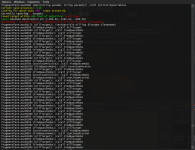
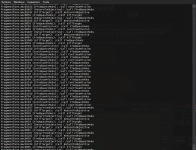
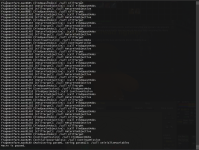
This is what happens when it "freezes" out. It'll repeat this over and over then after a mob is dead it is regular (or if I pause it, or if I am running to the entrance or returning to the quest giver).
Tiny_Ape
Member
Update: I "|" to comment out ALL the lines with "/setchattitle" and that's resolved everything. Smooth as butter!If you do a /mqp to pause the macro, can you discern what it might be looping on?

Has anyone played around with Custom Polygon Search Extents for the NAV issues? I keep getting stuck on top of beds and tables. I think this setting might help.... Saw in other posts unrelated to FragmentFarm that setting all 11's for Custom Polygon search extents might help resolve. Giving it a shot now.
Edit: didn’t work. Still getting stuck on or behind beds and sometimes even hailing the quest npc. I have to watch it constantly to get myself unstuck. Also tried both meshes…
Edit: didn’t work. Still getting stuck on or behind beds and sometimes even hailing the quest npc. I have to watch it constantly to get myself unstuck. Also tried both meshes…
Last edited:
Aug is still worth it as it is the only defensive skill increase available. Might be minor but unique.
On another note, just finished mine using the macro. It was worked great. But I made a couple of tweaks that really helped.
I made a quick and dirty LEM for both my mage and bard. I also added a “mission finished” group tell to the macro. I then used that group tell to trigger the LEMs (or are they LUAs managed by LEM, don’t know). Mage would CoTH quest runner back to quest giver and then gate to the entrance of the caves (bind just inside the cave entrance). After a delay (CoTH cooldown) he would then CoTH the quest runner back to the cave. At that point the mage would cast invis and run back to the quest giver to get ready for the next “Mission Finished” and do it all over again. The bard would use the same trigger on a delay (to wait for the quest runner to arrive via CoTH) to Selo the quest runner when he was at the quest giver. Quest runner would usually finish the 10 kills within the 5 min so pretty much had selo up the whole time. Having the mage and bard cut the quest running time by probably 75%. WAY quicker since it is a long run. Also if the gate failed the quest runner still had selo for the run back to the cave. Which did happen every once in a while.
Added two LEMs for the quest runner. On Hail, Bodhessel the Caller he would nav to spawn Bodhessel the Caller again. I found sometimes, for unknown reasons, the quest runner would nav to just out of reach of Bodhessel and just spawn Hail and agree. So that fixed that. There was also a time I died and was spamming Hail and Agree in guild lobby, also not good. So added a LEM that /end if there was You were slain text.
Lastly, the mesh could be a lot better. Used the other two meshes from from this thread and had the same issue. Also played around with auto size. Found best results at self size 3 and NPC size 20. But still got stuck behind beds or under tables or in weird dead zones. With a updated mesh this macro would almost be perfect. I tried to fix the mesh but couldn’t figure it out. If someone good with meshes could fix all of the tricky areas that would be amazing. Or if there was a way in the macro to recognize being stuck and off mesh and force a move forward 10 feet or something. Usually just had to move a inch to get it running again but it certainly made it a hands on process. I also changed the NAV settings to polygon extend to 20 but didn’t notice a difference as it didn’t fix the problem, but might have made it a bit better.
I’m sure if you are a pet class you would avoid a lot of the mesh issues with pet pulls. But melees will struggle.
If anyone wants the LEMs just me a message. Happy to share them.
Good luck!
Here are the rudimentary LEMs:
CoTF LEM
Text conditional LEM
Pattern: #*#Whatever text you add to the Macro#*# (in the fragmentfarm.Mac you find the part that has the nav back to the quest NPC and just add “/g port be back” (or whatever you want) and then use that as the pattern in the LEM
local mq = require('mq')
local function event_handler()
-- Implement the handling for the event here.
mq.cmd('/target QUESTRUNNERSNAME')
mq.cmd('/alt activate 7050')
mq.delay(8000)
mq.cmd('/alt activate 1217')
mq.delay(9000)
mq.cmd('/target QUESTRUNNERSNAME')
mq.cmd('/alt activate 7050')
mq.delay(9000)
mq.cmd('/alt activate 1210')
mq.delay(3000)
mq.cmd('/nav loc 477 -1913 6')
end
return {eventfunc=event_handler}
Here is the bard one.
Same deal:
Text conditional
Event pattern: #*#whatever phrase you put in the macro#*#
local mq = require('mq')
local function event_handler()
-- Implement the handling for the event here.
mq.delay(8000)
mq.cmd('/alt activate 3704')
end
return {eventfunc=event_handler}
On another note, just finished mine using the macro. It was worked great. But I made a couple of tweaks that really helped.
I made a quick and dirty LEM for both my mage and bard. I also added a “mission finished” group tell to the macro. I then used that group tell to trigger the LEMs (or are they LUAs managed by LEM, don’t know). Mage would CoTH quest runner back to quest giver and then gate to the entrance of the caves (bind just inside the cave entrance). After a delay (CoTH cooldown) he would then CoTH the quest runner back to the cave. At that point the mage would cast invis and run back to the quest giver to get ready for the next “Mission Finished” and do it all over again. The bard would use the same trigger on a delay (to wait for the quest runner to arrive via CoTH) to Selo the quest runner when he was at the quest giver. Quest runner would usually finish the 10 kills within the 5 min so pretty much had selo up the whole time. Having the mage and bard cut the quest running time by probably 75%. WAY quicker since it is a long run. Also if the gate failed the quest runner still had selo for the run back to the cave. Which did happen every once in a while.
Added two LEMs for the quest runner. On Hail, Bodhessel the Caller he would nav to spawn Bodhessel the Caller again. I found sometimes, for unknown reasons, the quest runner would nav to just out of reach of Bodhessel and just spawn Hail and agree. So that fixed that. There was also a time I died and was spamming Hail and Agree in guild lobby, also not good. So added a LEM that /end if there was You were slain text.
Lastly, the mesh could be a lot better. Used the other two meshes from from this thread and had the same issue. Also played around with auto size. Found best results at self size 3 and NPC size 20. But still got stuck behind beds or under tables or in weird dead zones. With a updated mesh this macro would almost be perfect. I tried to fix the mesh but couldn’t figure it out. If someone good with meshes could fix all of the tricky areas that would be amazing. Or if there was a way in the macro to recognize being stuck and off mesh and force a move forward 10 feet or something. Usually just had to move a inch to get it running again but it certainly made it a hands on process. I also changed the NAV settings to polygon extend to 20 but didn’t notice a difference as it didn’t fix the problem, but might have made it a bit better.
I’m sure if you are a pet class you would avoid a lot of the mesh issues with pet pulls. But melees will struggle.
If anyone wants the LEMs just me a message. Happy to share them.
Good luck!
Here are the rudimentary LEMs:
CoTF LEM
Text conditional LEM
Pattern: #*#Whatever text you add to the Macro#*# (in the fragmentfarm.Mac you find the part that has the nav back to the quest NPC and just add “/g port be back” (or whatever you want) and then use that as the pattern in the LEM
local mq = require('mq')
local function event_handler()
-- Implement the handling for the event here.
mq.cmd('/target QUESTRUNNERSNAME')
mq.cmd('/alt activate 7050')
mq.delay(8000)
mq.cmd('/alt activate 1217')
mq.delay(9000)
mq.cmd('/target QUESTRUNNERSNAME')
mq.cmd('/alt activate 7050')
mq.delay(9000)
mq.cmd('/alt activate 1210')
mq.delay(3000)
mq.cmd('/nav loc 477 -1913 6')
end
return {eventfunc=event_handler}
Here is the bard one.
Same deal:
Text conditional
Event pattern: #*#whatever phrase you put in the macro#*#
local mq = require('mq')
local function event_handler()
-- Implement the handling for the event here.
mq.delay(8000)
mq.cmd('/alt activate 3704')
end
return {eventfunc=event_handler}
Last edited:

@melgaroth this is still a must for all your ftp bots since they’ll never max out hstats.Is this aug still worth getting in 2023 for 115/120's? Just curious what everyone's thoughts are on this.
Very cool! Thanks!@melgaroth this is still a must for all your ftp bots since they’ll never max out hstats.
is there to way to make it so my sham running this casts the group version of invis rather than the self only? i have to have another char with him or he dies by getting too many adds. Pretty sick regardless came back a few hours later and had like 40 fragments or more. doing overseer and this will finish the tear in no time, probably do it on all my chars now. thanks!
Is there a way to make it so that toons with aggro will kill the mobs attacking them? There is a named that occasionally aggros, or if invis pot drops near a mob aggro will happen and it screws everything up. The toon with aggro stops and stands there casting invis pot over and over, and if not attended to eventually dies.
Tried to add line for Mask of Vanishing for invis, but it doesnt seem to like it - it doesnt invis - can you check please
| COMMENT: Pre-configurations
/if (!${Bool[${invisAbilityOrItem}]}) {
/if (${Me.AltAbility[Perfected Invisibility]}) /ini "${iniFileName}" "Options" "invisAbilityOrItem" "Perfected Invisibility"
/if (${Me.AltAbility[Innate Camouflage]}) /ini "${iniFileName}" "Options" "invisAbilityOrItem" "Innate Camouflage"
/if (${Me.AltAbility[Shauri's Sonorous Clouding]}) /ini "${iniFileName}" "Options" "invisAbilityOrItem" "Shauri's Sonorous Clouding"
/if (${Me.AltAbility[Cloak of Shadows]}) /ini "${iniFileName}" "Options" "invisAbilityOrItem" "Cloak of Shadows"
/if (${Me.AltAbility[Mask of Vanishing]}) /ini "${iniFileName}" "Options" "invisAbilityOrItem" "Mask of Vanishing"
/if (${Me.AltAbility[Improved Natural Invisibility]}) /ini "${iniFileName}" "Options" "invisAbilityOrItem" "Improved Natural Invisibility"
/if (${Me.AltAbility[Silent Presence]}) /ini "${iniFileName}" "Options" "invisAbilityOrItem" "Silent Presence"
or does it not allow any other items other an spells and aas - would be great if it would use potions or items - sucks for monks and clerics
| COMMENT: Pre-configurations
/if (!${Bool[${invisAbilityOrItem}]}) {
/if (${Me.AltAbility[Perfected Invisibility]}) /ini "${iniFileName}" "Options" "invisAbilityOrItem" "Perfected Invisibility"
/if (${Me.AltAbility[Innate Camouflage]}) /ini "${iniFileName}" "Options" "invisAbilityOrItem" "Innate Camouflage"
/if (${Me.AltAbility[Shauri's Sonorous Clouding]}) /ini "${iniFileName}" "Options" "invisAbilityOrItem" "Shauri's Sonorous Clouding"
/if (${Me.AltAbility[Cloak of Shadows]}) /ini "${iniFileName}" "Options" "invisAbilityOrItem" "Cloak of Shadows"
/if (${Me.AltAbility[Mask of Vanishing]}) /ini "${iniFileName}" "Options" "invisAbilityOrItem" "Mask of Vanishing"
/if (${Me.AltAbility[Improved Natural Invisibility]}) /ini "${iniFileName}" "Options" "invisAbilityOrItem" "Improved Natural Invisibility"
/if (${Me.AltAbility[Silent Presence]}) /ini "${iniFileName}" "Options" "invisAbilityOrItem" "Silent Presence"
or does it not allow any other items other an spells and aas - would be great if it would use potions or items - sucks for monks and clerics
Last edited:
Tried to add line for Mask of Vanishing for invis, but it doesnt seem to like it - it doesnt invis - can you check please
| COMMENT: Pre-configurations
/if (!${Bool[${invisAbilityOrItem}]}) {
/if (${Me.AltAbility[Perfected Invisibility]}) /ini "${iniFileName}" "Options" "invisAbilityOrItem" "Perfected Invisibility"
/if (${Me.AltAbility[Innate Camouflage]}) /ini "${iniFileName}" "Options" "invisAbilityOrItem" "Innate Camouflage"
/if (${Me.AltAbility[Shauri's Sonorous Clouding]}) /ini "${iniFileName}" "Options" "invisAbilityOrItem" "Shauri's Sonorous Clouding"
/if (${Me.AltAbility[Cloak of Shadows]}) /ini "${iniFileName}" "Options" "invisAbilityOrItem" "Cloak of Shadows"
/if (${Me.AltAbility[Mask of Vanishing]}) /ini "${iniFileName}" "Options" "invisAbilityOrItem" "Mask of Vanishing"
/if (${Me.AltAbility[Improved Natural Invisibility]}) /ini "${iniFileName}" "Options" "invisAbilityOrItem" "Improved Natural Invisibility"
/if (${Me.AltAbility[Silent Presence]}) /ini "${iniFileName}" "Options" "invisAbilityOrItem" "Silent Presence"
or does it not allow any other items other an spells and aas - would be great if it would use potions or items - sucks for monks and clerics
Most likely the IF check is failing, as the Mask of Vanishing is an Item and not Alt Ability.
But all this section is doing is writing information to an INI file. It doesn't have anything to do with actual casting or using an item/spell (except defining what ability/item is available to use).
The script uses /casting (without type) to do invis. It should be able to use Mask of Vanishing, if it knows about it.
Users who are viewing this thread
Total: 1 (members: 0, guests: 1)
Share: