
Install the app
How to install the app on iOS
Follow along with the video below to see how to install our site as a web app on your home screen.
Note: This feature may not be available in some browsers.
-
 You've discovered RedGuides, an EverQuest multi-boxing and scripting community 🧙♀️⚙️. We want you to play several EQ characters at once, come join us and say hello! 👋

You are using an out of date browser. It may not display this or other websites correctly.
You should upgrade or use an alternative browser.
You should upgrade or use an alternative browser.
Question - Using /nav to zone
- Thread starter Ordell
- Start date


Ctr F, click on the zone connection you want
Doesn't do that. I tried.

Killertoxin
Well-known member
- Joined
- Nov 30, 2019
- RedCents
- 432¢
the navigate feature is reliant on two things. First the zone will support the Find feature. The second is that there is a mesh available to navigate the terrain. For example you can find western wastes in CoV from cobalt scar but the mesh will not take you there because of the need to go underwater and some other pita movements. If you are so inclined you can go into the mesh editor and make your own specific path. That said sometimes it just doesnt want to work but ill admit its not often.
You can open the find window, left click on it to send that toon to the target, be it an npc, or zoneline. Or right click it, and it will send the entire group.
Like I said it doesn't work.
Like I said it doesn't work.
Does it give an error? is the Mesh loaded?
. Or right click it, and it will send the entire group.
holy crap!?! For real. I can’t wait to log in this weekend and try this. If it works, I flipping love you for your comment!

you can /travelto shortname likeif you want to actually zone, you can use /travelto "zoneshortname"
zoneshortnames are in mq2/release/zones.ini if you need to find the names
/travelto poknowledge or /travelto "long name" like /travelto "The Plane of Knowledge"Makes it a bit difficult to help if that's the only feedback.Like I said it doesn't work.
MQ2Nav and MQ2EasyFind are separate plugins. The '/nav' command is part of MQ2Nav. The '/travelto' and '/easyfind' functions are part of MQ2EasyFind and will use MQ2Nav if a mesh is available.
If /travelto "Zone Name" works then /easyfind "Zone Name" should also work. If either works, then it seems that left-clicking a zone in the Find window should also work. So what are you saying with 'Like I said it doesn't work':
1) /travelto works but /easyfind does not.
2) /travelto and /easyfind both work but clicking in Find does not
3) Something else
Only pursuing this because clicking in Find is so much easier than typing in the zone name - most of the time I use the Find window to know what the zone name even is. So it is to your benefit to be able to use it rather than typing.

Two questions, @dannuic
1) I noticed that the very nice zone guide window pops up if I make a successful travelto, like poknowledge. But if it can't find the zone, the window doesn't pop up. Is there a way I can bring up that window without a travelto?
2) The mesh for Underfoot is seriously lacking and I often can't use travelto. For example, I can't get to Brell's Temple from Brell's Rest, one zone away. And I can't get to Fungal Forest at all. Can I create my own meshes?
1) I noticed that the very nice zone guide window pops up if I make a successful travelto, like poknowledge. But if it can't find the zone, the window doesn't pop up. Is there a way I can bring up that window without a travelto?
2) The mesh for Underfoot is seriously lacking and I often can't use travelto. For example, I can't get to Brell's Temple from Brell's Rest, one zone away. And I can't get to Fungal Forest at all. Can I create my own meshes?
Last edited:
(not dan but i can answer)Two questions, @dannuic
1) I noticed that the very nice zone guide window pops up if I make a successful travelto, like poknowledge. But if it can't find the zone, the window doesn't pop up. Is there a way I can bring up that window without a travelto?
2) The mesh for Underfoot is seriously lacking and I often can't use travelto. Can I create my own meshes?
1. the zone guide is a button in your map window
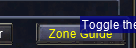
2. you can certainly make your own meshes with the meshgenerator.exe in your release folder - CWTN has a video about it > here <
I'm beginning to realize part of the problem. Fungal Forest and Lichen Creep have these pads you stand on. They don't have an official zone line. So travelto doesn't work.
Why I can't travelto Brell's Temple from Brell's Rest is a mystery, though
Why I can't travelto Brell's Temple from Brell's Rest is a mystery, though
Users who are viewing this thread
Total: 1 (members: 0, guests: 1)
Share: