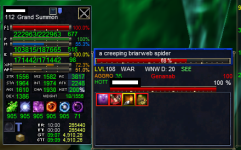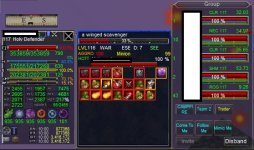

I tend to be an overabundance of information, and so is my player window =P
Player window is 100% EQ. I prefer this set up so I can tell what the evil nasty is doing to me at a glance. Its a modified version of "MORTIS PLAYER WINDOW BY DARKMATIL"
Target window is a modified default window with MQ enhancements to show target level, class, distance, direction, and LOS.
Shows your aggro percentage, shows secondary aggro person and their aggro percentage.
Shows HoTT name, HP bar, and HP percentage.

 github.com
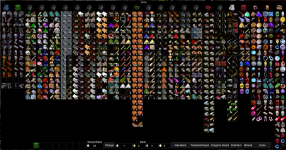
If someone finds a working "big bank" that has all bags open, I would appreciate a copy.
Player window is 100% EQ. I prefer this set up so I can tell what the evil nasty is doing to me at a glance. Its a modified version of "MORTIS PLAYER WINDOW BY DARKMATIL"
Target window is a modified default window with MQ enhancements to show target level, class, distance, direction, and LOS.
Shows your aggro percentage, shows secondary aggro person and their aggro percentage.
Shows HoTT name, HP bar, and HP percentage.
GitHub - NecroGnomie/Gnomie-Stuff: Gnomie Files
Gnomie Files. Contribute to NecroGnomie/Gnomie-Stuff development by creating an account on GitHub.
github.com
If someone finds a working "big bank" that has all bags open, I would appreciate a copy.