• You've discovered RedGuides, an EverQuest multi-boxing and scripting community 🧙‍♀️⚙️. We want you to play several EQ characters at once, come join us and say hello! 👋

  • A TLP without truebox has thawed (Very Vanilla ready)
    Frostreaver

Request - trying to learn Lua

Joined
Apr 12, 2025
RedCents
1,056¢
So I am trying to learn to write Lua's and starting very basic, cant seem to make this work anyone able to point me in right direction?
[CODE lang="Lua" title="Wave"]local mq = require('mq')

local function condition()
-- Optional: Only run if Banker Denton exists in zone
return mq.TLO.SpawnCount('Banker Denton npc')() > 0
end

local function action()
local targetName = mq.TLO.Target.Name()
if targetName and targetName == 'Banker Denton' then
mq.cmdf('/wave')
end
end

return {condfunc=condition, actionfunc=action}[/CODE]

ok i was able to make that one work thanks

[CODE lang="Lua" title="Wave"]local mq = require('mq')

local function condition()
return mq.TLO.SpawnCount('Banker Denton')() > 0
end

local function action()

if mq.TLO.Target.CleanName() == 'Banker Denton' then
mq.cmd('/wave')

end

end
{condfunc=condition, actionfunc=action}[/CODE]
 
Last edited:
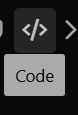
if you click this button 1751828798363.png when editing your post oyu can paste code into a code block so its nice looking, can even select it to be Lua code so its nicely formatted.
 
So I am trying to learn to write Lua's and starting very basic, cant seem to make this work anyone able to point me in right direction?


local mq = require('mq')
local library = require('library')

---@return boolean @Returns true if the action should fire, otherwise false.
local function condition()
local target = mq.TLO.Me.Target()
-- Check if target exists, is an NPC, and the name matches "Banker Denton"
return target() ~= nil
and target.Type() == "NPC"
and target.Name() == "Banker Denton"
and library.in_control()
end

local function action()
Write.Debug('ENTER action')
Write.Info('Waving at Banker Denton')
mq.cmd('/wave')
end

return {condfunc=condition, actionfunc=action}
Didn't look at everything, but your target variable is defined as a string, and you are trying to make it string again by adding more parentheses.
You can't add a member to a string. E.g, you can't have mq.TLO.Target().Name(). Its just mq.TLO.Target.Name()
Drop them where you defined target.
local target = mq.TLO.Target
Also, drop the Me
 
Anyone got any recommendations on a resource for writing conditional scripts for events that you need to cure, dodge, or run away from a mob? I've tried and either its very hard to test or they don't work. I can write the non conditional ones pretty well.
 
Last edited:
Anyone got any recommendations on a resource for righting conditional scripts for events that you need to cure, dodge, or run away from a mob? I've tried and either its very hard to test or they don't work. I can write the non conditional ones pretty well.
LEM examples are probably a good place to start - it really depends on what all you're trying to do.

when i approach something i usually start with "how would a real person do this"

so if it is a "would look for the buff" or "trigger goes off saying i got the buff / emote"

then i would say "how do i make mq look for the buff or react to a trigger/emote"
 
LEM examples are probably a good place to start - it really depends on what all you're trying to do.

when i approach something i usually start with "how would a real person do this"

so if it is a "would look for the buff" or "trigger goes off saying i got the buff / emote"

then i would say "how do i make mq look for the buff or react to a trigger/emote"
Thanks I'll start there and see if I get something going.
 
I do the same thing. Especially when I am trying to program raid events, I will start with a shell, put in the events, having it write messages to the window so I can see exactly what is firing and when. Once I am seeing that it is reacting to the events, I will then start putting in the actions it is supposed to take to handle the events.

It is really an iterative process.
 
I don't see that on mine ... do I need to do anything to expand it?

mod edit: i deleted your picture - you have a bunch of names in the background.
 
I don't see that on mine ... do I need to do anything to expand it?

mod edit: i deleted your picture - you have a bunch of names in the background.
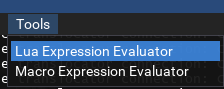
/mqconsole or control+` and then tools -> Lua expression evaluator
 
Btw if you still want command line you can /lua run mq/eval
Typically faster than going for the clicky stuff for me, but to each their own
 
Request - trying to learn Lua

Users who are viewing this thread

Back
Top
Cart