• Hail, we're RedGuides. We want you to play six (yes, 6!) EverQuest characters at once. We have scripts and a friendly community to help, please join our playstyle and say hello! 👋
  • We've added LLM sections to our Terms & Rules and Resource Rules, for everyone's sanity & in-game safety.
    Read more
    a. Do not replace your voice with an LLM. This goes for your posts and your scripts. Drafting and editing with a tool is fine, but don't take you out of what you share.
    b. Do not replace your EQ character's voice with an LLM. We don't want scripts that speak over /ooc, /shout or other public channels. This has been an unwritten rule that's kept casino scripts off the site for decades, but we're now compelled to make it clear: keep automated communication private.

    Why Does RG Review Scripts?
    Nearly every LLM-written Lua script we see is making your character do impossible things, and rarely in a way that's beneficial to you. We've seen heavy server hammering, /target over impossible distances when /nav spawn would passively accomplish the same thing, a spawn search that fires 20+ times per second, and other pointless actions that are likely annoying GMs.

    You are welcome to use LLMs as a tool to structure, draft, and edit your work, but please read critically before hitting /lua run

Question - The last piece of the puzzle (MQ2NAV door opening issue)

Status
Not open for further replies.

Ninjapickle

Seasoned veteran member
I will pay you 1 BILLION dollars* to help me figure this out!

So, I do most of my power leveling of my toons in ST. Shocking, I know. My issue is that I can't for the life of me get my puller (or any toons) to open the doors. I posted about this awhile back and SIC recommended using the UI Nav tool and debug doors to check the distance it which the doors were being clicked. I think he also mentioned something about the actual size of the toon making a difference.
Well, I've tried resetting the click distance in 1 foot increments from 1 foot to 40 feet on a couple of different toons, and no luck at all. I've tried with toons being normal size and shrunk, one was an ogre and the other a DE.

There are approx 359 bot groups in ST, and they don't seem to have any issues going through doors ><
Haaaaalp!

*payable on 1/1/2301
 
Last edited:
Did you edit the Nav meshes to leave a narrower path through the doors? My guys would always try to take the doors too close to the edge, which kept them from going through, even if they clicked them.
 
Had the same problem in Skyshrine. So nav to the nearest door and then open mq2nav tool - Debug tools - Door Handler Debug - trigger distance is what you need to incease. Look at the first OBJ_INTDOOR # ( should be the door your standing at) whatever that number is round it up and make it your new trigger distance.
Also in mq2nav tool - settings - navigation - automatically click nearby doors is selected.

We're getting closer, I think! So I tried this in ST and with a different toon in POK as well. In POK, clicking "force enabled" turned all of the names of doors etc white andshowed the distance from any given door I approached. In ST, that doesn't happen. The names of clickable objects stay red and it never shows the distance to the door. Any ideas?
 
mq2nav tool - Debug tools - objects - vew doors, will give you a list of all doors.
So when i was in skyshrine and navigated to a door and got stuck, my distance to the door trigger was 40, but my door trigger was set at 20, so i set it to 50 and it worked.
 
mq2nav tool - Debug tools - objects - vew doors, will give you a list of all doors.
So when i was in skyshrine and navigated to a door and got stuck, my distance to the door trigger was 40, but my door trigger was set at 20, so i set it to 50 and it worked.
So I solved one problem, and now he'll click the doors to open them. Turns out I needed to uncheck the "ignore scripted doors" option. Woot!
However, now the issue is he goes to the side of the doors just enough to get stuck. Any tips on that one?
 
So I solved one problem, and now he'll click the doors to open them. Turns out I needed to uncheck the "ignore scripted doors" option. Woot!
However, now the issue is he goes to the side of the doors just enough to get stuck. Any tips on that one?
yes, adjust your mesh so you go to the center

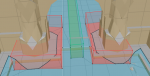
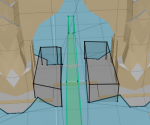
in zone - area types i usually create something with a very high are value
1612279384369.png

and then areas i want to avoid "mark" with that hellaAvoid and make the green prefered
1612279390582.png


re: the doors - yes any door that is more than 1 "door" - like double doors, or a button that triggers a rock to open are "scripted doors" and you have to turn off the ignore scriped doors

here is my ST mesh
 

Attachments

Last edited:
So I solved one problem, and now he'll click the doors to open them. Turns out I needed to uncheck the "ignore scripted doors" option. Woot!
However, now the issue is he goes to the side of the doors just enough to get stuck. Any tips on that one?

I was having the same problem in ST when i was in there before.. but only on one door.. the .. left one? (between left big room and middle)

I'll try out your fix next time i'm down there, but cheers thanks for figuring it out and posting!
 
just fyi - the problem with making something not pathable (when it is) versus a high avoidance is if you end up on that spot due to fighting something, or a knockback, or bumping another player - now your toon is stuck there. I strongly advise using a custom valued avoid in places that you can nav, but just don't want to

edit: there are plenty of times where i DO use can't path - but somewhere i might get in a pickle at isn't one of them
 
just fyi - the problem with making something not pathable (when it is) versus a high avoidance is if you end up on that spot due to fighting something, or a knockback, or bumping another player - now your toon is stuck there. I strongly advise using a custom valued avoid in places that you can nav, but just don't want to
That is true, I mostly did the doors there for collection item pickups with a rogue. No fighting.

Pickle try this one out, changed no-pathing to high avoidance
 

Attachments

Last edited:
Unfortunately, any of these edits will get overwritten the next time you update meshes via the launcher unless someone has included a doors friendly mesh in the pack that gets pushed to the launcher.
 
Question - The last piece of the puzzle (MQ2NAV door opening issue)
Status
Not open for further replies.

Users who are viewing this thread

Back
Top
Cart