



Infiniteye
BANNED
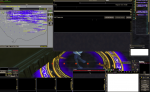
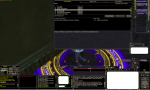
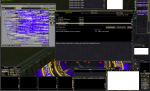
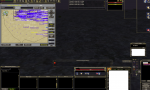
I wanted to make a separate post about this to show you the issue. I doubt there is anything that can be done but this is the bug I experience in zones like CoB when I have the map window open. I played with toggling ground spawns just to get the reactions of the UI. Changing slight things will un-bug it till you click on a window or close the map window all together. Mostly though it's very annoying because playing with blacked out chats, blacked out quest window and blacked out mercenary windows is a pita just because the map is open.
I SS'd a few samples with my custom UI and a couple with Default UI. I have since over the past year built a new comp, have windows 7 now so the prob wasn't just in win xp. I also re-downloaded EQ fully and have deleted the CoB zone files and music files and anything else I could think of that may be buggy. I have come to the conclusion that it's just something in MQ and not my system. Anyone else experience this or found a way to fix it? The whited out parts are what i blocked out for personal safety. The windows that are black or missing text like the quest window was done by whatever this bug is. I don't know if this has been discussed on the main MQ boards etc. I only come here for the most part, if you can share this with the devs or at least let me know if anyone has an idea what the issue is that would be great.
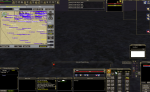
I SS'd a few samples with my custom UI and a couple with Default UI. I have since over the past year built a new comp, have windows 7 now so the prob wasn't just in win xp. I also re-downloaded EQ fully and have deleted the CoB zone files and music files and anything else I could think of that may be buggy. I have come to the conclusion that it's just something in MQ and not my system. Anyone else experience this or found a way to fix it? The whited out parts are what i blocked out for personal safety. The windows that are black or missing text like the quest window was done by whatever this bug is. I don't know if this has been discussed on the main MQ boards etc. I only come here for the most part, if you can share this with the devs or at least let me know if anyone has an idea what the issue is that would be great.


 RC'd!
RC'd! 