• Hail, we're RedGuides. We want you to play six (yes, 6!) EverQuest characters at once. We have scripts and a friendly community to help, please join our playstyle and say hello! 👋
  • We've added LLM sections to our Terms & Rules and Resource Rules, for everyone's sanity & in-game safety.
    Read more
    a. Do not replace your voice with an LLM. This goes for your posts and your scripts. Drafting and editing with a tool is fine, but don't take you out of what you share.
    b. Do not replace your EQ character's voice with an LLM. We don't want scripts that speak over /ooc, /shout or other public channels. This has been an unwritten rule that's kept casino scripts off the site for decades, but we're now compelled to make it clear: keep automated communication private.

    Why Does RG Review Scripts?
    Nearly every LLM-written Lua script we see is making your character do impossible things, and rarely in a way that's beneficial to you. We've seen heavy server hammering, /target over impossible distances when /nav spawn would passively accomplish the same thing, a spawn search that fires 20+ times per second, and other pointless actions that are likely annoying GMs.

    You are welcome to use LLMs as a tool to structure, draft, and edit your work, but please read critically before hitting /lua run

Problem - Taskmanager Background Processes

Not sure where this goes and its something that I just noticed. I was ending a sesson in EQ. Logged everyone out and finished reading whats going on here. Logged out of everything and was closing down the computer when a program locked up. I when to the taskmanager to end it that way and noticed under backgroud processes that I still had several instances of EQ still running.

So being curious I loaded up the launcher, opened up EQBCS and then launched Next. I then tried to load in a group and then when they came on line I had no MQ. No MQ window, none of the CWTN plugins worked, nothing but a regular character load.

I logged everyone out. Closed everything and then went to the taskmanager and end task for all the background processes of EQ. Loaded everything up and things stated working like they should. Logged everyone out again and bingo. Taskmanager has eq task back in the backgroud processe area again.

So my question is, is this supposed to happen or is something messed up and has anyone noticed this happing?

Zeb
 
Here is an up date... First I made sure everything was updated (windows, Nivida, EQ, and a bunch of other stuff). I then rebooted the system. I then ran SFC /scannow to check for any windows corrupted files.

Now with just a few things running in the background (start up stuff) I launched just EQ and loaded a character. Got in game and as expected all the RG stuff is gone. I then logged out the character to exit EQ. I checked the taskmanager and there were no eqgame.exe running in the background processes. This worked like it was supposed to.

Now I loaded up RG Launcher. Made sure that everything was there and updated. Loaded up EQBCS and then launched MQNext. Loaded a character from the MacroQuest2 profile and everything worked like it should. I logged out the character fully and then checked the taskmanager and eqgame.exe was still in the background processes.

I then loaded up the same character and when I got into the game all the MQ stuff was gone. It was like I loaded up a character without MQ. I then fully logged out of EQ again and then ended the eqgame.exe from the background processes. Loaded up the character and everything was back up.

So indications are that when I run MQ it puts eqgame.exe into the background processed but does not clear it out when character logs out.

Things to try: Logging character out to selection screen and logging in a different character.
Logging out character to the server select and choosing a different server and loading up a character

Zeb
 
I have a few different test systems and I verified none of them have this problem, unfortunately.

From the task manager, from a hung EQ session after you’ve logged out — force a memory dump and let’s see what it says.
 
Things to try: Logging character out to selection screen and logging in a different character.
Logging out character to the server select and choosing a different server and loading up a character

Zeb

FTP or Gold accounts? I have noticed on Free characters that EQGame.exe tries to launch your default web browser when it's exiting. Anything that delays the web browser could be causing EQGame.exe to also delay closing.

Just a couple days ago I used key repeater in ISBoxer to type /camp desktop on my team of 6 FTP accounts. As the EQ windows disappeared, I saw 5 of 6 web browser windows open immediately, but the 6th didn't pop up for about 5 minutes!
 
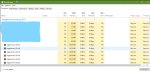
Okay I have fully logged out my group. Checked taskmanager and under background processes these popped up.

Screenshot (14)_LI.jpg

While in game they were not there only when I logged out did they show up. When I load up the group normally (without loading up MQ) nothing is in the background processes and when I fully log them out ... there is nothing under background processes for eqgame.exe.

This only happens when I am running MQ.

Zeb
 
Last edited by a moderator:
Default Browser is Firefox. Thats one of the things. Everything works like it should even logging out I get no errors or dump file. I log out to dest top and then eqgame.exe pops up in the background processes. I am trying different things to see if I can get a dump file generated but no luck so far.

Question: Is Rizlona server a EMU type server verses say Cazic Live server? This is just a guess but I am trying to rule out things that might be causing this to happen.

Zeb
 
It’s really just right click on what you have in your screen shot and then select “create dump” — what is the issue you’re having in creating it?

No, Rizlona is a TLP but the client code is the same as Live. It’s not an emulated server.
 
Problem - Taskmanager Background Processes

Users who are viewing this thread

Back
Top
Cart