TeachersPet
Well-known member
- Joined
- Jul 27, 2005
- RedCents
- 71¢
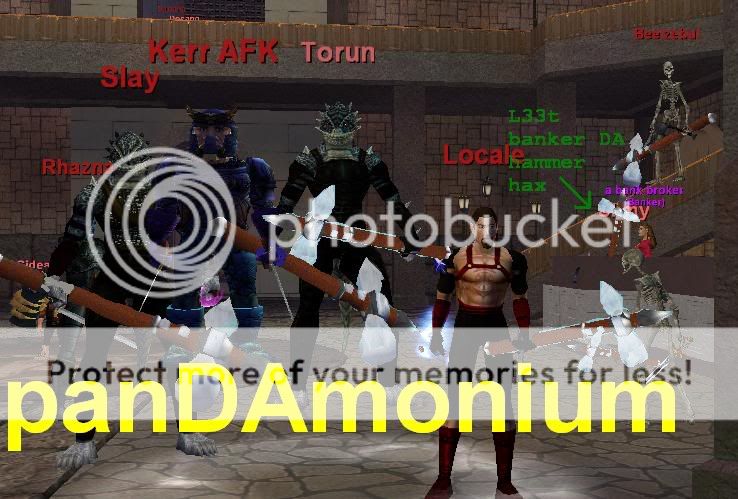
If you want to use MQ2 and not have to worry about getting caught in screenshots, this is for you. The only way now you will be caught with anything in a screenshot is the rare chance the underscore in someone's last name shows up, and occaisionally corpses will appear with green names.
Go into MacroQuest2.ini, and search for "[Captions]" after finding it, replace that block and the next block below it with what is in the code box below.
Now move your MQ2 window behind a collapseable chat window (I suggest one that you filter guild chat to) and when you need to read your MQ2 window just collapse said window and read it. Also, don't make use of any of those retarded "Hud" UI things. If anything the XML will get you caught and banned for 3rd party programs because it's pretty easy for SoE to detect, but they're a dead giveaway you're using MQ2 in a screenshot
Go into MacroQuest2.ini, and search for "[Captions]" after finding it, replace that block and the next block below it with what is in the code box below.
Rich (BB code):
[Captions]
Update=35
Player1=${If[${NamingSpawn.Mark},${NamingSpawn.Mark} - ,]}${If[${NamingSpawn.Trader},Trader ,]}${If[${NamingSpawn.Invis},(${NamingSpawn.DisplayName}),${NamingSpawn.DisplayName}]}${If[${NamingSpawn.AFK}, AFK,]}${If[${NamingSpawn.Linkdead}, LD,]}${If[${NamingSpawn.LFG}, LFG,]}}
Player2=${If[${NamingSpawn.Mark},${NamingSpawn.Mark} - ,]}${If[${NamingSpawn.Trader},Trader ,]}${If[${NamingSpawn.Invis},(${NamingSpawn.DisplayName}),${NamingSpawn.DisplayName}]}${If[${NamingSpawn.Surname.Length}, ${NamingSpawn.Surname},]}${If[${NamingSpawn.AFK}, AFK,]}${If[${NamingSpawn.Linkdead}, LD,]}${If[${NamingSpawn.LFG}, LFG,]}}
Player3=${If[${NamingSpawn.Mark},${NamingSpawn.Mark} - ,]}${If[${NamingSpawn.Trader},Trader ,]}${If[${NamingSpawn.Invis},(${NamingSpawn.DisplayName}),${NamingSpawn.DisplayName}]}${If[${NamingSpawn.Surname.Length}, ${NamingSpawn.Surname},]}${If[${NamingSpawn.AFK}, AFK,]}${If[${NamingSpawn.Linkdead}, LD,]}${If[${NamingSpawn.LFG}, LFG,]}${If[${NamingSpawn.Guild.Length},\n${NamingSpawn.Guild}>,]}
Player4=${If[${NamingSpawn.Mark},${NamingSpawn.Mark} - ,]}${If[${NamingSpawn.Trader},Trader ,]}${If[${NamingSpawn.AARank},${NamingSpawn.AATitle} ,]}${If[${NamingSpawn.Invis},(${NamingSpawn.DisplayName}),${NamingSpawn.DisplayName}]}${If[${NamingSpawn.Surname.Length}, ${NamingSpawn.Surname},]}${If[${NamingSpawn.Suffix.Length}, ${NamingSpawn.Suffix},]}${If[${NamingSpawn.AFK}, AFK,]}${If[${NamingSpawn.Linkdead}, LD,]}${If[${NamingSpawn.LFG}, LFG,]}${If[${NamingSpawn.Guild.Length},\n<${NamingSpawn.Guild}>,]}
NPC=${If[${NamingSpawn.Mark},${NamingSpawn.Mark} - ,]}${If[${NamingSpawn.Assist},>> ,]}${NamingSpawn.DisplayName}${If[${NamingSpawn.Assist}, - ${NamingSpawn.PctHPs}%<<,]}${If[${NamingSpawn.Surname.Length},\n(${NamingSpawn.Surname}),]}
Corpse=${NamingSpawn.DisplayName}'s corpse
Pet=${If[${NamingSpawn.Mark},${NamingSpawn.Mark} - ,]}${If[${NamingSpawn.Assist},>> ,]}${NamingSpawn.DisplayName}${If[${NamingSpawn.Assist}, - ${NamingSpawn.PctHPs}%<<,]}

[Caption Colors]
PC=OFF
PC-Color=ff00ff
PCCon=OFF
PCPVPTeam=OFF
PCRaid=OFF
PCRaid-Color=ff7f
PCClass=OFF
PCGroup=OFF
PCGroup-Color=ffff00
PCTrader=OFF
PCTrader-Color=ff7f00
NPC=OFF
NPC-Color=ff0000
NPCCon=OFF
NPCClass=OFF
NPCMerchant=OFF
NPCMerchant-Color=ff7f00
NPCBanker=OFF
NPCBanker-Color=c800ff
NPCAssist=OFF
NPCAssist-Color=ffff00
NPCMark=OFF
NPCMark-Color=ffff00
PetNPC=OFF
PetNPC-Color=ff0000
PetPC=OFF
PetPC-Color=ffff00
PetClass=OFF
PetClass-Color=ff0000
Corpse=OFF
Corpse-Color=ff0000
CorpseClass=OFF
CorpseClass-Color=ff0000
Now move your MQ2 window behind a collapseable chat window (I suggest one that you filter guild chat to) and when you need to read your MQ2 window just collapse said window and read it. Also, don't make use of any of those retarded "Hud" UI things. If anything the XML will get you caught and banned for 3rd party programs because it's pretty easy for SoE to detect, but they're a dead giveaway you're using MQ2 in a screenshot