
• You've discovered RedGuides, an EverQuest multi-boxing and scripting community 🧙‍♀️⚙️. We want you to play several EQ characters at once, come join us and say hello! 👋

  • A TLP without truebox has thawed (Very Vanilla ready)
    Frostreaver

RGMercs One character always lags behind

Joined
Jan 7, 2017
RedCents
40¢
Good morning,

Noticing that in my group of 6, whether I set a camp or use hunt/farm to pull, one specific character (cleric) either never fully comes back into camp after drifting away or when hunting/farming, is always lagging behind. Maybe 10% of the time, it will move to stay with the puller like the other 4 characters, but the rest of the time, it often stands by itself & can be a pull or 2 behind before it begins to move with the puller again.
 
Is it the last one you have logged in? If so you can do things like turn down graphics etc and us the frame limiter to lower the fps. I turned all the other toons down to 30fps, going to low causes this as well. If you are on the main toon and see the fps not hitting what you have set to max, in my case 60fps, then there is an issue, try spinning around and see if the fps drops low, if so that is the issue.
 
Good morning,

Noticing that in my group of 6, whether I set a camp or use hunt/farm to pull, one specific character (cleric) either never fully comes back into camp after drifting away or when hunting/farming, is always lagging behind. Maybe 10% of the time, it will move to stay with the puller like the other 4 characters, but the rest of the time, it often stands by itself & can be a pull or 2 behind before it begins to move with the puller again.
Sounds like they are trying to buff and you may be moving too quickly.
You can increase the timer for that in the buff settings, but by default, it's 5 seconds.
You can also adjust the pull delay, or just give them more time.
Edit: you can also disable the offending buff if you don't want it. Have a look at what's happening in the character.

If it isn't that, or even if it is, you should ensure the MQ frame limiter is set up, link in my signature.
 
Is it the last one you have logged in? If so you can do things like turn down graphics etc and us the frame limiter to lower the fps. I turned all the other toons down to 30fps, going to low causes this as well. If you are on the main toon and see the fps not hitting what you have set to max, in my case 60fps, then there is an issue, try spinning around and see if the fps drops low, if so that is the issue.

Yes - it's the 6th character logged in. I have frame limiting for background set to 0.001 FPS

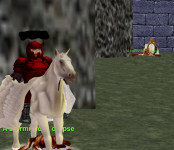
Here's a screenshot of what happens. This happens even when I have this window maximized in the foreground. Does not seem to be a FPS/graphical delay issue. It may run up when a mob is almost dead, get a cast or 2 in, then stay there as the pack moves on. Every so often, it will move in sync but almost never.
 

Attachments

  • Slow char.png
    Slow char.png
    652.7 KB · Views: 0
Last edited:
May be worth checking the camp size and making it smaller on the lagging toon if it is currently huge?

Edit: Oops - didn't notice this was in the RGMercs folder. The above may not apply!
 
May be worth checking the camp size and making it smaller on the lagging toon if it is currently huge?

Edit: Oops - didn't notice this was in the RGMercs folder. The above may not apply!

Is camp size a factor when using hunt/farm?
 
Yes - it's the 6th character logged in. I have frame limiting for background set to 0.001 FPS

Here's a screenshot of what happens. This happens even when I have this window maximized in the foreground. Does not seem to be a FPS/graphical delay issue. It may run up when a mob is almost dead, get a cast or 2 in, then stay there as the pack moves on. Every so often, it will move in sync but almost never.
Bring the affected toon to the foreground. If everything suddenly works great, it may be a performance issue.

If not, ultimately, logging should show you what is happening. Find the console in mercs at the bottom, change the log level to debug and see what he's trying to do... And/or follow the advice I gave you in my first response.
 
Bring the affected toon to the foreground. If everything suddenly works great, it may be a performance issue.

If not, ultimately, logging should show you what is happening. Find the console in mercs at the bottom, change the log level to debug and see what he's trying to do... And/or follow the advice I gave you in my first response.

This was super helpful, thank you for the advice on the debug console!

He was trying to use his rezz stick on himself over & over again 😅
 
This was super helpful, thank you for the advice on the debug console!

He was trying to use his rezz stick on himself over & over again 😅
Did you have that set up as a clicky or something? (Our rez stuff should be handled by the configs already)
 
Slightly off topic but something i have been meaning to look in to...

Click item conditions... use Lua code or legacy? Any special format?

Say for example having a number of items to only use on named fights.

Or an item to only use when diseased/poisoned.

(One oresumes Lua)

Passing time at work, and saw the opportunity to ask
 
RGMercs is written in Lua.
The clicky module is a GUI abstraction layer using menus.
You can add whatever you want to custom configs.
 
Last edited:
Have you tried only logging in 5 toons and see if the fifth toon lags or 7 toons if you have them and see if the 6th still lags?
 
RGMercs One character always lags behind

Users who are viewing this thread

Back
Top
Cart