
Install the app
How to install the app on iOS
Follow along with the video below to see how to install our site as a web app on your home screen.
Note: This feature may not be available in some browsers.
-
 You've discovered RedGuides, an EverQuest multi-boxing and scripting community 🧙♀️⚙️. We want you to play several EQ characters at once, come join us and say hello! 👋
You are using an out of date browser. It may not display this or other websites correctly.
You should upgrade or use an alternative browser.
You should upgrade or use an alternative browser.
Problem - Off Screen Windows
- Thread starter OldGuard
- Start date


Here’s a RedGuides-ready post — formatted in their typical style (clear problem → cause → fix → snippet → why it works).
You can copy/paste this directly into a thread or resource comment.
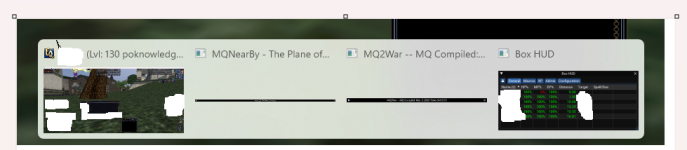
BoxHud is running (/Lua list shows it active), but the window is not visible anywhere inside EverQuest.
Other ImGui Lua apps are visible.
Toggling /boxhud does nothing.
BoxHud restores saved window coordinates (window.pos) on startup.
If you:
Because BoxHud restores the position using ImGuiCond.Once, it keeps reapplying the invalid off-screen coordinates every time it loads.
So it’s technically drawing — just somewhere you can’t see.
Add viewport clamping before calling ImGui.SetNextWindowPos().
In boxhud.Lua, inside HUDGUI, replace the SavePos block with:
local function ClampWindowToViewport(window)<br> local vp = ImGui.GetMainViewport()<br><br> local safeX = vp.WorkPos.x + 100<br> local safeY = vp.WorkPos.y + 100<br><br> if not window.pos then<br> window.pos = {x = safeX, y = safeY}<br> return<br> end<br><br> local x = window.pos.x<br> local y = window.pos.y<br><br> local minX = vp.WorkPos.x<br> local minY = vp.WorkPos.y<br> local maxX = vp.WorkPos.x + vp.WorkSize.x - 50<br> local maxY = vp.WorkPos.y + vp.WorkSize.y - 50<br><br> if x < minX or x > maxX or y < minY or y > maxY then<br> window.pos = {x = safeX, y = safeY}<br> end<br>end<br>
Then call it before ImGui.SetNextWindowPos():
if not ImGui.IsWindowDocked() and window.SavePos then<br> ClampWindowToViewport(window)<br><br> if window.pos then<br> ImGui.SetNextWindowPos(<br> ImVec2(window.pos.x, window.pos.y),<br> ImGuiCond.Once<br> )<br> end<br><br> if window.size then<br> ImGui.SetNextWindowSize(<br> ImVec2(window.size.w, window.size.h),<br> ImGuiCond.Once<br> )<br> end<br>end<br>
We validate saved window.pos against:
ImGui.GetMainViewport().WorkPos<br>ImGui.GetMainViewport().WorkSize<br>
If the saved coordinates are outside the visible render area, we reset them to a safe offset inside the viewport.
This makes BoxHud self-healing instead of blindly trusting stale saved coordinates.
You can copy/paste this directly into a thread or resource comment.
🛠 BoxHud Invisible / Off-Screen Fix (After Monitor / KVM / Resolution Change)
 Issue
Issue
BoxHud is running (/Lua list shows it active), but the window is not visible anywhere inside EverQuest.Other ImGui Lua apps are visible.
Toggling /boxhud does nothing.
 Cause
Cause
BoxHud restores saved window coordinates (window.pos) on startup.If you:
- Unplug/replug monitors
- Use a KVM switch
- Change resolution
- Switch fullscreen ↔ windowed
- Change DPI scaling
Because BoxHud restores the position using ImGuiCond.Once, it keeps reapplying the invalid off-screen coordinates every time it loads.
So it’s technically drawing — just somewhere you can’t see.
 Permanent Fix (No More Deleting imgui.ini)
Add viewport clamping before calling ImGui.SetNextWindowPos().In boxhud.Lua, inside HUDGUI, replace the SavePos block with:
local function ClampWindowToViewport(window)<br> local vp = ImGui.GetMainViewport()<br><br> local safeX = vp.WorkPos.x + 100<br> local safeY = vp.WorkPos.y + 100<br><br> if not window.pos then<br> window.pos = {x = safeX, y = safeY}<br> return<br> end<br><br> local x = window.pos.x<br> local y = window.pos.y<br><br> local minX = vp.WorkPos.x<br> local minY = vp.WorkPos.y<br> local maxX = vp.WorkPos.x + vp.WorkSize.x - 50<br> local maxY = vp.WorkPos.y + vp.WorkSize.y - 50<br><br> if x < minX or x > maxX or y < minY or y > maxY then<br> window.pos = {x = safeX, y = safeY}<br> end<br>end<br>
Then call it before ImGui.SetNextWindowPos():
if not ImGui.IsWindowDocked() and window.SavePos then<br> ClampWindowToViewport(window)<br><br> if window.pos then<br> ImGui.SetNextWindowPos(<br> ImVec2(window.pos.x, window.pos.y),<br> ImGuiCond.Once<br> )<br> end<br><br> if window.size then<br> ImGui.SetNextWindowSize(<br> ImVec2(window.size.w, window.size.h),<br> ImGuiCond.Once<br> )<br> end<br>end<br>
 Result
- BoxHud will never spawn off-screen again
- Survives monitor/KVM/resolution changes
- Does NOT break docking
- Does NOT break saved layouts
- No need to delete imgui.ini
- No need to wipe state files
 Why This Works
We validate saved window.pos against:ImGui.GetMainViewport().WorkPos<br>ImGui.GetMainViewport().WorkSize<br>
If the saved coordinates are outside the visible render area, we reset them to a safe offset inside the viewport.
This makes BoxHud self-healing instead of blindly trusting stale saved coordinates.


Well it worked so I’m happy. Had to make sure hard coded coordinates were not used when invalid. And AI is the only way to code anymore, hands down.
This thread got fippy'd so i'm just going to put this here.
ImGui has built in window-clamping. You're trying to come up with a solution to a problem that doesn't exist. Theres a reason why all the window code doesn't do the checks your idiot ai bot suggested. I wouldn't expect it to know that, though.
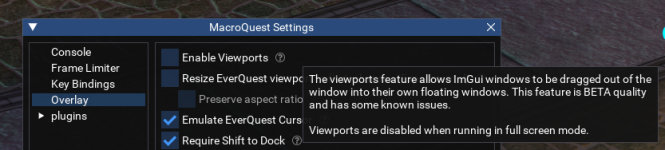
You can disable the window clamping in the options, which is what I asked you about above.
AI just makes us all dumber.
I'm moving this to hail a fire beetle for visibility because brain's contribution to the discussion is really important and can't be overstated.
I want to also include - if you have something you think you can contribute to a resource, please post in that resource discussions thread, talk to the author/maintainer, and/or do a merge request. any level of "coder" or "not coder" can have value to a resource -
randomly posting a wall of ai stuff that has a bunch of assumptions and things that are incorrect (even if just slightly) IS going to be met with "ai;dr"
posting code changes to resources randomly and willy nilly is actually *damaging* to the community - the users who have the most challenges, who need the most help and support see that pop up on the "most recent" and immediately try and implement it. how do i know? they message me about stuff like that, and it is almost always a "damn, i knew i shoulda said something, moved/deleted/something that". It also means that what could potentially be a: an easy fix, b: solution in search of a problem, c: misunderstanding, d: good idea e: combination or something else is just left to disappear in some obscure unrelated thread.
"it worked for me" that's great (and that's not sarcasm, sometimes we all just need 'it to work'), but it really is antithetical to the collaborative communication that we should all be able to expect when you posted to "questions..."
I want to also include - if you have something you think you can contribute to a resource, please post in that resource discussions thread, talk to the author/maintainer, and/or do a merge request. any level of "coder" or "not coder" can have value to a resource -
randomly posting a wall of ai stuff that has a bunch of assumptions and things that are incorrect (even if just slightly) IS going to be met with "ai;dr"
posting code changes to resources randomly and willy nilly is actually *damaging* to the community - the users who have the most challenges, who need the most help and support see that pop up on the "most recent" and immediately try and implement it. how do i know? they message me about stuff like that, and it is almost always a "damn, i knew i shoulda said something, moved/deleted/something that". It also means that what could potentially be a: an easy fix, b: solution in search of a problem, c: misunderstanding, d: good idea e: combination or something else is just left to disappear in some obscure unrelated thread.
"it worked for me" that's great (and that's not sarcasm, sometimes we all just need 'it to work'), but it really is antithetical to the collaborative communication that we should all be able to expect when you posted to "questions..."
this is so harmful. AI is a tool and should be respected as much - it isn't a "pull the lever, kronk" 1 low effort solution to all the worlds problems. not everything is a nailAnd AI is the only way to code anymore, hands down.
Users who are viewing this thread
Total: 1 (members: 0, guests: 1)
Share: