- Joined
- Feb 6, 2007
- RedCents
- 1,723¢
UPDATED FILE 12/3/16
corrected an issue trying to barter stuff not listed in the ini file. cred: Gator
changed handling of minimum sell price, will now automatically adjust min price to exceed item value by 1 pp.
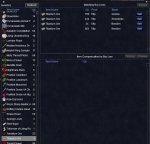
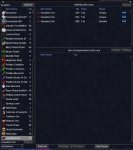
IMPROVMENT #4 - Barter Selling
WARNING
>> Barter selling will locked up your character until complete, this may require several minutes.
Activate barter selling only when you are safe. <<
WARNING
New Commands:
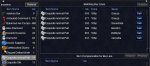
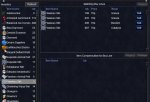
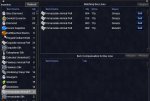
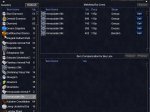
/barterstuff - activates the barter selling routine
/lootbarter - flags the item on your cursor =barter|1
New Loot.ini setting
BarMinSellPrice=1 - sets the default minimum price in platinum to sell the item to a buyer, coded to default to 1 plat
New Loot.ini flag
=barter|xx
=barter - flags the item to attempt to barter item to a buyer
|xx - is the minimum price to sell the item
Notes:
Item minimum selling price must be higher than it's vender selling price,
Minimum price will be automatically adjusted to 1 plat higher then the item value.
Item will be sold to highest available buyer, assuming they exceed the minimum sell price
PLEASE report your experience with ninjadvlootBarter here, I will monitor this post.
Beta version 1.0
corrected an issue trying to barter stuff not listed in the ini file. cred: Gator
changed handling of minimum sell price, will now automatically adjust min price to exceed item value by 1 pp.
IMPROVMENT #4 - Barter Selling
WARNING
>> Barter selling will locked up your character until complete, this may require several minutes.
Activate barter selling only when you are safe. <<
WARNING
New Commands:
/barterstuff - activates the barter selling routine
/lootbarter - flags the item on your cursor =barter|1
New Loot.ini setting
BarMinSellPrice=1 - sets the default minimum price in platinum to sell the item to a buyer, coded to default to 1 plat
New Loot.ini flag
=barter|xx
=barter - flags the item to attempt to barter item to a buyer
|xx - is the minimum price to sell the item
Notes:
Item minimum selling price must be higher than it's vender selling price,
Minimum price will be automatically adjusted to 1 plat higher then the item value.
Item will be sold to highest available buyer, assuming they exceed the minimum sell price
PLEASE report your experience with ninjadvlootBarter here, I will monitor this post.
PLEASE report your experience with ninjadvlootBarter here, I will monitor this post.Official release notes for ninjadvloot 6.x:
Thank you beta testers, without whom this would not be possible.
CREDIT: Incognito for user testing and suggesting too many improvements to recount.
IMPROVMENTS/CHANGES from ninjadvloot 5.x
Recommend reading Ninjadvloot 5.2 for basic use.
I will be updating the wiki... soon, I hope.
WARNING:
Attempting to use both the in-game advanced loot filters and Ninjadvloot 6.x will cause strange behavior. It is strongly recommended you ensure the following in-game advloot settings:
1. LOOT ALL is turned off in the advloot window.
2. Don't say I didn't warn you. Attempts to get both system to work together have not been entirely successful.
Improvements have been made to getting the two systems to work better together. You should be able to use the in-game filter 'Never' to limit who will and will not loot particular items. This does require catching the item in the advloot window and manually selecting the in-game filter.
IMPROVMENT #1 - Automatically Select/Replace Group Master Looter
New user selectable setting: GMLSelect=1 0=off/1=on
Allows Ninjadvloot to automatically select a Group Master Looter and replace the Group Master Looter if his/her bags become full.
To exclude a group member from being selected Master Looter turn off looting (LootOn=0) in your KissAssist_CharactorName.ini file. By default all group members are selectable as Master Looter.
NOTE: kissassist.mac users, LootOn=0 in your kissassist settings file will prevent the flag =quest|xx from working properly.
New loot.ini setting: ExcludeBag1=Extraplanar Trade Satchel
Exclude special/limited item bags from being counted toward available inventory slots.
Required for the proper replacement of Group Master Looter when bags become full.
IMPROVMENT #2 - Quest Looting
New item ini file setting: =Quest|xx
NOTE: This has nothing to do with the in-game item descriptions.
This setting uses the advloot autoroll feature to distribute a given number of an item marked =Quest|xx in the loot.ini file to each group member. After each group member has xx items any additional items will be ignored.
This setting will also limit the number of foraged items the forager keeps, additional items will be destroyed.
Items must by manually marked in the loot.ini file using either a text editor or the new command /lootquest.
The default number of items to be kept is user selectable with the loot.ini setting QuestKeep=10
The actual number of items to be kept can be manually adjusted (with a text editor) in the loot.ini file.
For this function to work properly every group member must check for loot items in their advloot window.
IMPROVEMENT #3 - Plat Farming
New user selectable setting: StackPlatValue=0
Loots and checks the value of a stack of any NEW items being added to the loot.ini file. Stack size is limited to 20.
If item stack value is less then StackPlatValue setting, item will be marked =Ignore in the loot.ini file
WARNING: low value tradeskill and LORE items will be marked =Ignore if below the StackPlatValue setting
Because the item must be looted to check it's value, one of the item will remain in your bag
Items that can be worn (equipped) bypass this check and will be marked =Keep in the loot.ini file
ADDITIONAL NOTES:
New user selectable setting: NoDropDefault=Quest|Keep|Ignore
Determines how NoDrop/NoTrade items will be marked in the loot.ini file when encountered for the first time. The default is Quest|1
New user selectable setting: SaveBagSlots=3
Allows you to reserve or save a number of empty bag slots for quest, nodrop or lore items. Default is 3
New user selectable setting: LootLagDelay=0
Increase the setting if you have problems with lag. 5=half second, 10=one second, 20=two seconds...
New user selectable setting: SpamLootInfo=1 0=off/1=on
Spams loot information to your MQ window
LORE items marked =Keep in the loot.ini file will be distributed to everyone in the group, when everyone has one item will be ignored.
Always spams:
1. any changes to the loot.ini file
2. selection/changes in Group MasterLooter
3. problems that cause looting to fail, such as full inventory or the lack of a Group MasterLooter
SpamLootInfo=1 spams:
1. The process and disposition of loot items by the Group MasterLooter
2. when group members select need/greed/no
3. Plat and loot tracking
All spam is sent to the MQ2 chat window.
Allowing your Group Master Looter to die is NOT recommended. Locked items will be ignored, possibly leaving desirable or valuable items on corpse.
Beta version 1.0
Attachments
Last edited: