
• You've discovered RedGuides, an EverQuest multi-boxing and scripting community 🧙‍♀️⚙️. We want you to play several EQ characters at once, come join us and say hello! 👋

  • A TLP without truebox has thawed (Very Vanilla ready)
    Frostreaver

Problem - Multiple crashes

Joined
Feb 27, 2016
RedCents
565¢
I've been randomly crashing since the last update/patch.

EverQuest Crash Detected
---------------------------
MacroQuest caught a crash:

Process ID: 4744
Version: 3.1.1.3664
Location: RaiseException+0 (C:\WINDOWS\System32\KERNELBASE.dll+00000000000CA780)

CrashID: e66427d4-027e-447d-91bd-a9d0d3bb13d2

You can either:
* [RETRY] Continue execution and hope for the best.
* [CANCEL] Write a crash dump and terminate EverQuest.

Copy the contents of this dialog to your clipboard by pressing Ctrl+C

---------------------------
Retry Cancel
---------------------------
 
6 boxing. Seems mostly random. Same toon this time. Different crash ID. Not sure that matters

---------------------------
EverQuest Crash Detected
---------------------------
MacroQuest caught a crash:

Process ID: 1840
Version: 3.1.1.3664
Location: RaiseException+0 (C:\WINDOWS\System32\KERNELBASE.dll+00000000000CA780)

CrashID: 9e800bab-9c91-4e75-894b-659f278547af

You can either:
* [RETRY] Continue execution and hope for the best.
* [CANCEL] Write a crash dump and terminate EverQuest.

Copy the contents of this dialog to your clipboard by pressing Ctrl+C

---------------------------
Retry Cancel
---------------------------
 
6 boxing. 3 toons have mq2(class) and 3 have rgmercs running. The rgmercs toons seem to be the ones crashing but the mq2cleric did drop one time the night before last. I think I also have looty running.
 
6 boxing. 3 toons have mq2(class) and 3 have rgmercs running. The rgmercs toons seem to be the ones crashing but the mq2cleric did drop one time the night before last. I think I also have looty running.

this is happening in lualand somewhere
*guessing* the re-entry issue that @brainiac and @Derple have been working on
INI:
     mq2lua.DLL!err_raise_ext(global_State * g, int errcode) Line 395    C
     mq2lua.DLL!lj_err_throw(lua_State * L, int errcode) Line 789    C
     mq2lua.DLL!lj_err_run(lua_State * L) Line 896    C
     mq2lua.DLL!lj_err_callermsg(lua_State * L, const char * msg) Line 1017    C
     mq2lua.DLL!luaL_error(lua_State * L, const char * fmt, ...) Line 1140    C
     mq2lua.DLL!mq::lua::LuaCoroutine::CheckCondition(std::optional<sol::basic_protected_function<sol::basic_reference<0>,0,sol::basic_reference<0>>> & func) Line 98    C++
     mq2lua.DLL!mq::lua::LuaCoroutine::ShouldRun() Line 187    C++
     mq2lua.DLL!mq::lua::LuaThread::RunOnce() Line 747    C++
>    mq2lua.DLL!mq::lua::LuaThread::Run() Line 702    C++
     mq2lua.DLL!OnPulse() Line 1954    C++

your crash is happening somewhere in Lua land (or at least that is what is happening before the kernelbase crash
 
EMU build 3670, the first on starting RGMercs, the second standing in town.
Characters were SHM and then PAL, both use coroutining in cure checks, anecdotally.

Code:
Process ID: 26112
Version: 3.1.1.3670
Location: RaiseException+0 (C:\WINDOWS\System32\KERNELBASE.dll+00162C40)

CrashID: 795172a1-def0-4a7c-9674-7b783116fce7


Code:
Process ID: 27252
Version: 3.1.1.3670
Location: peer_connected+0 (C:\Games\MQ\VV-Emu\Plugins\MQ2dannet.DLL+0003A970)

CrashID: 42632ee8-b955-4791-8bcd-8e05c001e88d

Prior to this update, I have not seen any crashing like this.
 
---------------------------
EverQuest Crash Detected
---------------------------
MacroQuest caught a crash:

Process ID: 5512
Version: 3.1.1.3673
Location: RaiseException+0 (C:\WINDOWS\System32\KERNELBASE.dll+00000000000CA780)

CrashID: a97289a0-e29c-4aa1-af18-90b7b6727689

You can either:
* [RETRY] Continue execution and hope for the best.
* [CANCEL] Write a crash dump and terminate EverQuest.

Copy the contents of this dialog to your clipboard by pressing Ctrl+C

---------------------------
Retry Cancel
---------------------------
 
---------------------------
EverQuest Crash Detected
---------------------------
MacroQuest caught a crash:

Process ID: 11068
Version: 3.1.1.3673
Location: RtlRaiseStatus+0 (C:\WINDOWS\SYSTEM32\ntdll.dll+000000000000DC70)

CrashID: 0d22f753-62e4-4f7d-987d-34e237fdc968

You can either:
* [RETRY] Continue execution and hope for the best.
* [CANCEL] Write a crash dump and terminate EverQuest.

Copy the contents of this dialog to your clipboard by pressing Ctrl+C

---------------------------
Retry Cancel
---------------------------
 
I really have no idea if this helps. I just assume the different crash IDs mean something different? Basically same scenario. Random of the 3 rgmercs toons takes a dive.
 
---------------------------
EverQuest Crash Detected
---------------------------
MacroQuest caught a crash:

Process ID: 4768
Version: 3.1.1.3673
Location: RaiseException+0 (C:\WINDOWS\System32\KERNELBASE.dll+00000000000CA780)

CrashID: 3d6f563b-2fe7-4f09-a577-16548c2a393d

You can either:
* [RETRY] Continue execution and hope for the best.
* [CANCEL] Write a crash dump and terminate EverQuest.

Copy the contents of this dialog to your clipboard by pressing Ctrl+C

---------------------------
Retry Cancel
---------------------------
 
I really have no idea if this helps. I just assume the different crash IDs mean something different? Basically same scenario. Random of the 3 rgmercs toons takes a dive.
We may not be having the same issue, to be honest.
I crashed once or twice yesterday and not since.
That ntdll stuff worries me (but I don't have any great understanding of this stuff)
 
Fjorn, I noticed you're downloading rgmercs macro (old, outdated), and also the most recent RGmercs from Feb 3rd.

Can you make sure you're fully patched and not using rgmercs macro
 
Welcome to RGMercs Lua Edition
Version 1.2.1 (Shattering of Ro)
By Lead Devs: Derple, Algar
That's what I get when loading it up.
My launcher does have RGMercs (macro version, deprecated) on it though. (And I'm sure Ive updated it multiple times, or hit the button at least) Lua on my laucher shows nothing.
Do I need to delete the macro version from my launcher? If so, how?
 
We've had like 20 updates since 3 Feb, including some critical stability updates based around the recent imGui and Lua improvements. Are you showing up to date on RGMercs Lua in the launcher? If you are, and it says 3 Feb, you may need to move on to redfetch.
Welcome to RGMercs Lua Edition
Version 1.2.1 (Shattering of Ro)
By Lead Devs: Derple, Algar
That's what I get when loading it up.
My launcher does have RGMercs (macro version, deprecated) on it though. (And I'm sure Ive updated it multiple times, or hit the button at least) Lua on my laucher shows nothing.
Do I need to delete the macro version from my launcher? If so, how?
 
I've never used RGMercs before recently. I had no idea I had to "watch" it here to get updates to the patcher. It's probably in some instructions somewhere but I have never been good at reading those.
I guess I downloaded it originally on the 3rd and never gave it any thought.
I do want to say it is an awesome tool. I appreciate everything you guys do to make it easier for a guy like me who just knows how to swing a hammer.
 
Ah, okay!

You can head over to https://www.redguides.com/community/resources/rgmercs-lua-edition.3040/
and look for the "watch" button on the right side.

When you watch a resource like that, redfetch will update them when you hit the easy update button. For RG launcher, it will update them if you go to the "Lua" tab and let it scan/update them. I recommend moving on to redfetch if you are fairly new to this stuff!

last tip: always make sure you are on the "overview" tab when you watch something, and not in the "discussion" tab XD.

It may be worth looking at the new player guide still, even if you have been using this a bit now.
Step 9 shows you how to watch a resource, and the other steps are good to know stuff as well.
 
Experiencing the same problem and, yes, I have been suspecting Lua as well.
"The same problem" insn't really helpful.
If you suspect it is RGMercs, make sure your build number matches our actual latest build number, as it seems some people using RG Launcher have not been receiving updates... and post the crash ID's, please.
 
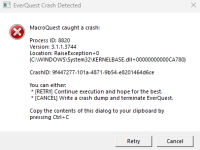
in the future please do what it says and control+c on that so you can control+v (to paste) the info rather than an image
What??? You dont like copying 9f447277-101a-4871-9b54-e8201464d6ce ???

j/k hehe will do next time sorry :p

Crash doesnt happen that often, maybe once every +-500 hours (considering I run 18 boxes) but when it does it usually crashes a bunch of instances at once. This morning was the very first time I saw it only crash one instance.
I will keep reporting as it happens.
 
Problem - Multiple crashes

Users who are viewing this thread

Back
Top
Cart